3-6
User Interface Basics
Navigation
Navigation
Thenavigationsectionofthefrontpanelconsistsofthedisplayandthebuttonssurroundingit.
ThesenavigationbuttonswilltakeyoutoeveryoneofthePC3LE’sprogrammingparameters.
The Display
YourprimaryinterfacewiththePC3LEisitsbacklitgraphicdisplay.Asyoupressvarious
buttons,thisfluorescentdisplayreflectsthecommandsyouenterandtheeditingchanges you
make.
Pages
Withineachmode,thefunctionsandparametersareorganizedintosmaller,relatedgroupsthat
appeartogetherinthedisplay.Eachoneofthesegroupsofparametersiscalledapage.Each
modehaswhatwecallanentry‐levelpage;it’sthepagethatappearswhenyouselectthatmode
withoneofthemodebuttons.Withineachmodeanditseditor(s),thevariouspagesareselected
withthenavigationbuttons.Therearemanypages,butthereareafewfeaturescommontoeach
page.
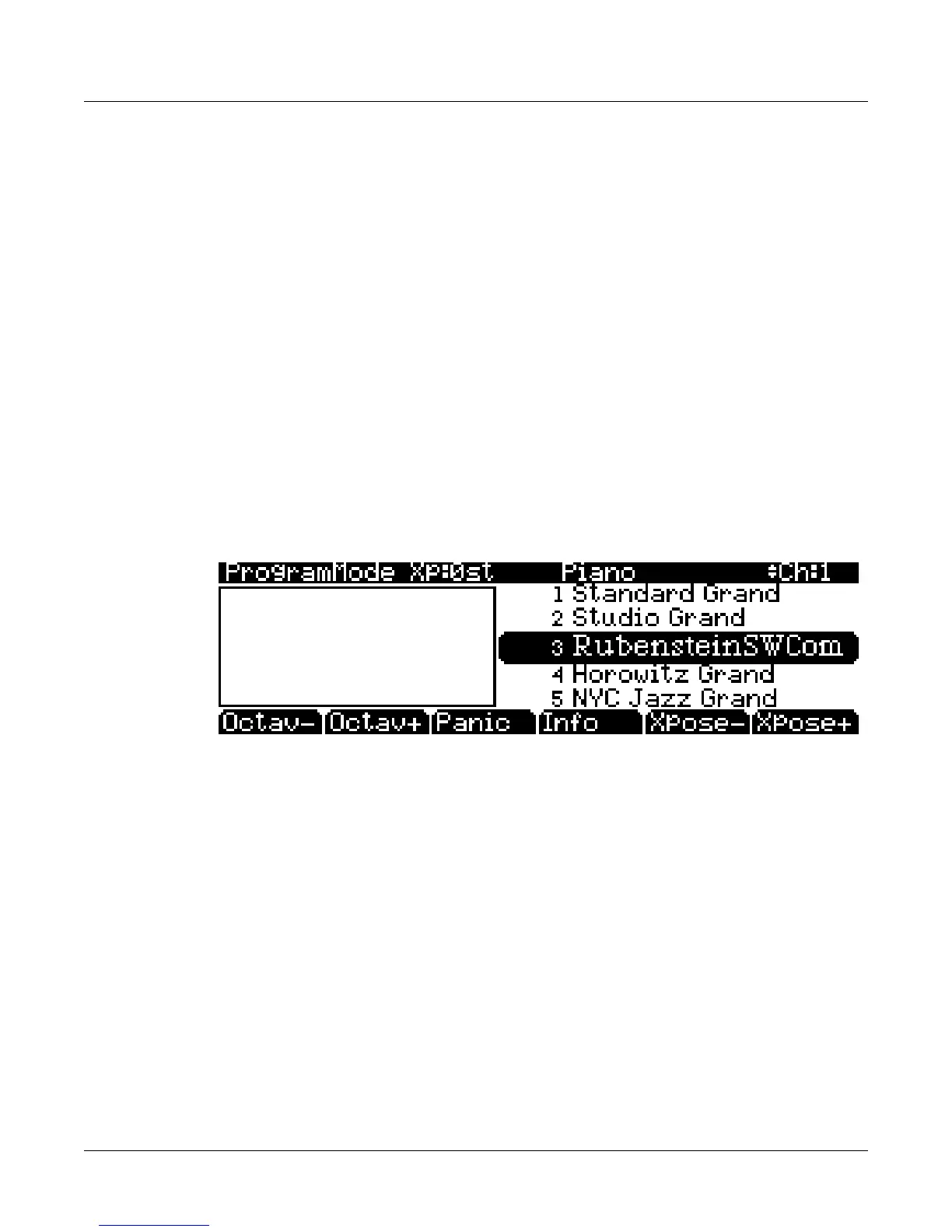
Thisistheentry‐levelpageforProgrammode:
The Top Line
Onthetoplineofmostpages,there’sareminderofwhichmodeyou’ reinandwhichpage
you’ reon.Manypagesdisplayadditionalinformationinthetopline,aswell.TheProgram
modepageabove,forexample,showsyouthecurrentamountofMIDItransposition,the
currentprogram’scategory,and
thecurrentlyselectedMIDIchannel.Thetoplineisalmost
always“reversed”—thatis,ithasawhitebackgroundwithbluecharacters.
The Bottom Line
Thebottomlineisdividedintosix(sometimesfewer)setsofreversedcharactersthatserveas
labelsforthesixbuttonsdirectlybeneaththedisplay.Theselabels—andthefunctionsofthe
buttons—changedependingonthecurrentlyselectedpage.Consequentlythebuttonsthat
selectthesefunctionsarecalled“soft”buttons.














 To Next Page