7-16
Setup Mode
The Setup Editor
Pads
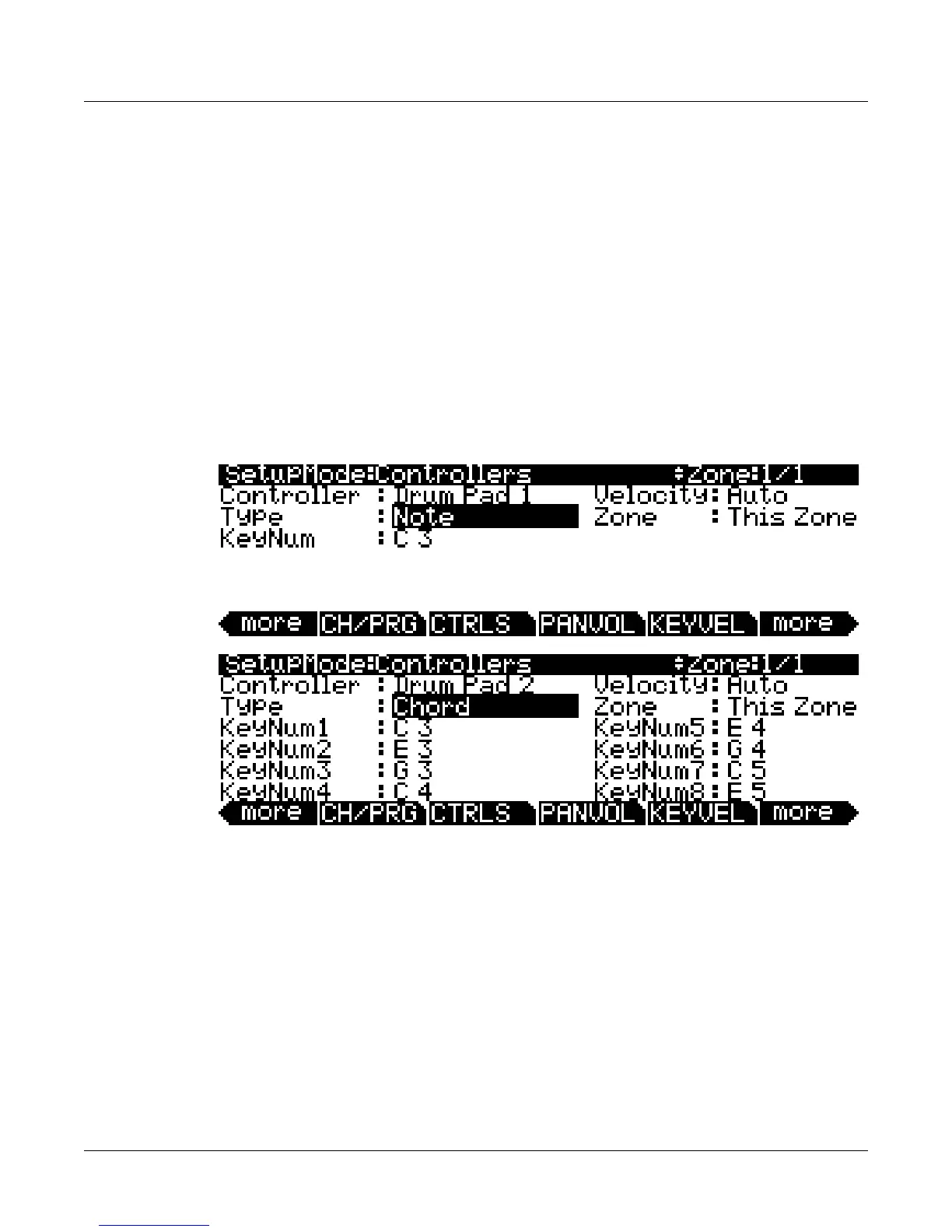
Youcanassigneachofthe8padstoadifferentnote,chord,MIDIcontrollerdestination,
programparameterorRiff.First,usetheChan/Zonebuttonstotheleftofthedisplaytoselect
thedesiredzonethatyouwishtoassignapadto.Next,usethecursorbuttonstoselect
the
Controlfield,andselectapadbyholdingtheEnterbuttononthealphanumericpadand
pressingthedesiredpad.WiththeControllerfieldselectedyoucanalsoselectthedesiredpad
byusingtheAlphaWheelor‐/+buttons.Next,usethecursorbuttonstomovetothe
Typefield
andselectoneoftheoptionswiththeAlphaWheelor‐/+buttons.IntheTypefield,selectNote
toassignanote,Chordtoassignachord,SwitchtoassignaMIDIcontinuouscontroller
destinationorprogramparameter,orRifftoassignaRiff.Lastly,usetheZone
fieldtosetthe
desiredzonethatyouwishtocontrolwiththecurrentpad.Youcancontroleitherthecurrent
zone,orallzones.SeebelowforparameterexplanationsofeachPadcontrolType:
Note, Chord
WithNoteorChordselectedintheTypefield,youcanassignthepadto
playasinglenoteor
chordofupto8notes.
Key Number (KeyNum)
UsetheKeyNumfieldtoselectthenotetobeplayed.ThenoteisdisplayedbyMIDInotename.
Tosel ectanote,selecttheKeyNumfieldwiththecursorbuttons,holdtheEnterbuttononthe
alphanumericpad,thenplaythedesirednoteonthekeyboard.Youcanalsochange
thenotein
thefieldbyusingtheAlphaWheelor‐/+buttons.
Zone
UsetheZonefieldtosetthedesiredzonethatyouwishtocontrolwiththecurrentpad.A
settingofThisZonemakesthepadcontrolthe currentlyselectedzone(youcanviewthe
currentlyselectedzoneintheupperrightcorner ofthescreen,)whileasettingofAll
Zones
makesthepadcontrolallzones.














 To Next Page