Program Mode
The Program Editor
6-11
accidentallysettheMIDIValueto0,butwouldn’ tknowitbecauseNonewouldstillbe
displayed.Ifyouedittheparametersofaprogramandsuddenlycan’tproduceanysound
fromtheprogram,thismaybethecause.Inthiscase,eithersettheMIDIValueforExpression
to
somethingotherthanNone,orusetheControlSourcethatyousetforExpressiontoincrease
theMIDIValue.
The BASIC Page
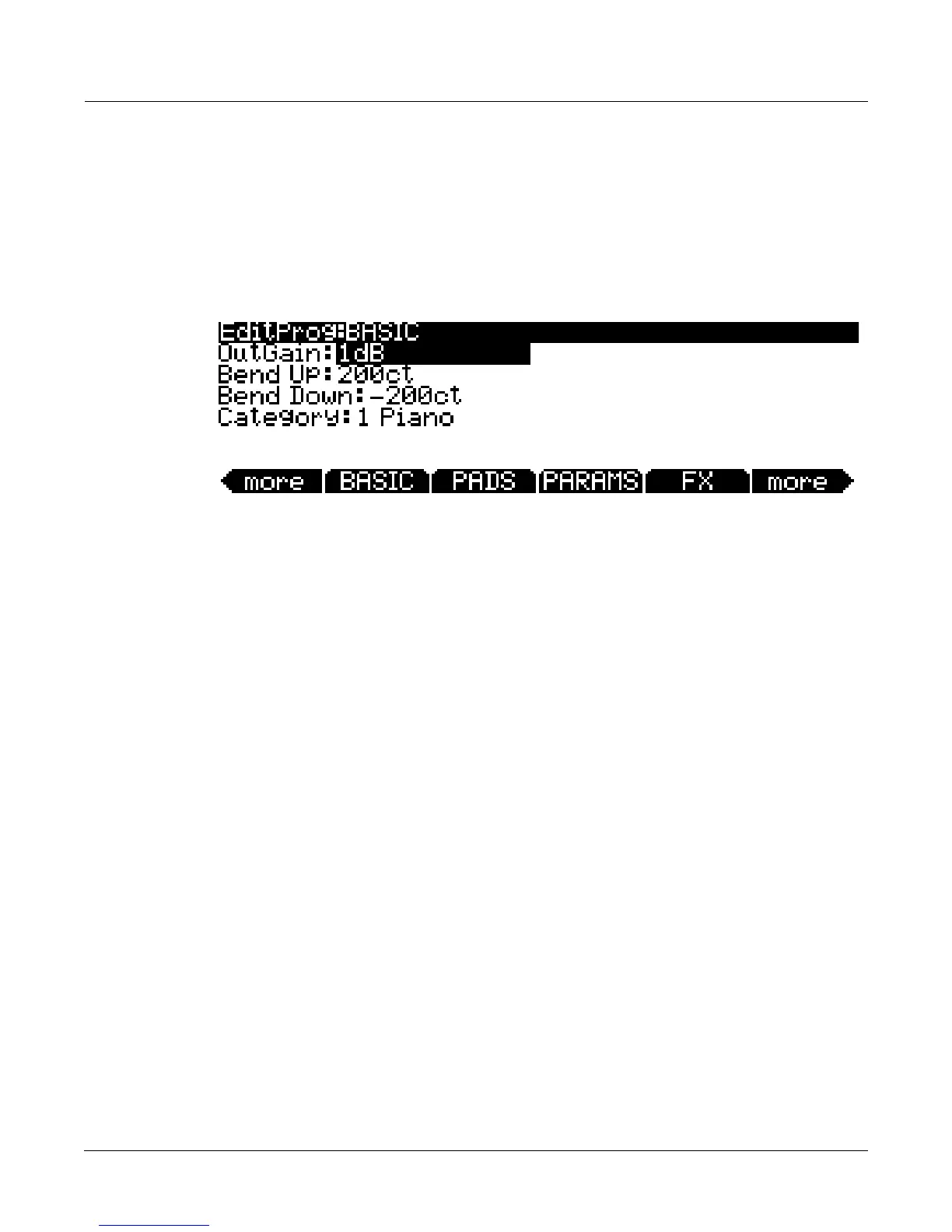
OntheBASICpageyoucanadjustbasicsettingsforthecurrentlyselectedprogram(seebelow.)
OutGain
Adjusttheoutputlevelofthecurrentlyselectedprogrambyupto‐96dBor+20dB.
Bend Up, Bend Down
UsetheseparameterstodefinehowmuchthepitchwillchangewhenyoumoveyourPitch
Wheel.You
canseteitherBendparametertobendbyupto72half‐stepsupordown.Pitch
valuesaresetincents,where100cents=1half‐step.ForbothBendparameters,positivevalues
willcausethepitchtobendup,whilenegativevalueswillcausethepitchto
benddown.Large
positivevaluescancausesamplestobendtotheirmaximumupwardpitchshiftbeforethePitch
Wheelisfullyup(ordown).Thiswillnothappenwhenbendingpitchdown.
Category
Thisparametersetsthecategorythattheprogramwillbeprogramwillbegroupedwithwhen
youpress
oneoftheCategorybuttonsfromtheProgrammodemainpage.Forexample,ifyou
weretoeditaprogramintheLeadscategorythatyouwanttouseprimarilyasaSynthBass,you
couldmakeitappearintheSynBasscategorybychangingthisparametertoSynBass.
While
thisparameterisselected,youcanchooseacategorybypressingthecorrespondingCategory
buttononthefrontpanel.Youcanalsosetacategorybyusing theAlphaWheelor‐/+buttons.In
additiontothecategorysethere,alleditedprogramscanbeviewedbypressingtheUser
Categorybutton.














 To Next Page