User Interface Basics
Data Entry
3-9
Data Entry
Thedataentrysection ofthefrontpanelincludestheAlphawheel,the‐/+buttons,andthe
alphanumericpad(theShiftfunctionsoftheCategorybuttons.)
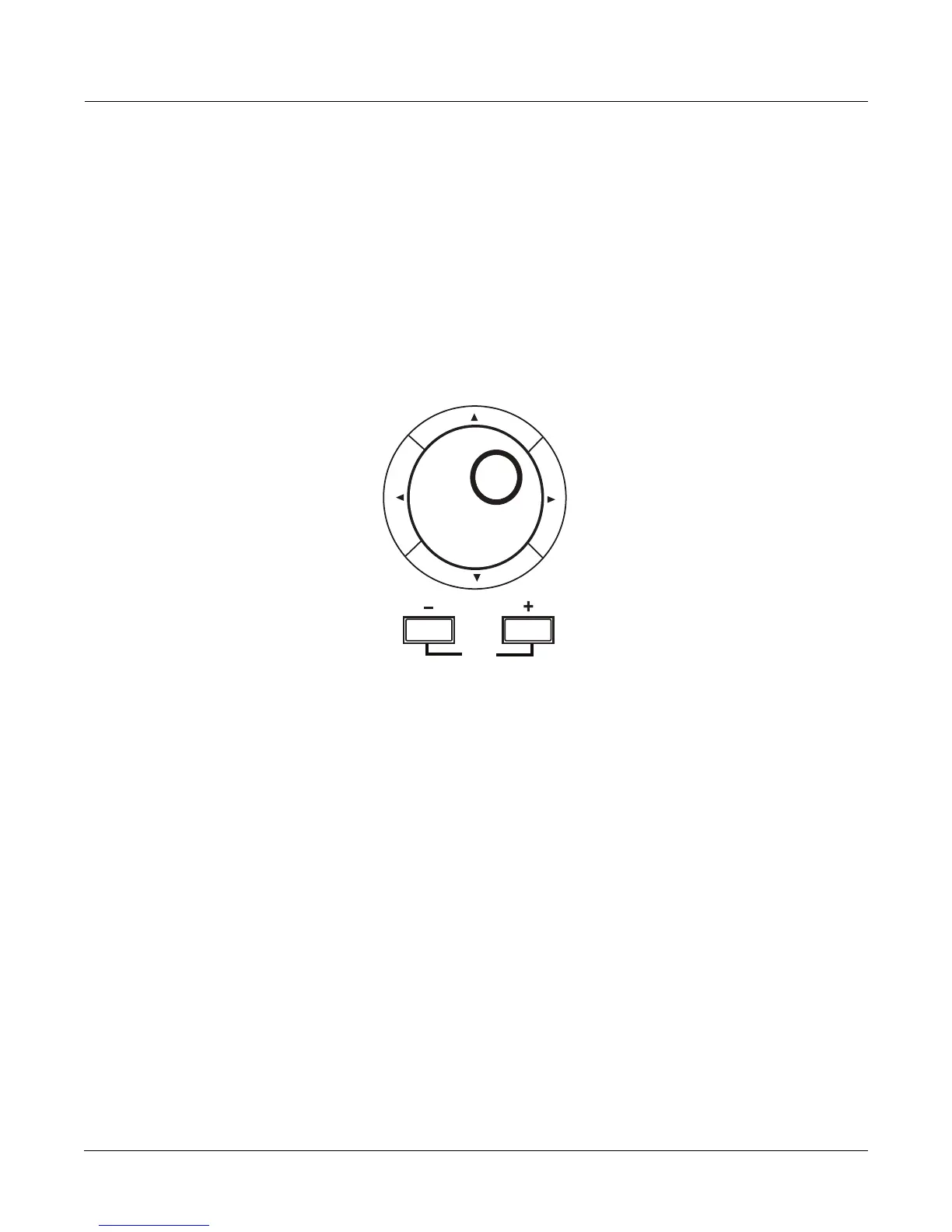
The Alpha Wheel
TheAlphaWheel(seebelow)islocatedtotherightofthedisplay.Itisusefultoquicklyenter
largeorsmallchangesinvalue.IfyouturntheAlphaWheeloneclicktotheright,you’ll
increasethevalueofthecurrentlyselectedparameterbyoneincrement.Oneclickto
theleft
decreasesthevaluebyoneincrement.Ifyouturnitrapidly,you’lljumpbyseveralincrements.
YoucanalsousetheAlphaWheeltoenternameswhenyou’ resavingobjects.
The -/ + Buttons
The‐/+buttonsarelocatedjustundertheAlphaWheel(seeabove.)The“+”(plus)button
increasesthevalueofthecurrentlyselectedparameterbyone,andthe“‐”(minus)button
decreasesitbyone.Thesebuttonsaremostusefulwhenyou’ rescrolling throughashortlist
of
values,orwhenyouwanttobesureyou’rechangingthevaluebyoneincrementatatime.One
pressoftheplusorminusbuttoncorrespondstooneclicktotherightorleftwiththeAlpha
Wheel.Thesebuttonswillrepeatifpressedandheld.
Pressingtheplus
andminusbuttonssimultaneouslywillmoveyouthrough thecurrentlistof
valuesinlargechunksinsteadofonebyone.Don’tconfusethesebuttonswiththe+/‐buttonin
thecategorybuttons.Thatcategorybuttonisusedprimarilyforenteringnegativenumeric
valuesandswitchingfromuppercasetolowercase
letters(andviceversa).
The Alphanumeric Pad
WhenyoupresstheShiftbuttononthebottomrowoftheCategorybuttons,youcanusethe
Categorybuttonsasanalphanumericpadtoenternumericvalues,andenternamesonel etterat
atime.PressingtheShiftbuttonlightsitsLED,indicatingthatthecategorybuttonswill
correspondto
thenumbers,letters,andotherfunctionsprintedonthebuttons.Onthemain
pageforProgrammode,thecategorybuttonschoosetheprogramcategory,andyoumustpress
theCategoryShiftbuttontoenternumbers.OntheQuickAccessmodemainpage,the
numberedcategorybuttonsselectQuickAccessprograms
basedonhowprogramsarelaidout
onthedisplay,withnoneedtopresstheShiftbutton.InMasterandStoragemodes,aswellas














 To Next Page