User Interface Basics
Pads
3-3
WhenusingaKB3organprogram,theblueKB3LEDwilllight(abovetheShiftbuttonattheleft
oftheAssignableControls,)andtheAssignableControlswillcontroltheKB3organfunctions
labeledbelowthecontrolnames.Forexample,thecontrollabeledTimbreemulatesanorgan’s
16’drawbar(asis
labeledbelowTimbre.)UsetheAssignableControlsShiftbuttontoaccess
moreorgancontrols.
Pads
ThePC3LE’seightpadsarelocatedbelowthedisplay.Thepadscanbeassignedtotriggernotes
orcontrolotherfunctions.WhenyouselectaPC3LEprograminProgrammode,thePC3LEwill
alsoselectanassociatedDrumprogramtobetriggeredbythePads.TheprogramforthePadsis
assignedtoMIDIchannel10.
Assignable Switches
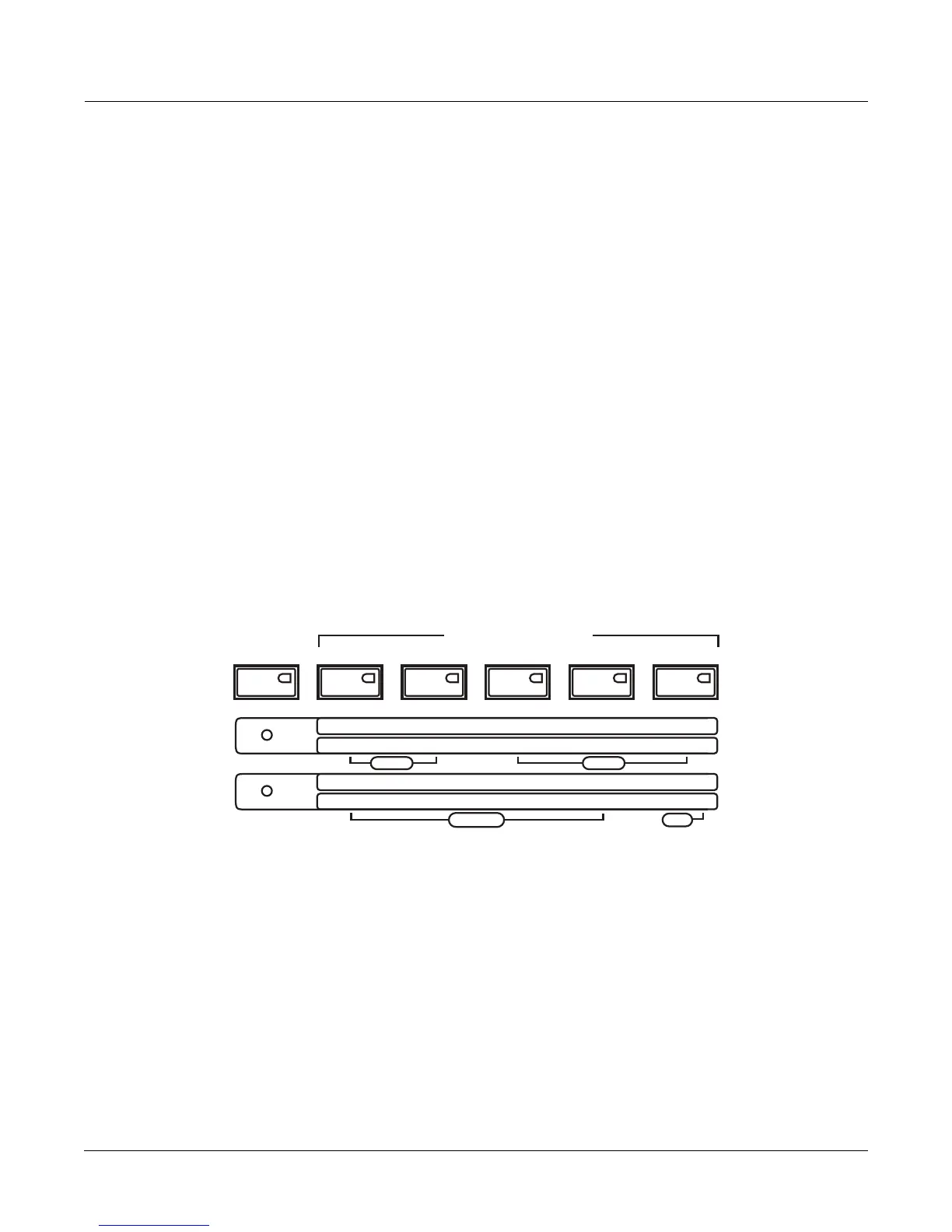
TheAssignableSwitches(seebelow)arelocatedintheupperleftofthepanel.Usetheseto
switchFXonandoff,mutelayersofsound,orcontrolotherfunctions. Eachof the5switchescan
controltwoseparatefunctionsindependently,effectivelygivingyouaccessto10switches.Use
theShift
buttontotheleftoftheseswi tchestotogglebetweenaccessingswitches1‐5or6‐10.
PressingthisShiftbuttonwilllightoneoftheLEDsofthetworowsoflabelsbelowthe
AssignableSwitches.Thisletsyouknowwhichsetofswitchesyouareusing(eitherSW1‐
SW5
orSW6‐SW10.)WhenusingaKB3program,theblueKB3LEDwilllight(belowtheLEDforthe
tworowsoflabels,)andtheAssignableSwitcheswillcontroltheKB3organfunctionslabeled
belowtheswitchnames.
The Save Button
TheSavebuttonislocatedtotherightofthedisplay.WhileontheProgrammodemainpage,
theLEDontheSavebuttonwilllightwhenyouhavechangedanyofthecontrolstatesofthe
assignableknobs,switches,orothercontrolsources(forexampleturningaswitchonor
off,
changingaknobposition,etc.)WhentheLEDontheSavebuttonislit,presstheSavebutton
twicetoquicklysaveyour“tweaked”versionofthecurrentprogram.Ifyouhaven’tpreviously
editedtheprogram,thiswillsaveanewcopyoftheprogramunderanewID#.
Ifyouhave
previouslyeditedtheprogram,thiswillreplacethecurrentprogrambysavingunderthesame
ID#.
ASSIGNABLE SWITCHES
SW1
SW2
SW3
SW4
SW5
SW6
SW7
SW8
SW9 SW10
Slow / Fast
Brake On / Off Chor / Vib Depth
On / Off
Loud / Soft
Decay F/S
Pitch H/L
On / Off
Rotary
Vibrato
Percussion
Click
Shift














 To Next Page