2-6
Startup
PC3LE Programs
PC3LE Programs
ThePC3LEpowersupinProgrammode,whereyoucanselectandplayprograms(called
patches,presets,orvoicesonotherinstruments).Programsarepresetsoundscomposedofupto
32layersofsamples,waveforms,oroscillators.Ifyou’veleftProgrammode,justpressthe
ProgrammodebuttonorExitbutton
toreturn.
Selecting Programs
WhenyouareinProgrammode,therearetwobasicwaystoselectaPC3LEprogram:
•PressaCategorybuttontolistallprogramsinthatcategory,thenusetheAlphaWheel,‐/+
buttons,orcursorup/downbuttonstoscrollthroughthelist.TheCategorybuttonsareon
thefrontpanel,
totherightofthedisplay.PresstheAllcategorytolistprogramsinall
categories.
•Pressthe Shiftcategorybuttonandusethenumberedcategorybuttonstoenteraspecific
programIDnumber,thenpresstheEntercategorybutton.PresstheShiftcategorybutton
againtoreturnthecategorybuttons
totheirprimaryfunction.
ThePC3LEhasvarioussettingsforrespondingtoMIDIProgramChangecommandsfrom
externalsources.TheseareexplainedinChapter 9,sowewon’tgointothemhere.Youshould
beabletochangeprogramsbysendingProgramChangecommandsfromyourMIDIcontroller.
Easy Audition
Anytimeyouwanttohearwhataprogramsoundslike,highlighttheprogram’sname(whilein
Programmode)thenpressthePlay/Pausebuttontoplayabriefsample.TheDemoButton
parameterontheMasterMode2pagemust beonforEasyAuditiontowork;theparameteris
on
bydefault.MastermodeisdescribedinChapter 9.
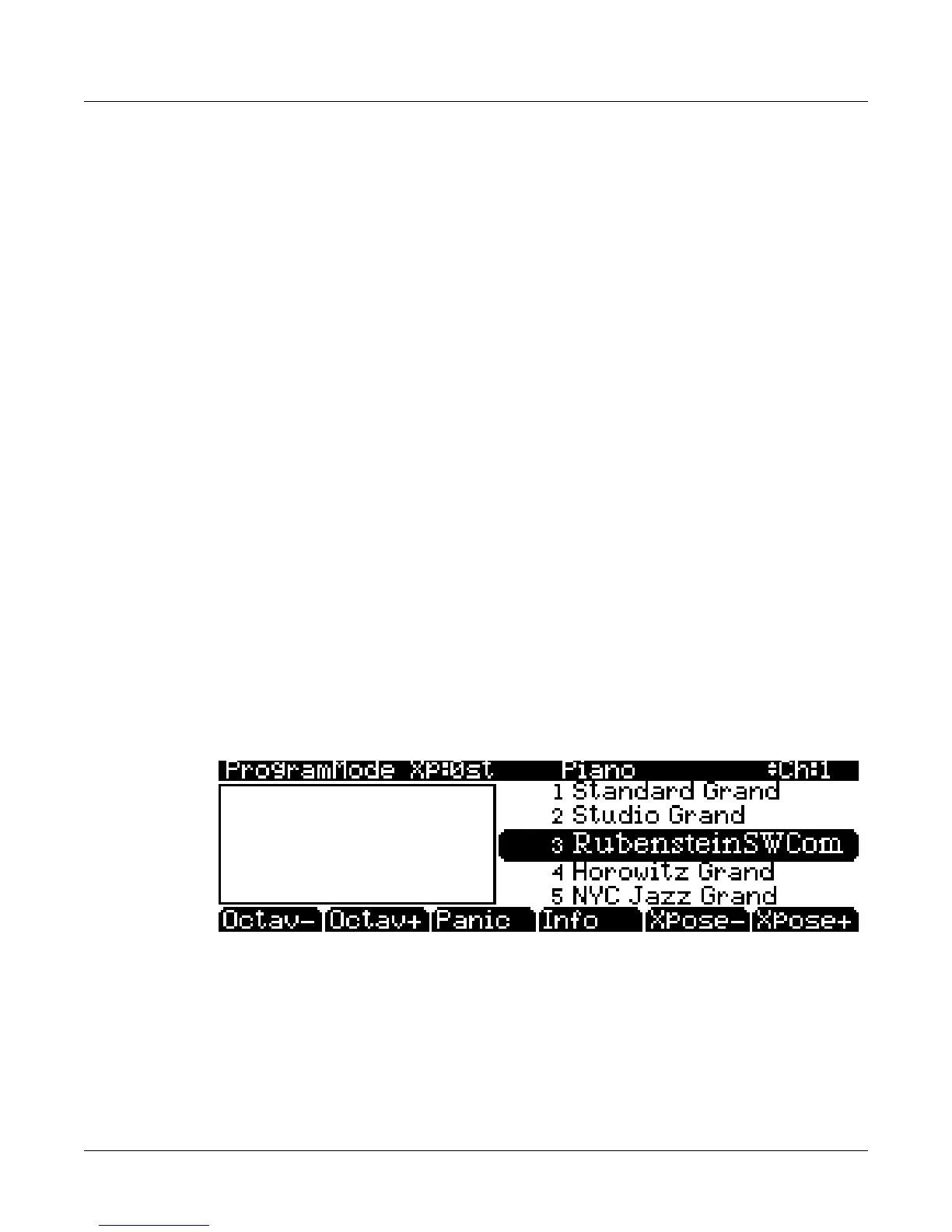
Program Mode Display
TakeaminutetofamiliarizeyourselfwiththeProgrammodedisplay.Thetoplineshowsyou
theMIDItransposition,thecurrentprogram’scategory,andwhatMIDIchannelyou’reon.The
currentlyselectedprogramishighlightedinthelistonthe rightsideofthescreen.
Info Box
There’saninfoboxatthe
leftsideofthedisplay.Changingthevalueofacontrol(movingaknob
orpressingaswitch) willdisplaythenameofthelastmovedcontrolleralongwithitsparameter
assignment(there’salsoan infoboxforSetupmode.)














 To Next Page