2-4
Startup
Startup—the Details
Switching On the Power
ThePC3LE’spowerswitchisontherearpanel,adjacenttothepowercableconnection.
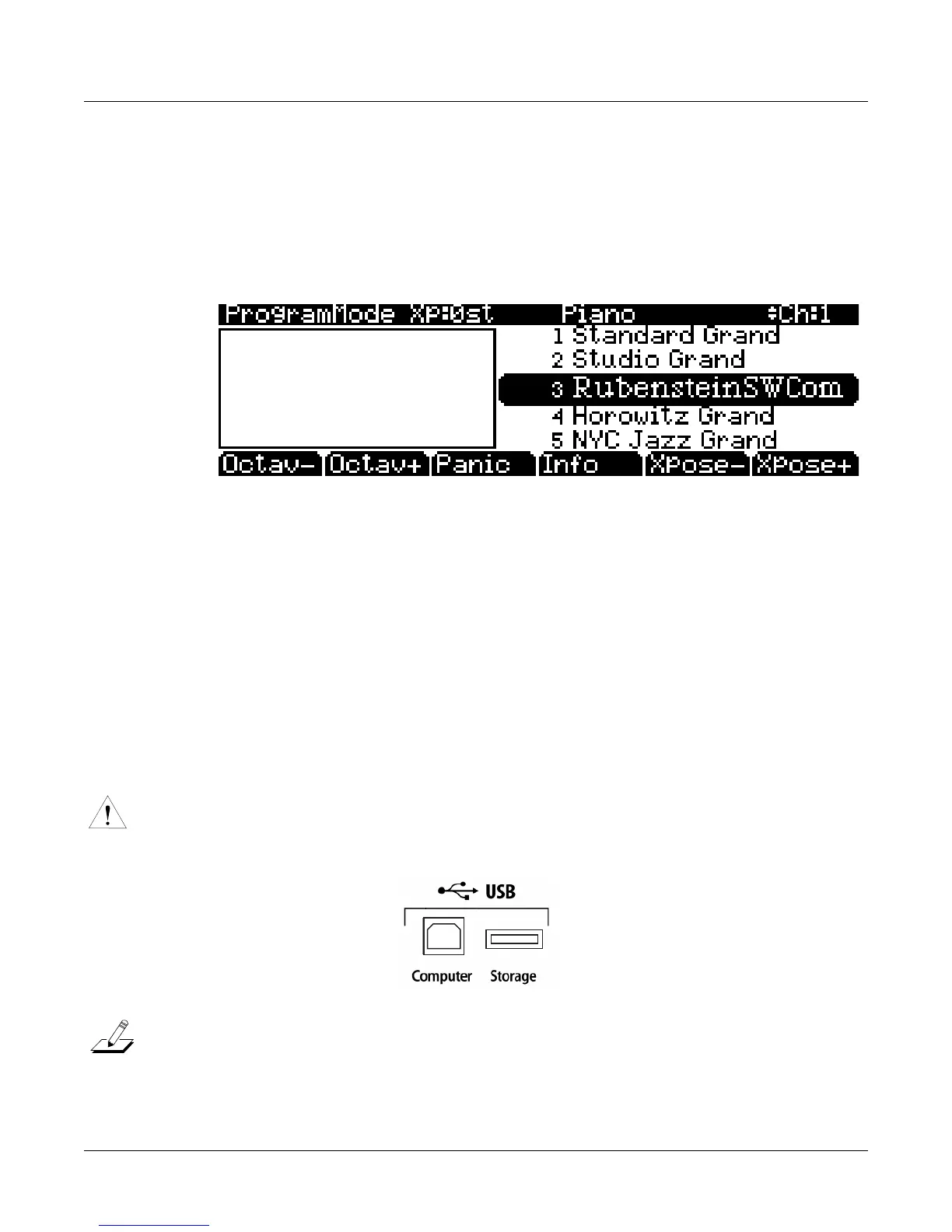
Whenyoupowerup,thedisplaybrieflyshowssomestartupinformation.TheProgrammode
displaythenappears.Itlookslikethediagrambelow,thoughyourPC3LEmaybedifferentfrom
theexample.
Thefirsttimeyoupower
up(orafterareset),yourinstrumentwillbesettooperateonMIDI
Channel1(asshownatthefarrightofthetoplineabove).
Setthevolumeatacomfortab lelevel.You’llgetthebestsignal‐to‐noiseratioifyoukeepthe
PC3LEatfullvolume,and
adjustthelevelfromyourmixingboard.Youmayalsowanttoadjust
thedisplaycontrastbyusingthesmallcontrastknobontherearpanelofthePC3LE.
USB Storage Port
YoucanplugaUSBmassstoragedevicesuchasa“thumbdrive”intothePC3LEforbackingup,
archiving,sharingyourwork,andupdatingyoursoftware.AnysizeUSBmassstoragedevice
willwork,thoughthumbdrivesarerecommendedfortheirportability,durability,andlow
price.TheUSBStorageport
isonthebackpanelofthePC3LE,butitiseasilyaccessiblefromthe
frontoftheinstrument.AUSBconnectorwillonlyfitintotheportiforientedproperly, sodon’t
forceitintotheport,asthismaydamageyourPC3LEorUSBdevice.Ifyouare
havingtrouble
insertingyourUSBconnectorintotheport,tryflippingtheconnectorover.
Caution:DonotremoveaUSBdevicewhilethedisplaysaysLoading...orSaving....RemovingaUSB
deviceduringafiletransfercancausedatacorruption.
Note:MostUSBthumbdrivesarecompatiblewiththePC3LE,but
someolderUSBthumbdrivesand
largerUSBbuspowereddriveswillnotworkwiththePC3LEiftheyrequiremorethan500mAof
current.WhenattemptingtouseanincompatibleUSBdevice,thePC3LEwilldisplaythemessage“USB
devicerequirestoomuchpower”.Powerrequirementspecificationsfor
thumbdrivesarenotalwaysmade
clearlyavailablebythemanufacturer,butanewlypurchasedthumbdrivewillmostlikelybecompatible.
Ifpossible,checkthepowerrequirementspecificationsofyourUSBdevicebeforepurchase.














 To Next Page