6-12
Program Mode
The Program Editor
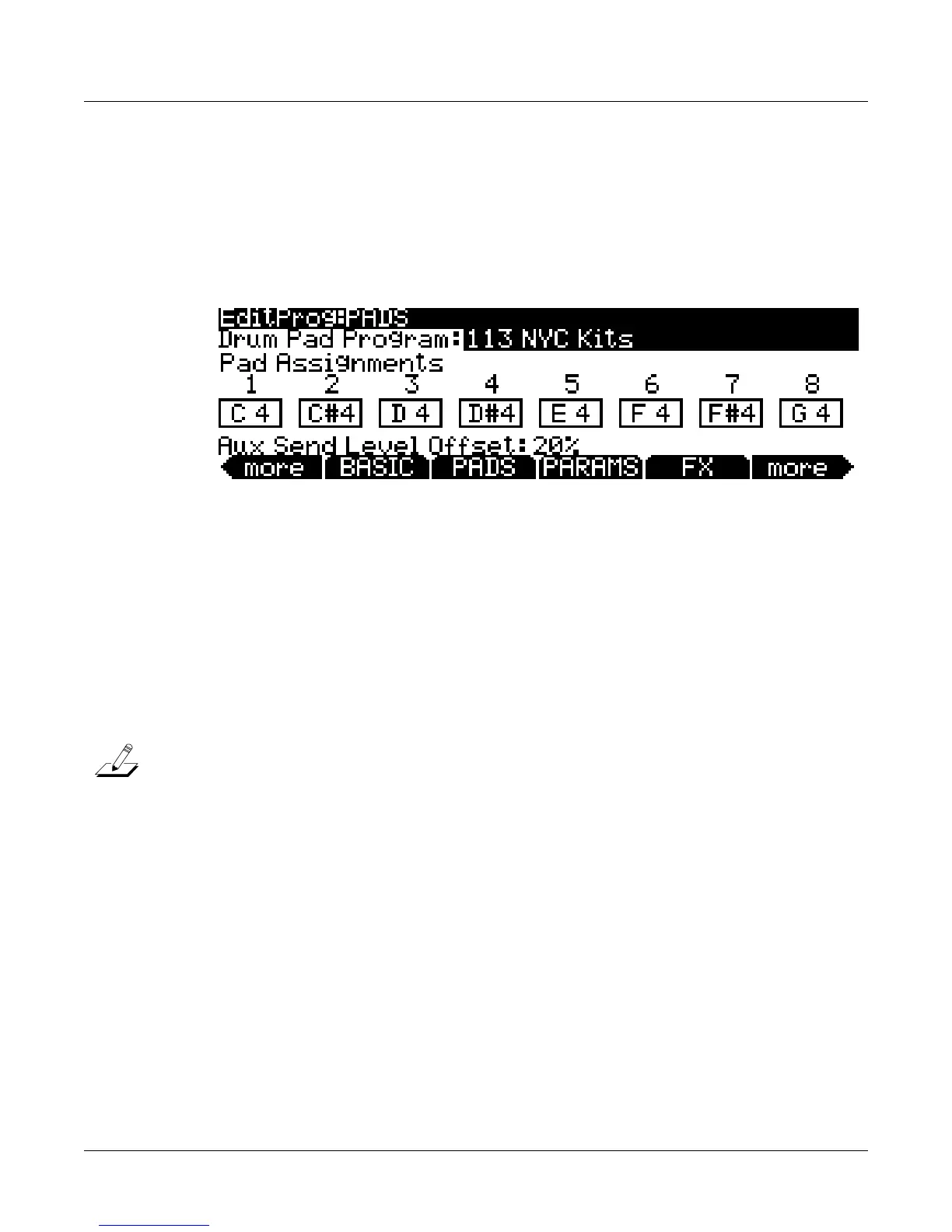
The PADS Page
UsethePADSpagetoassignnotestothePC3LE’seightpads(seebelow.)Whenyouselecta
PC3LEprogram,thePC3LEwillalsoselectanassociatedDrumprogramtobetriggeredbythe
pads.TheprogramforthepadsisassignedtoMIDIchannel10.Also,anyfactoryprogramin
the
Drumscategoryisplayablefromthepads.PadscanbeusedforadditionalfunctionsinSetup
mode,seePads on page 7‐16fordetails.
Drum Pad Program
UsethisfieldtoselectthePC3LEprogramthat willbeplayedbythepads.Toselectaprogram,
pressoneoftheCategorybuttons,thenscroll
throughthelistofprogramsbyusingtheAlpha
Wheelor‐/+buttons.YoucanalsoenteraprogramID#numberbypressingtheShiftcategory
buttonsothatitsLEDislit,andusingthealphanum ericpadtoenterandID#andpressing
Enter.Youcanalsosetthis
parametertoSelfbyentering‐1onthealphanumericpadand
pressingEnterorscrollingtothebottomoftheprogramlist.SettingthisparametertoSelf
assignsthepadstotriggernotesonthecurrentMIDIchannel.Thisisrecommendedover
choosingthesameprogramfortheDrumPad
Program,becausethatusestwochannelsworthof
effectsresources(thecurrentchannel,andchannel10,thepadschannel.)AvalueofSelfusesthe
sameeffectsresourcesasthecurrentchannel,savingeffectsresourcesforothertracks.Toturn
thepadsoff,setthisparametertoNonebyentering
0.
Note: Channel10canonlyuseitscurrentprogramastheDrumPadProgram,despitewhatis
selectedonthePADSpage.Also,allfactoryprogramsintheDrumscategoryhav eSelfselected
astheDrumPadProgrambydefault.
Pad Assignments
OnthePadspage,eightboxesrepresenttheeightpads,andeach
boxdisplaysthenotewhich
thatpadtriggers.Tochangeapad’snoteassignment,firstselectthepadwiththecursorbuttons,
thenselectthenote.Toselectanote,holdtheEnterbutton andplaythedesirednoteonthe
keyboard,orusetheAlphaWheelor‐/+buttons
toscrollthroughthelistofnotes.Youcanalso
selectanotebyMIDInotenumber.Todothis,enterthenumberonthealphanumericpadand
thenpresstheEnterbutton.
Aux Send Level Offset
UsethisfieldtooffsettheamountofsignalsentfromthepadsprogramonMIDIchannel10
to
theAuxeffectsoftheprogramonthecurrentlyselectedMIDIchannel.Each programthatis
selectedforMIDIchannel10(aswellasprogramsforallotherchannels)isstoredwithasend
levelwhichdetermineshowmuchsignalissenttotheAuxeffects.UsingtheAux
SendLevel
OffsetparameteronthePADSpageallowsyoutoquicklychangetheAuxsendlevelofthe
programonMIDIchannel10withouteditingthatprogram.














 To Next Page