Song Mode and the Song Editor
Song Mode: The METRONOME Page
10-13
The Keep Soft Button
PressingtheKeepsoftbuttoncapturesthecurrentsettingsforeachtrack’sprogram,panning,
andvolumeastheinitialsettings.Remembertosaveifyouwantthesechangetobepermanent!
The Done Soft Button
IfnochangesweremadeintheMIXERpage,pressingtheDonesoftbuttoncallsuptheMAIN
page.Ifchangesweremade,pressingtheDonesoftbuttoncallsupthe“SaveChanges”dialog.
Song Mode: The METRONOME Page
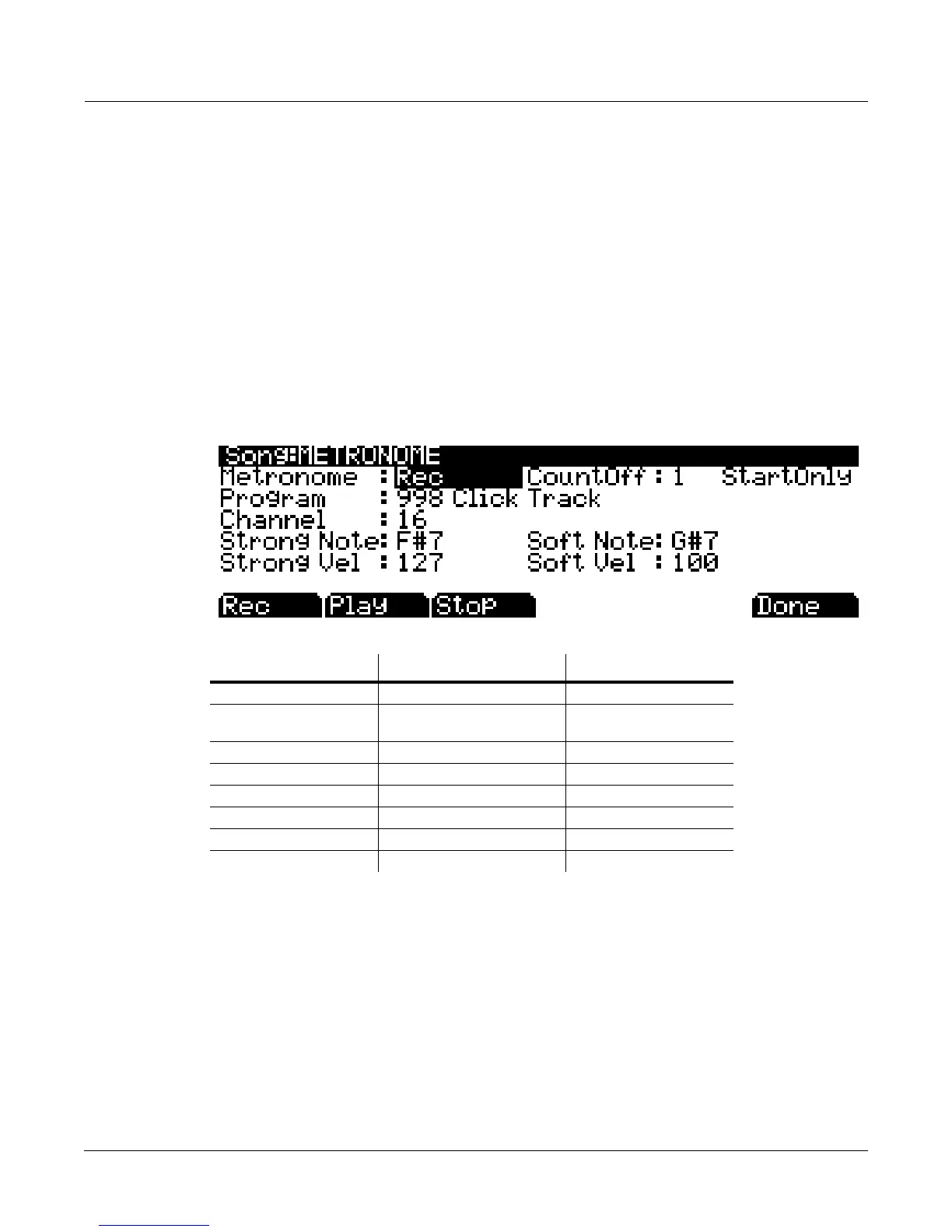
AlloftheparametersaffectingthesequencermetronomeareontheMETRONOMEpage.Like
theotherpagesintheSongEditor,youcansavechangesmadeinthispage.
Metronome
Thisparameterdeterminestherecordingmodesinwhichthemetronomeplays.With
MetronomesettoOff,themetronomeneverplays.WithMetronomesettoRec,themetronome
onlyplaysduringrecording.WithMetronomesettoAlways,themetronomeplaysduring
playbackandrecording.WithMetronomesettoCountOff,the
metronomeplaysonlyduring
countoff(iftheCountOffparameterissettosomethingotherthanOff.)
CountOff
ThisparameterdeterminesthenumberofmeasuresthePC3LEwillcountoffbeforerecording.
WithStartOnlyselected,thePC3LEwillonlycountoffatthebeginningofasequence.With
Alwaysselected,thePC3LEwillcountofffromanypointinasequence.
Parameter Range of Values Default
Metronome Off, Rec, Always, Countoff Rec
Count Off Off, 1, 2, 3, 4 (StartOnly,
Always)
1 (StartOnly)
Program Program List 998 Click Track
Channel 1 to 16 16
Strong Note 0 to 127 102
Strong Velocity 0 to 127 127
Soft Note 0 to 127 104
Soft Velocity 0 to 127 100














 To Next Page