6-2
Program Mode
The Program Mode Page
The Program Mode Page
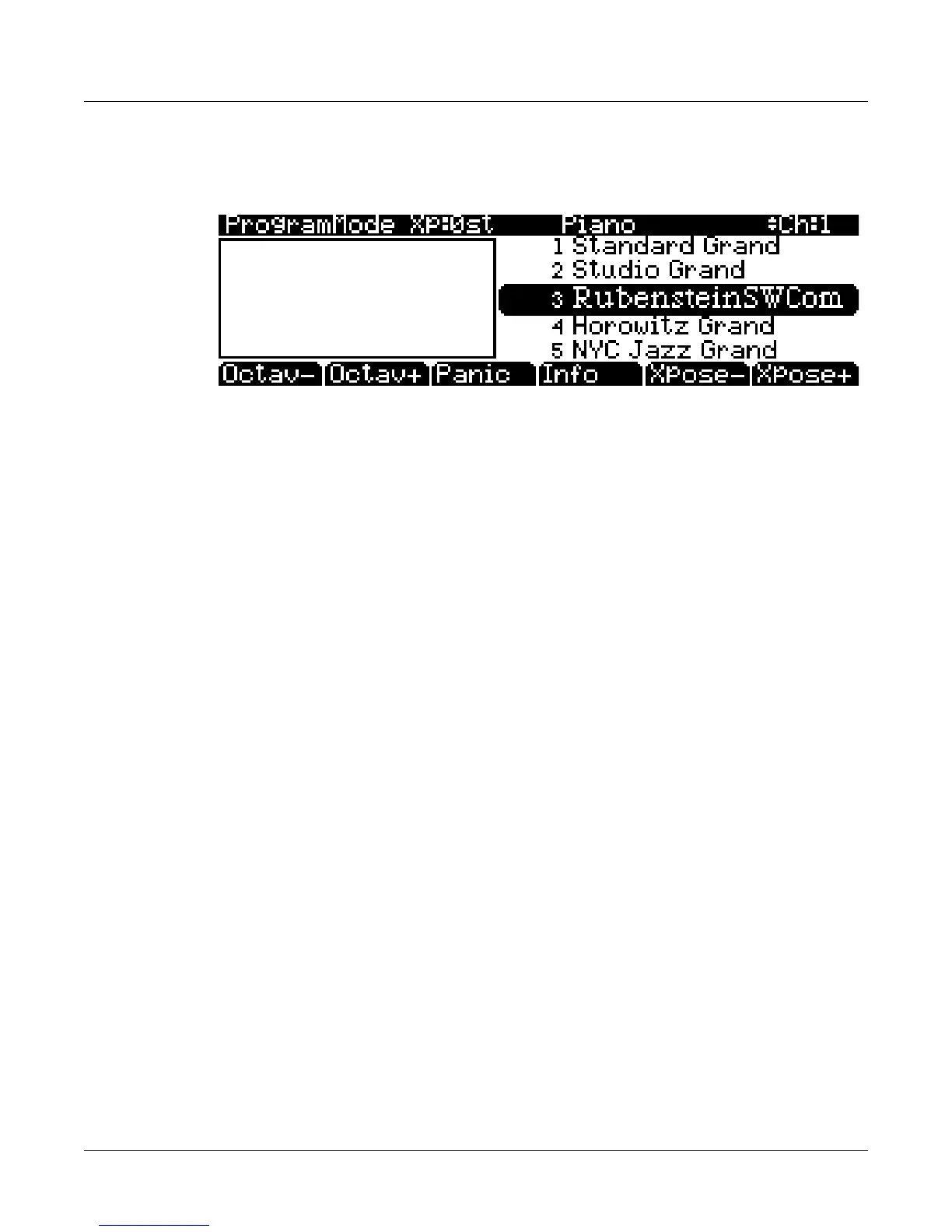
ThetoplineoftheProgrammodemainpageshowsyourmodelocation,thepresentMIDI
transposition,andthecurrentMIDIchannel.
TheinfoboxattheleftoftheProgrammodepagegivesyouinformationaboutthecurrent
program’scontrollerassignments.Changingthevalueofacontrol(movingaknob
orpressinga
switch)willdisplaythenameofthelastmovedcontrolleralongwithitsparameterassignment.
Selecting Programs
WhenyouareinProgrammode,therearetwobasicwaystoselectaPC3LEprogram:
•PressaCategorybuttontolistallprogramsinthatcategory,thenusetheAlphaWheel,‐/+
buttons,orcursorup/downbuttonstoscrollthroughthelist.TheCategorybuttonsareon
thefrontpanel,
totherightofthedisplay.PresstheAllcategorytolistprogramsinall
categories.
•Pressthe Shiftcategorybuttonandusethenumberedcategorybuttonstoenteraspecific
programIDnumber,thenpresstheEntercategorybutton.PresstheShiftcategorybutton
againtoreturnthecategorybuttons
totheirprimaryfunction.
AlistofPC3LEfactoryprogramsandotherobjects(aswellastheirID#s)canbefoundat
kurzweil.com.WhennotinGeneralMIDImode,defaultprogramsusedforGMmodecanbe
accessedstartingatID#4096(seeGeneralMIDI on page 9‐9fordetails.)
ThePC3LEhas
varioussettingsforrespondingtoMIDIProgramChangecommandsfrom
externalsources.TheseareexplainedinChapter 9,sowewon’tgointothemhere.Youshould
beabletochangeprogramsbysendingProgramChangecommandsfromyourMIDIcontroller.
Easy Audition
Anytimeyouwanttohearwhataprogramsoundslike,highlighttheprogram’sname(whilein
Programmode)thenpressthePlay/Pausebuttontoplayabriefsample.TheDemoButton
parameterontheMasterMode2pagemust beonforEasyAuditiontowork;theparameteris
on
bydefault.MastermodeisdescribedinChapter 9.
Picking Favorite Programs
Youcanselectafavoriteprogramwithineachcategorythatwillbeautomaticallyrecalledwhen
youchoosethatcategory.Todothis,firstselectacategorybypressingoneoftheCategory
buttonswhileinProgrammode(makesurethecategoryShiftbuttonisnotlit.)Next,findyour
favoriteprogram
inthatcategorybyusingtheAlphawheel,‐/+buttons,orup/downcursor
buttons.(Alternatively,youcanfindtheprogrambypressingthecategoryShiftbuttonand
usingthenumberedcategorybuttonstoentertheprogram’sIDnumber,thenpressthecategory














 To Next Page