3-2
User Interface Basics
Mode Buttons
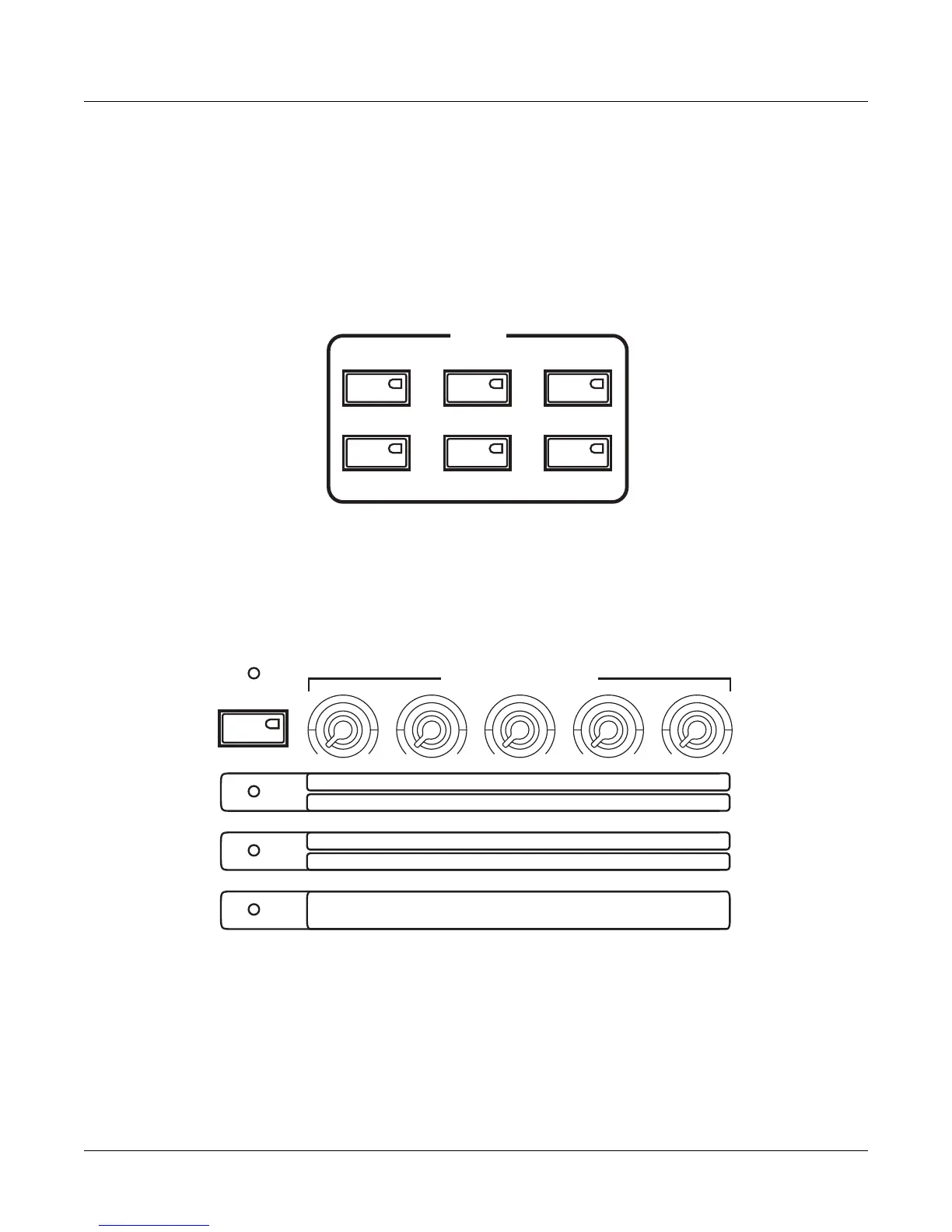
ThePC3LE’stonewheelorganemulationiscalledKB3mode.Youautomaticallyenterthis
modewhenyouselectaKB3program.YoucanfindKB3programsbypressingtheOrgan
categorybuttonwhileinProgrammode.TheprogramsthatuseKB3modewilllighttheKB3
LEDtotheleft
oftheknobs,indicatingthatthePC3LE’sknobsandswitchesarenowdedicated
totheorgancontrolsthatarelabeledonthefrontpanel.
Mode Buttons
Whenyoupressamodebutton,itsLEDlightsuptoindicatethatthemodehasbeenselected.If
pressingamodebuttondoesnotlightitsLED,presstheExitbuttononeormoretimes,thentry
again.
Assignable Controls
ThePC3LE’sAssignableControls(seeabove)arethefiveknobsontheleftofthefrontpanel.
EachofthefiveAssignableControlscancontrolthreeseparatefunctionsindependently,giving
youaccesstoknobcontrolof15parameters.UsetheShiftbuttontotheleftoftheseknob
controlstotoggle
betweenaccessingcontrols1‐5(Timbre‐Reverb,)CTL6‐10,orCTL11‐15.
PressingthisShiftbuttonwilllightoneoftheLEDsofthethreerowsoflabelsbelowthe
AssignableControls.Thisletsyouknowwhichsetofcontrolsyouare using(eithercontrols1‐5
(Timbre‐
Reverb,)CTL6‐10,orCTL11‐15.)Eachknobcanbeusedtocontrolaprogramspecific
parameter,ortosendMIDIcontinuouscontrollervaluestoexternalequipment.PresstheInfo
softbuttonfromtheProgram,SetuporQAmodemainpagestoseetheassignmentssetforeach
control.
Program Setup Song
Q Access Master
Storage
MODE
FX Bypass Compare
ASSIGNABLE CONTROLS
16' 5 1/3'
8' 4' 2 2/3'
2' 1 3/5'
1 1/3' 1'
Swell
CTL6
CTL7 CTL8 CTL9 CTL10
CTL11
CTL12 CTL13 CTL14 CTL15
Timbre
Mod
Envelope Effect Reverb
KB3
Shift














 To Next Page