Song Mode and the Song Editor
Getting Started with the Sequencer
10-1
Chapter 10
Song Mode and the Song Editor
Getting Started with the Sequencer
ThePC3LE’ssequencerisapowerfulandversatiletoolforsongwriters,composers,andanyone
elsewhowantstorecordandplaybacksongs.Aswithanytool,however,it’sbesttostartwith
thebasics.If youarefamiliarwithothersequencers,youwillhavenoproblemusingSongmode
in
thePC3LE.Readthroughthissection,however,tolearnaboutthefeaturesthatmakethe
PC3LE’ssequencerunique.
What is a Sequencer?
Asequencerissimilarinsomewaystoamulti‐tracktaperecorder:youcanrecordandplay
backallsortsofmusicandsounds,layersoundsontopofothersounds,andchangeor
manipulatethingsthatyou’vepreviouslyrecorded.Unlikeataperecorder,however,youdo
notactuallyrecord
soundswithasequencer.Rather,youarerecordingcommandsthatcause
soundstobeplayed.Nonetheless,wewillsometimesexplainsequencerfeaturesbydrawing
analogiestofamiliartaperecordingtechniquessuchassplicingandoverdubbing.
Thereareseveraladvanta gestorecordingasongbysequencing.Foronething,sequencer
commandstake
upmuchlessdiskspacethandigitallyrecordedmusicwould,soyoucan geta
lotofinformation(thatis,music)permegabyte.Furthermore,youcaneasilymakechangesto
yoursequences.Forexample,youcanchangeindividualnotes,transposeparts,orchange
instrumentation.Lastly,youcansharethesequences
youcreatewithothermusicians.
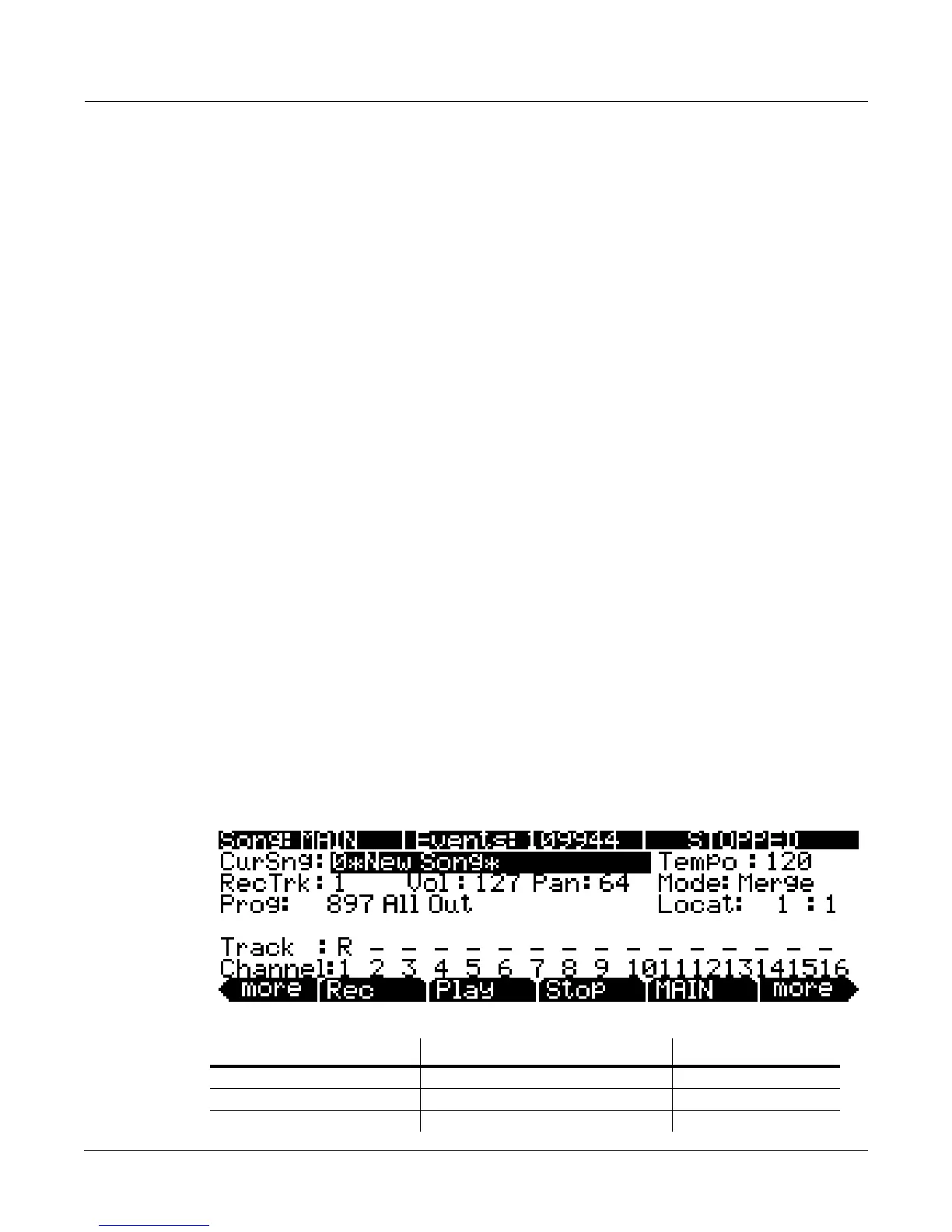
Song Mode: The MAIN Page
TheSongmodeMAINPageallowsrealtimerecordingandplayback,songandtrackselection.
Fromthispageyoucanviewandeditthetracks’channel,program,volumeandpansettings,as
wellasotherusefulitems.
Parameter Range of Values Default
Current Song Song List 0*New Song*
Recording Track 1 to 16, None, Mult 1
Program Program List Current Program














 To Next Page