6-4
Program Mode
The Program Mode Page
attheoriginalID#,simultaneouslypressthe+/‐buttonstojumpbetweenselectingtheprogram’s
originalID#andthefirstavailableUsercategoryID#.Sa vingattheprogram’soriginalfactory
ID#willreplacethefactoryprogram,butyoucanalwaysreturnafactoryROMprogramtoit’s
originalsettingsbydeleting
theprogramatthatID#(seeDelete on page 6‐15.)
Updating A Previously Edited Program
Ifyouaresavingchangestoaprogramthatyouhavepreviouslyedited,thesameID#thatthe
editedprogramwassavedwithwillautomaticallybeselected,andyoucansimultaneously
pressthe+/‐buttonstojumpbetweenselectingtheprogram’ssame
ID#andthefirstavailable
UsercategoryID#.Ifyouwishtomakeanupdatededittoapreviouslyeditedprogramand
replacetheoldversionatthesameID#,pressingtheSavebuttontwicewillhavethesameresult
aspressingtheSavebuttonandthenthesavesoft
button.
Arpeggiator Settings (Arp Settings Button)
Eachprogramhasitsownarpeggiatorsettings.PresstheArpSettingsbuttononthefrontpanel
(belowthemodebuttons.)ThiswillbringyoutotheArpeggiator1pagewhereyoucanaccess
thearpeggiatorsettingsforthecurrentlyselectedprogram.SeeChapter 7,TheARPEGGIATOR
Pageformoreonthesesettings.
ThearpeggiatorinProgrammodeactsthesameasasingle
arpeggiatordoesinSetupmode,butinProgrammodetheArpeggiator2pagehasnoSyncTo,
SyncType,orNumBeatsparametersasitdoesinSetupmode.
Split/Layer Button
PresstheSplit/Layerbuttontocreateasplitorlayeredsetupusingthecurrentlyselected
program,whichyoucanthenplayinSetupmode.YouwillbebroughttotheSplit/Layerpage.
SeeChapter 7,Split/LayerButtonfordetailsonhowtousethispage.
Note:WhenenteringtheSplit/Layerpagefrom
Programmode,itactsthesameasitdoesin
Setupmode,exceptthatyourresultwillbeanewsetup,instead ofaddinganewsplitorlayer
zonetoanexistingsetupasyouwouldwithwhenenteringtheSplit/LayerpagefromSetup
mode.Also,whenenteringthe
Split/LayerpagefromProgrammodethecurrentlyselected
programwillbeassignedtozone1ofanewsetup,andthePC3LE’sphysicalcontrollerswillbe
assignedtozone1’sprogrambydefault(thoughyoucaneditthislaterinsetupEditmode.)
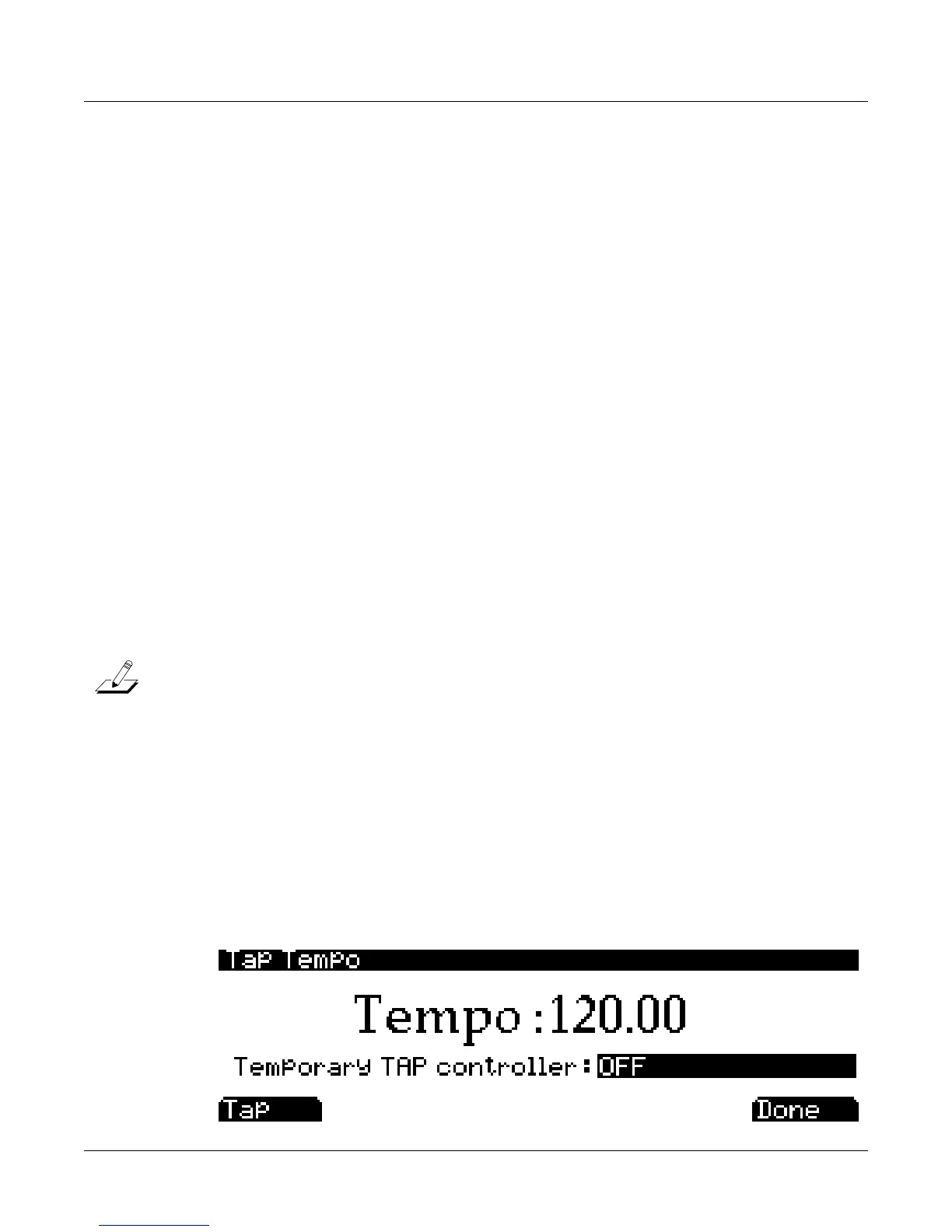
Tap Tempo Button
YoucanusetheTapTempobuttontosetthetempooftheArpeggiatorwhileinProgrammode
(ortosettheSystemorSongtempoinothermodes.)TaptheTapTempobuttononquarternotebeats
forameasureortwoatthedesiredtempotosetatempo.
Youneedtotapatleasttwicefora
tempotobecalculated,thoughtappingseveraltimes(likeoneachbeatofoneormore
measures)worksbest.ThisalsobringsuptheTapTempopagewhichgivesyoumoreTap
Tempooptions.Thenewlytappedtempoisdisplayedin
thetempofield,andLEDontheTap
Tempobuttonblinksatthattempo.PresstheExitbuttonortheDonesoftbuttontoreturntothe
Programmodemainpage.














 To Next Page