User Interface Basics
Mode Selection
3-1
Chapter 3
User Interface Basics
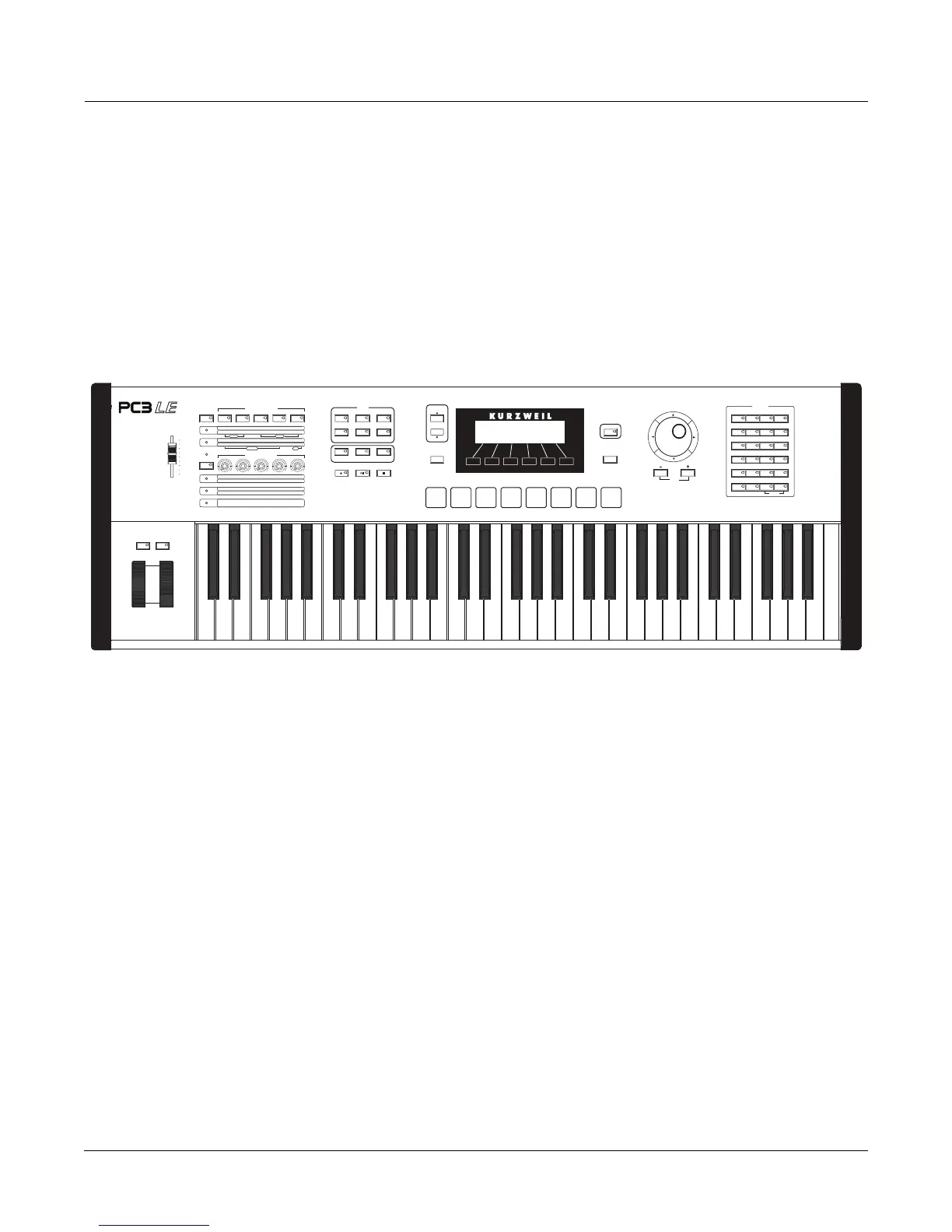
ThischapterwillshowyouhowtogetaroundthefrontpanelofyourPC3LE.Yourinteractions
canbedividedintothreeprimaryoperations:modeselection,navigation,anddataentry.There
isalsoanassignablecontrolsection.
Mode Selection
ThePC3LEisalwaysinoneofsixprimaryoperatingmodes.Selectamodebypressingoneof
themodebuttons—they’retotheleftofthedisplay.Eachmodebuttonhasan LEDthatlightsto
indicatethecurrentmode.Onlyonemodecanbeselectedatatime.
Programmode Selectandplayprograms,andmodifythemwiththeProgramEditor.
Setupmode Selectandplaysetups(16keyboardzoneswithindependentMIDI
channel,programandcontrolassignments),andmodifythemwiththe
SetupEditor.
QuickAccessmode Selectfromalistofpresetbanks,eachcontainingalistoften
programs
and/orsetupsthatcanbeviewedinthedisplayforeasyselection.Modify
thepresetbanksandcreateyourownwiththe QuickAccess Editor.
Mastermode DefineperformanceandcontrolcharacteristicsfortheentirePC3LE,and
howyourPC3LEsendsandreceivesMIDIinformation.
Songmode UsethePC3LE’ssequencer
torecordandplaybackyourkeyboard
performance,playType0andType1MIDIsequences,andrecordmulti‐
timbralsequencesreceivedviaMIDI.
Storagemode InterfacewiththePC3LE’sUSBportstoloadandsaveprograms,setups,
andtransfersoftwareupdates.
Arp Enable
Arp Latch
Chan/Zone
Save
ASSIGNABLE SWITCHES
ASSIGNABLE CONTROLS
SW1
SW2
SW3
SW4
SW5
SW6
SW7
SW8
SW9
SW10
Slow / Fast
Brake On / Off
Chor / Vib
Depth
On / Off
Loud / Soft
Decay F/S
Pitch H/L
On / Off
Rotary
Vibrato
Percussion
Click
16' 5 1/3'
8'
4' 2 2/3'
2' 1 3/5'
1 1/3' 1'
Swell
CTL6
CTL7 CTL8 CTL9 CTL10
CTL11
CTL12 CTL13 CTL14 CTL15
Timbre
Mod
Envelope Effect Reverb
KB3
Shift
Shift
Piano E Piano Clavier Organ
Leads Pads Synth Syn Bass
Strings Brass Winds Ensemble
Guitar Bass Drums Percussion
Voices Mallets Hybrid Misc
User All
Panic
CATEGORY
1 2 3 Clear
4 5 6 +/-
7890
ABC DEF GHI JKL
MNO PQR STU VWX
YZ Space Shift Enter
12345678
MASTER
VOLUME
Arp Settings
Split / Layer
TapTempo
Program Setup Song
Q Access Master
Storage
Record Play/Pause Stop
Edit
Exit
Jump
MODE
FX Bypass Compare














 To Next Page