Song Mode and the Song Editor
Song Mode: The MAIN Page
10-9
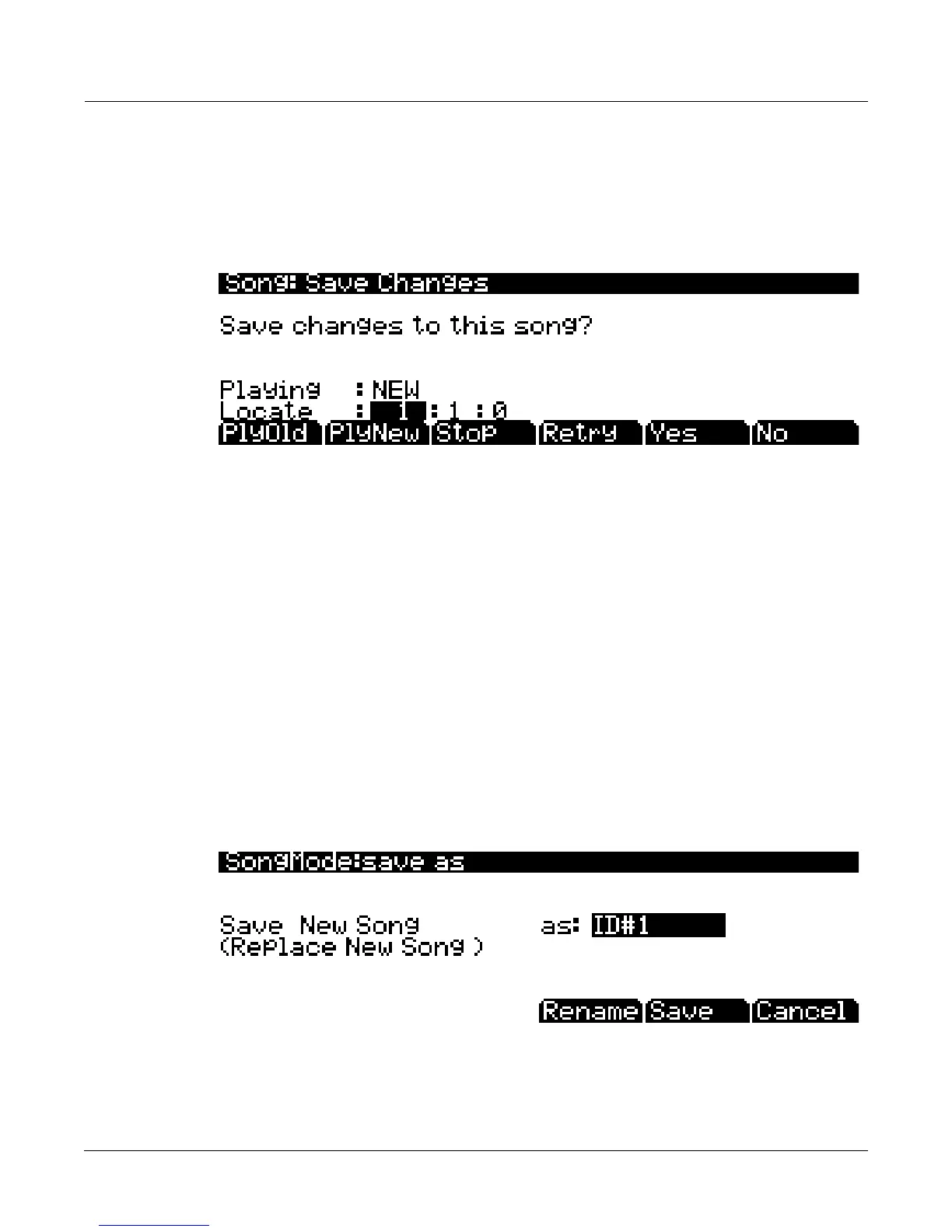
The Save Changes Dialog
ThefollowingdialogappearsafteryouhaverecordedatrackandpressedStop,orifyouhave
enteredtheSongEditorandmadechanges,thenpressedExit,orifyoupressSaveintheSong
Editor.
ThePlyNewsoftbuttonallowsyoutoplaythesongwithyourlastrecordedperformance.
You
willlikelywanttohearthisfirst.
PressingPlyOldwillplaythecurrentsong,minustheperformancethatyoujustrecorded.You
cantogglebetweenPlayOldandPlayNewwithoutrestartingthesongbypressingeither
buttonwhilethesongisplaying.Thisisusefultocheckifyour
lastperformancewasbetteror
worsethanwhatwaspreviouslysaved(ifanythingwaspreviouslysaved.)
TheLocatefieldallowsyouchooseastarttimefortheoldornewplayback.Thisisusefulwhen
youjustwanttohearacertainpartofthesongwithoutli steningtothewhole
thing.ThePlaying
fielddisplayswhethertoNEWorOLDdataisplaying.
StophaltstheplaybackofeithertheOldortheNewversionofthesongyouarecurrently
auditioning.Thisalsoresetsthesong’sstartlocationtoeitherthedefaultBar1,Beat1value,or
to
whateverlocationyoudefinedintheLocatefield.
PressingRetryrestartsrecordingfromthesamepointyoulaststartedrecordingat.
Yessavesthesongwiththeperformanceyoujustrecorded.Whateverwasplayedbackwhen
youpressedPlayNewwillbetheversionofthesongsavedwhenyoupressYes.The
“saveas”
dialogwillbedisplayed:
UsetheAlphaWheel,‐/+buttons,orAlphanumericPadtochooseafreeID#locationtosavethe
song,orchooseausedID#locationtooverwriteapreviouslysavedsongwithyournewversion.
Whenoverwritingasongfile,the“saveas”dialog
displays“Replace”followedbythenameof
thefilebeingreplaced.PressRenameifyouwouldliketochangethesong’sname.PressSaveto
savethesong,orCanceltoreturntothepreviousscreen.














 To Next Page