Tutorial: Song Mode
13-3
make the first track contain the piano part for this song (see below.) You can do this quickly by
entering 1 on the alphanumeric pad and pressing Enter.
Part 2: Set The Tempo
Forthisexample,wewillleavethesongatitsdefaulttimesignature,4/4(seeChapter 10,Song
ModeandtheSongEditorfordetails onsettingthetimesignature.)Followthestepsbelowtoseta
tempoforyoursong.Itiseasiesttochooseyourtempobeforerecordinganytracks,
butthe
tempocanbeadjustedafterrecordingaswell(seeChapter 10,SongModeandtheSon gEditorfor
detailsonchangingthetempoafterrecording.)
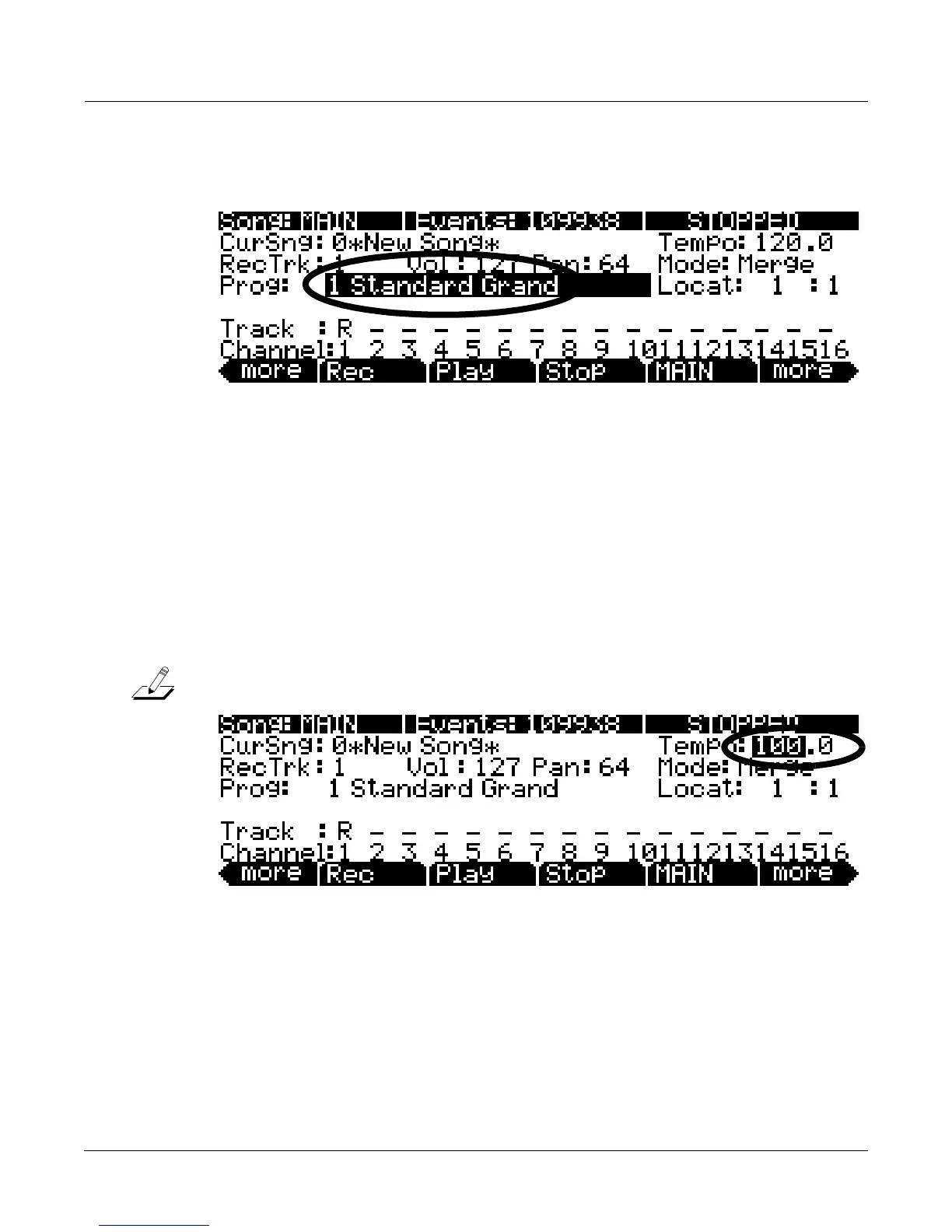
1. On the Song mode MAIN page, use the cursor buttons to navigate to the Tempo field and enter a
tempo. Entering the tempo with the alphanumeric pad is the easiest method if you know your
desired tempo. The plus/minus buttons and alpha wheel are useful for making smaller adjustments.
Temp o is set in beats per minute (BPM.) For this example, let’s set a medium tempo of 100 BPM.
In the Tempo field use the alphanumeric pad to enter 100 and press Enter (see below.)
Note:YoucanalsosetthetempousingtheTapTempoButton,seeTapTempoButton on page 6‐
4for
details.














 To Next Page