d2, 2big, and 5big Network 2 User Manual 115
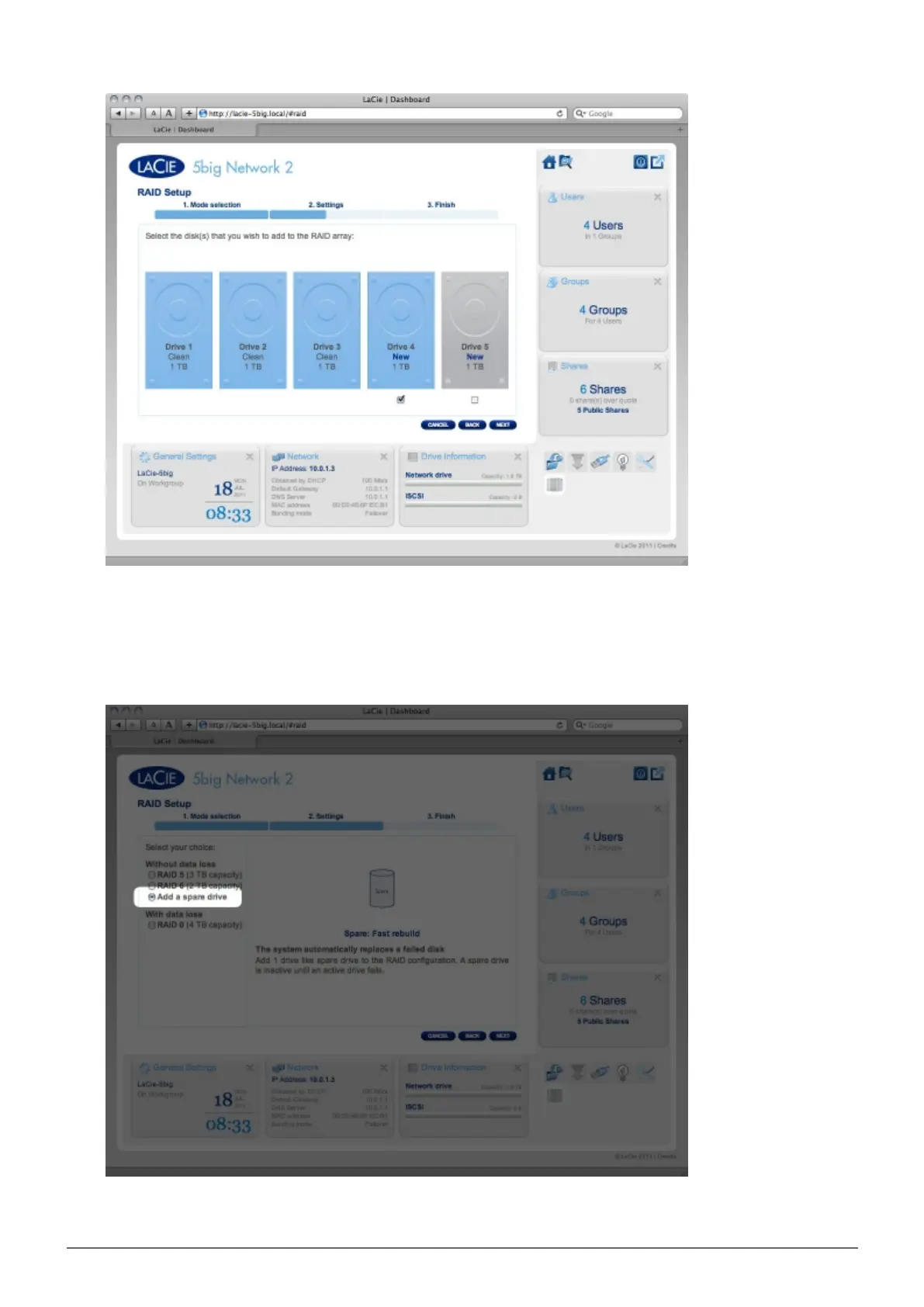
Choose a RAID level, then click NEXT. Note that you can choose to add the new disk as a spare. If you3.
leave a disk as a spare and one of the disks in the array fails, the array will automatically be rebuilt using
the spare. This method assures continues data access even in the case of disk failure, but doesn't allow
you to use the capacity of the spare disk.
In the next screen, review the information, then confirm the RAID change by clicking the FINISH button.4.














 To Next Page