d2, 2big, and 5big Network 2 User Manual 131
computer on the same network as the LaCie product. From this computer, attempt to ping the DNS server.
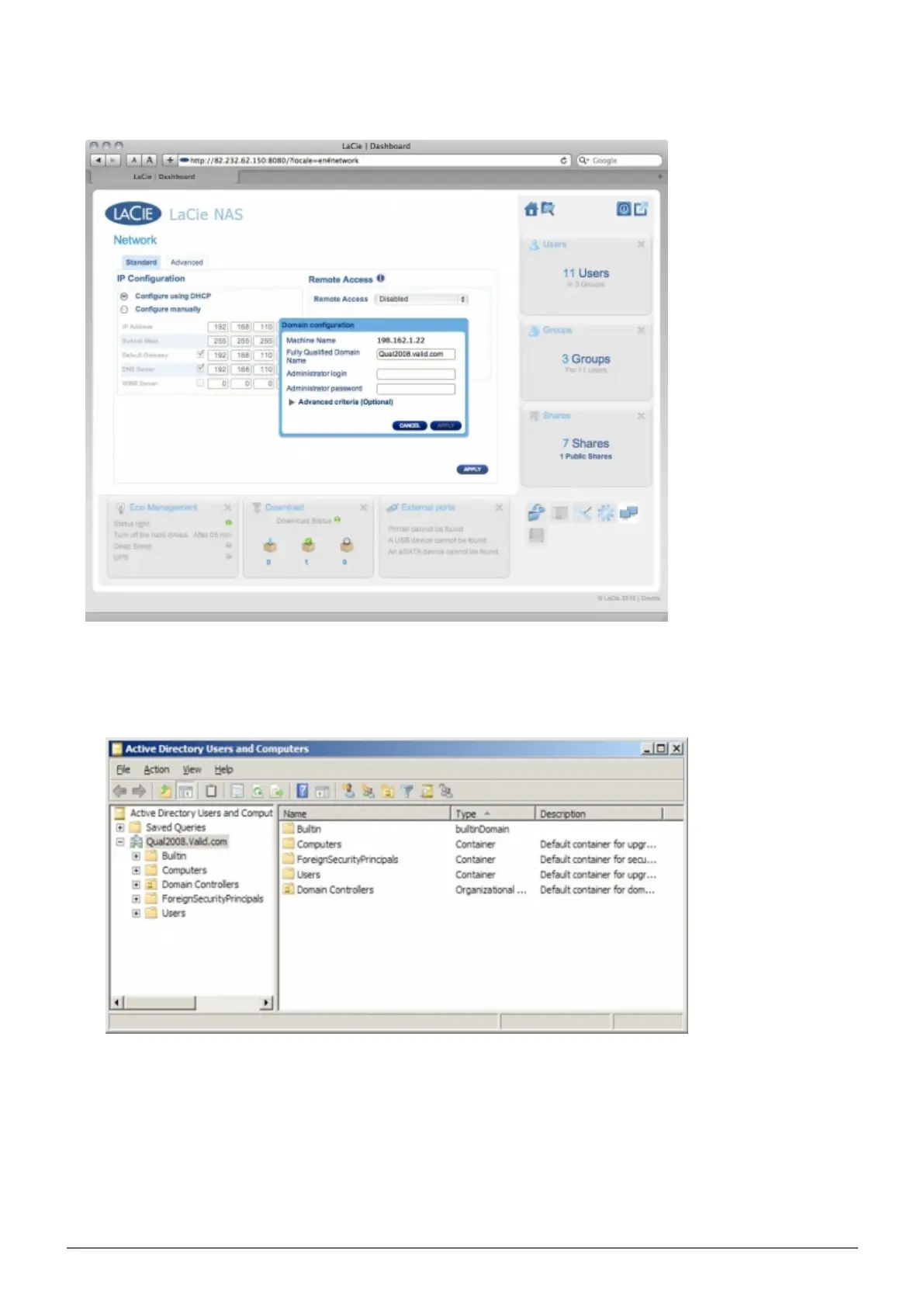
Dashboard: Domain Configuration window settings:6.
Enter the domain's Full Qualified Domain Name (FQDN). For example:1.
directory-example.domain.com (Active Directory Users and Computers Tool on Primary Domain
Controller)
Admin login: Use the AD's administrator username.2.
Admin password: Case sensitive.3.
Optional Advanced Criteria can be input to help with joining.7.
Server Name is the Domain Controller Host Name1.
Server IP is the Domain Controller IP2.














 To Next Page