LaCie Ethernet Disk RAID (Firmware version 1.4)
User Manual
page 99
Protecting Local Disks
7.5. Changing the Backup Schedule
When you protect a disk, you specify when you want
backups to occur. However, you can change this sched-
ule at any time as long as the Status page indicates that
the Status is Normal. If protection is stopped (for ex-
ample, if you recovered the disk or recovered a different
partition on the same disk), you cannot change the disk
schedule until you resume protection by clicking Back
Up Now.
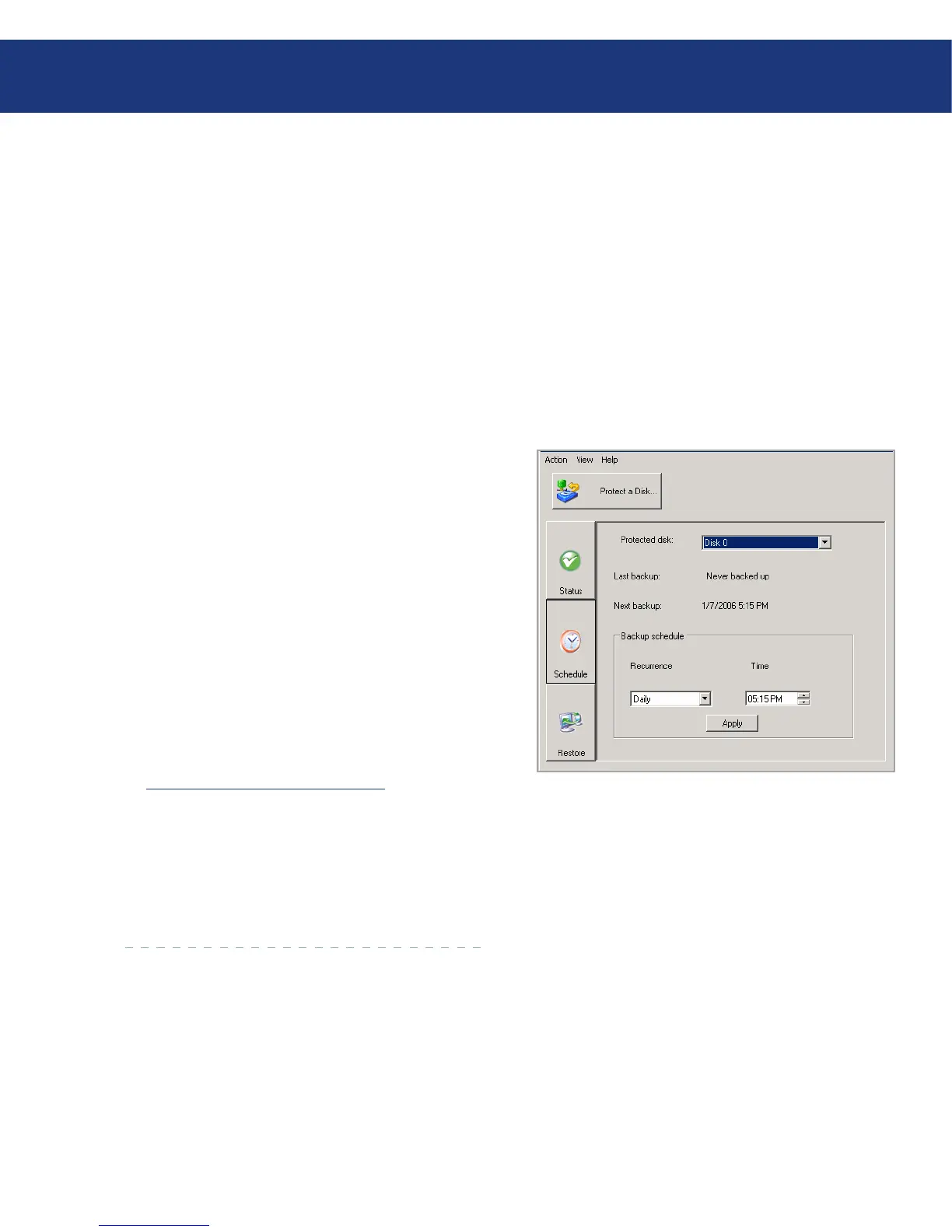
To change the backup schedule:
Click Schedule.
In the Protected disk list, select the disk whose
backup schedule you want to change.
Specify when you want backups to occur.
For example, if you want backups to occur every
day, select Daily from the Recurrence list. If you
want backups to occur once a week, select the day
of the week from the Recurrence list. en select
the time.
If you don’t want backups to occur automatically, se-
lect Not Scheduled from the Recurrence list. (e
Time list appears dimmed.) Backups will occur only
when you start one manually (as described in section
7.3. Manually Backing Up Your Disk).
Click Apply.
e schedule change takes effect immediately, and
the date and time of the next scheduled backup ap-
pears in the Next backup area.
1.
2.
3.
4.
Fig. 7.5.














 To Next Page