LaCie Ethernet Disk RAID (Firmware version 1.4)
User Manual
page 18
Configuring Your Ethernet Disk RAID
4.3. Initializing the Disks
Once you have installed the Console (as described in
section 5.2. Logging In to the Manager), started it, and
connected to the Ethernet Disk RAID (as described in
section 4.2. Starting the Console), the System Initial-
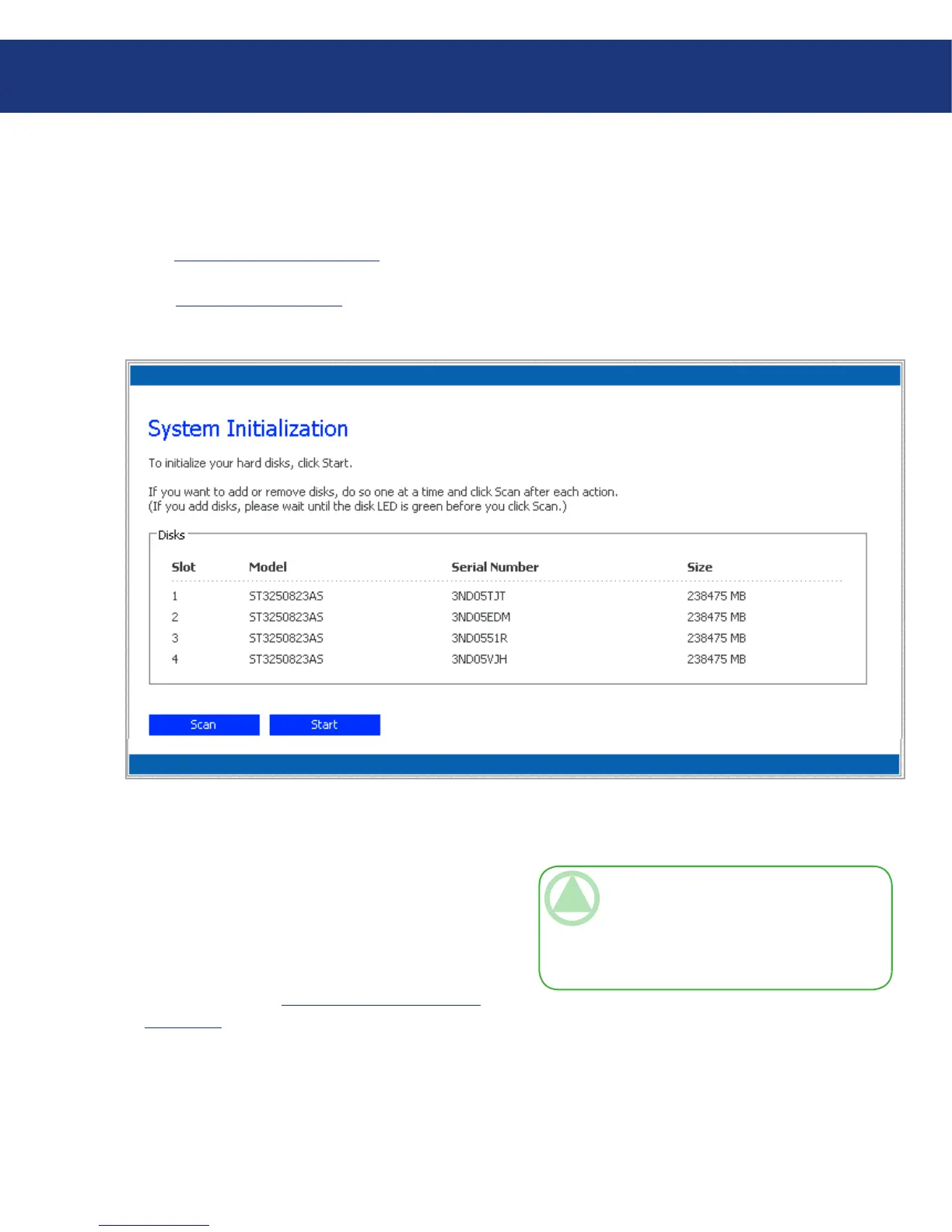
ization page appears (Fig. 4.3.).
To initialize the hard disks:
Click Start. e firmware is uploaded to the hard
disks. When this process is complete, the Ethernet
Disk RAID will restart.
Close the browser window. After the system has
restarted, you can perform initial configuration (as
described in section 4.4. Configuring the Ethernet
Disk RAID).
1.
2.
TeChNICAl NOTe: e operating system
and Ethernet Disk RAID software are installed
on each disk in your Ethernet Disk RAID to en-
sure that the failure or removal of any one disk
will not cause the entire system to fail.
Fig. 4.3.
If not all the hard disks have been detected, or if you
want to add, remove, or re-order the disks at this time,
insert or remove the disks one at a time and click Scan
after each action.














 To Next Page