K
2 1
NIC 2: 000E0CBA0A58 NIC 1: 000E0CBA0A58
Serial Number 123456789
Client Backup and Recovery License Key
NHO RT-KAGEL-RR 2D2-CKIN G-0 P3C0
LaCie Ltd. 345678U
Method 2: Hostname
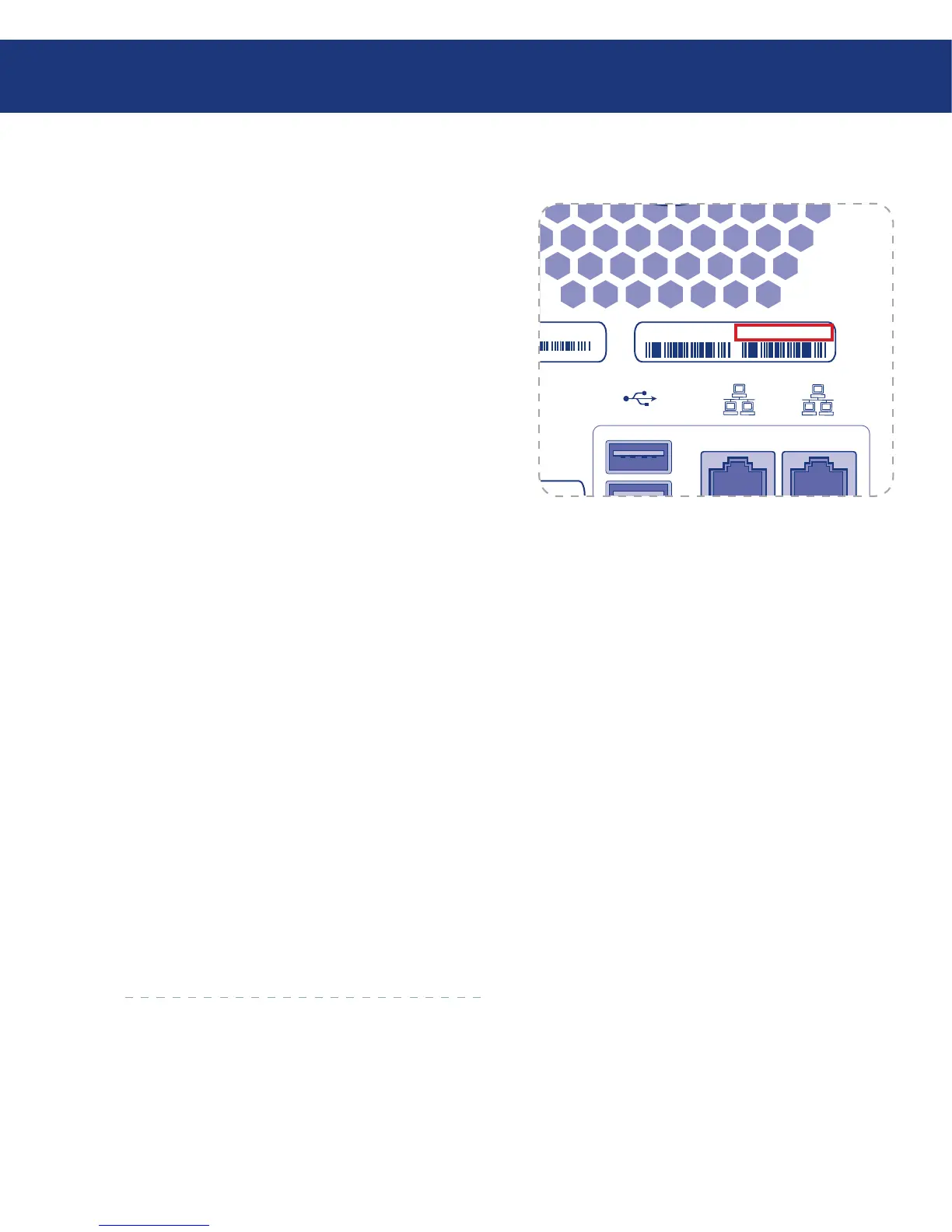
By default, the Ethernet Disk RAID has a hostname
corresponding to the identification number (MAC ad-
dress) of Gigabit Ethernet LAN Port 1. is is a 12-
digit number located on the label on the back panel. See
Fig. 5.1.2.B.
To use the hostname to access the Ethernet Disk
Raid:
Open Safari.
Enter the number in the URL field, e.g. https://fs_
000e0cb03872/.
Press return. e Ethernet Disk RAID Web Man-
ager opens in Safari.
1.
2.
3.
5.1.3. Mac Users without DHCP Server■
e Ethernet Disk RAID is configured with a de-
fault static IP address of 192.168.1.101 with a subnet
255.255.255.0. To connect directly to the Ethernet Disk
RAID:
Open the Network panel of System Preferences.
Click Configure.
Select Manually from the Configure IPv4 menu.
Enter an IP address compatible with the Eth-
ernet Disk RAID in the IP Address field (e.g.
192.168.1.10).
Enter 255.255.255.0 in the Subnet Mask field.
Click Apply Now.
Open a web browser and enter https://192.168.1.101
in the URL field and press return to access Ethernet
Disk RAID web manager.
1.
2.
3.
4.
5.
6.
7.














 To Next Page