LaCie Ethernet Disk RAID (Firmware version 1.4)
User Manual
page 32
Managing Your Ethernet Disk RAID
To modify a user:
In the navigation bar, click Users.
Select the radio button next to the user that you want
to modify.
Click Edit.
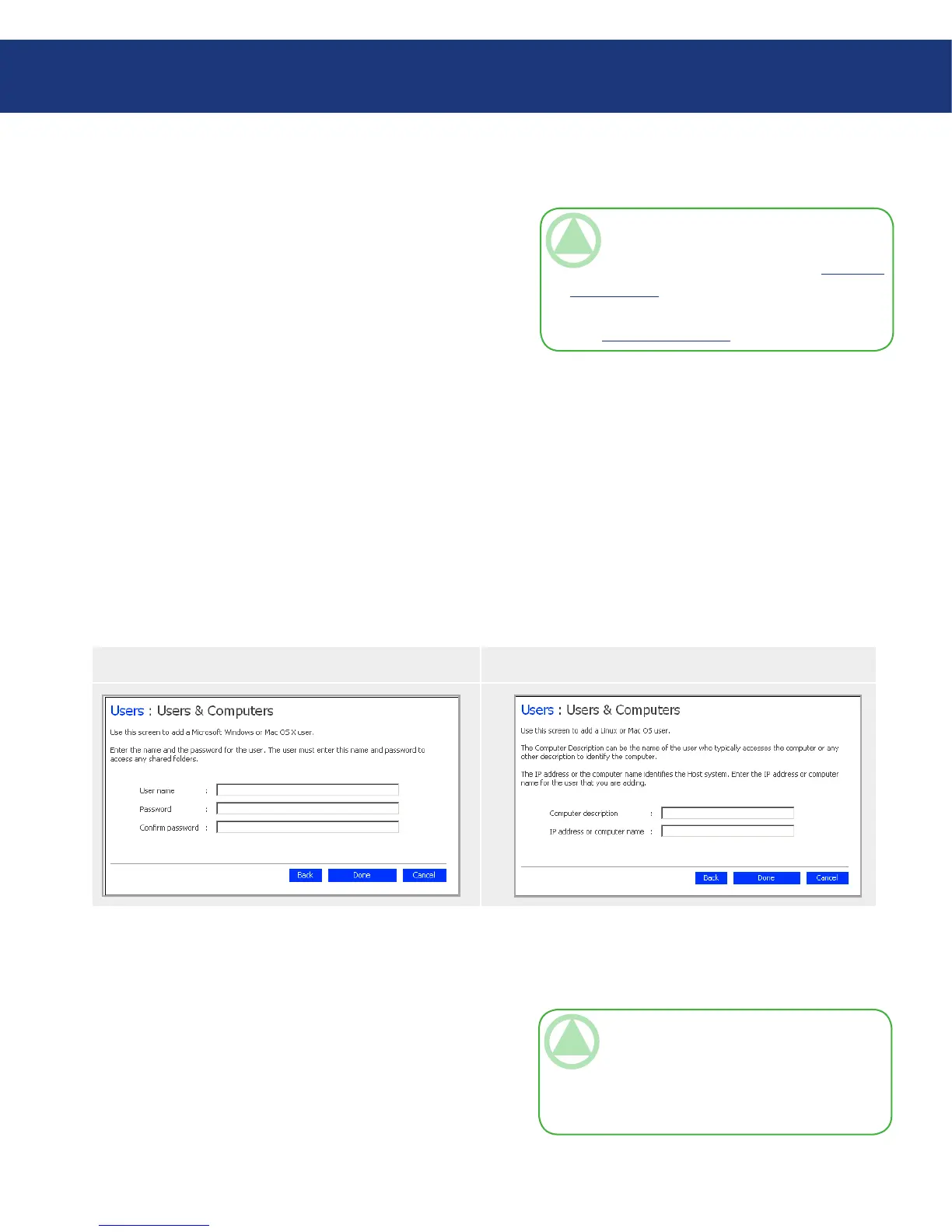
e page that appears next varies, depending on the
type of user you selected.
1.
2.
3.
Windows/Mac OS X User (CIFS)■ Linux/Other Mac User (NFS)■
Make the desired change and click OK.4.
5.4.2. Modifying Users■
For Windows and Mac OS X users, you can change
the password used to access the shared folders, but not
the user name. is change will not affect current con-
nections, but will take effect the next time the person
tries to connect to a shared folder.
For Linux and other Mac users, you can change the
IP address or computer name, but not the computer de-
scription. Changing this information immediately dis-
connects that computer from the shared folders.
TeChNICAl NOTe: To change the user
name or computer description, you must remove
the existing user as described in section 5.4.3. Re-
moving Users, and then add a new user with the
desired name or description as described in sec-
tion 5.4.1. Adding Users.
Windows/Mac OS X Users (CIFS)■
Enter the password for accessing the shared folders.
(You must enter the password a second time to confirm
it.)
TeChNICAl NOTe:If the user name and
password specified here are the same as the per-
son’s Windows user name and password, the per-
son will not be prompted to provide a user name
and password when accessing the shared folders.














 To Next Page