LaCie Ethernet Disk RAID (Firmware version 1.4)
User Manual
page 19
Configuring Your Ethernet Disk RAID
Once your Ethernet Disk RAID has been initialized
(as described in section 4.3. Initializing the Ethernet
Disk RAID), follow these steps to run the System Setup
wizard and perform the necessary initial configuration:
If you have not already installed the Ethernet Disk
RAID Console, install it (as described in section 4.1.
Installing the Ethernet Disk RAID Console) and
start it (as described in section 4.2. Starting the Con-
sole).
In the left pane, click the name of the Ethernet Disk
RAID. (If you’re using both Ethernet ports, the
name of the Ethernet Disk RAID appears twice in
the left pane. You can click either one.) en click
Log On Storage System Manager.
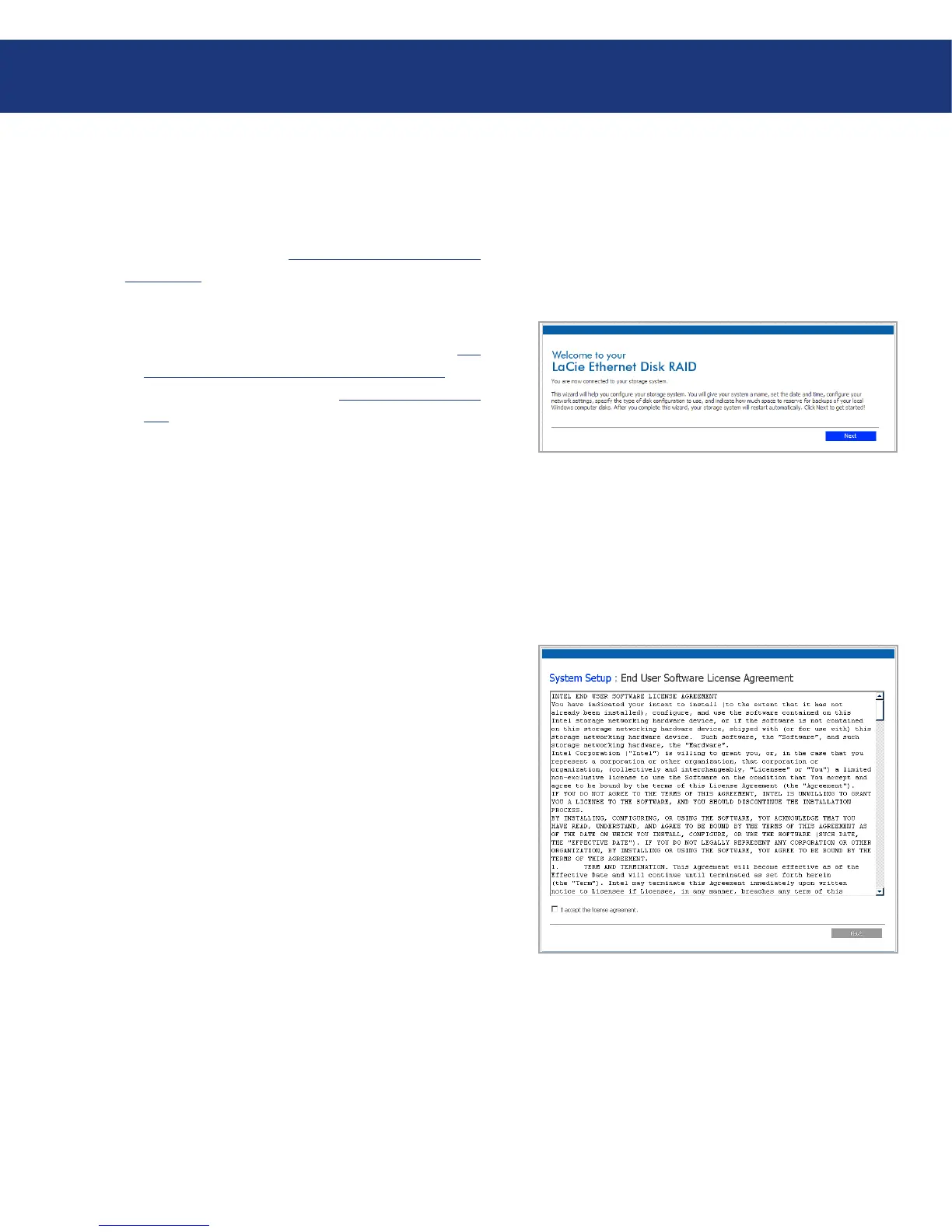
e welcome page appears (Fig. 3.3-A).
On the welcome page, click Next. e End User
Software License Agreement page appears (Fig.
3.3-B).
If you agree to the terms, select the I accept the li-
cense agreement check box and then click Next. e
Host Name page appears.
1.
2.
3.
Fig. 4.4.A
4.4. Configuring with the First Use Wizard
Fig. 4.4.B














 To Next Page