LaCie Ethernet Disk RAID (Firmware version 1.4)
User Manual
page 134
RAID and Storage Policies
10.4. RAID 5 + Spare
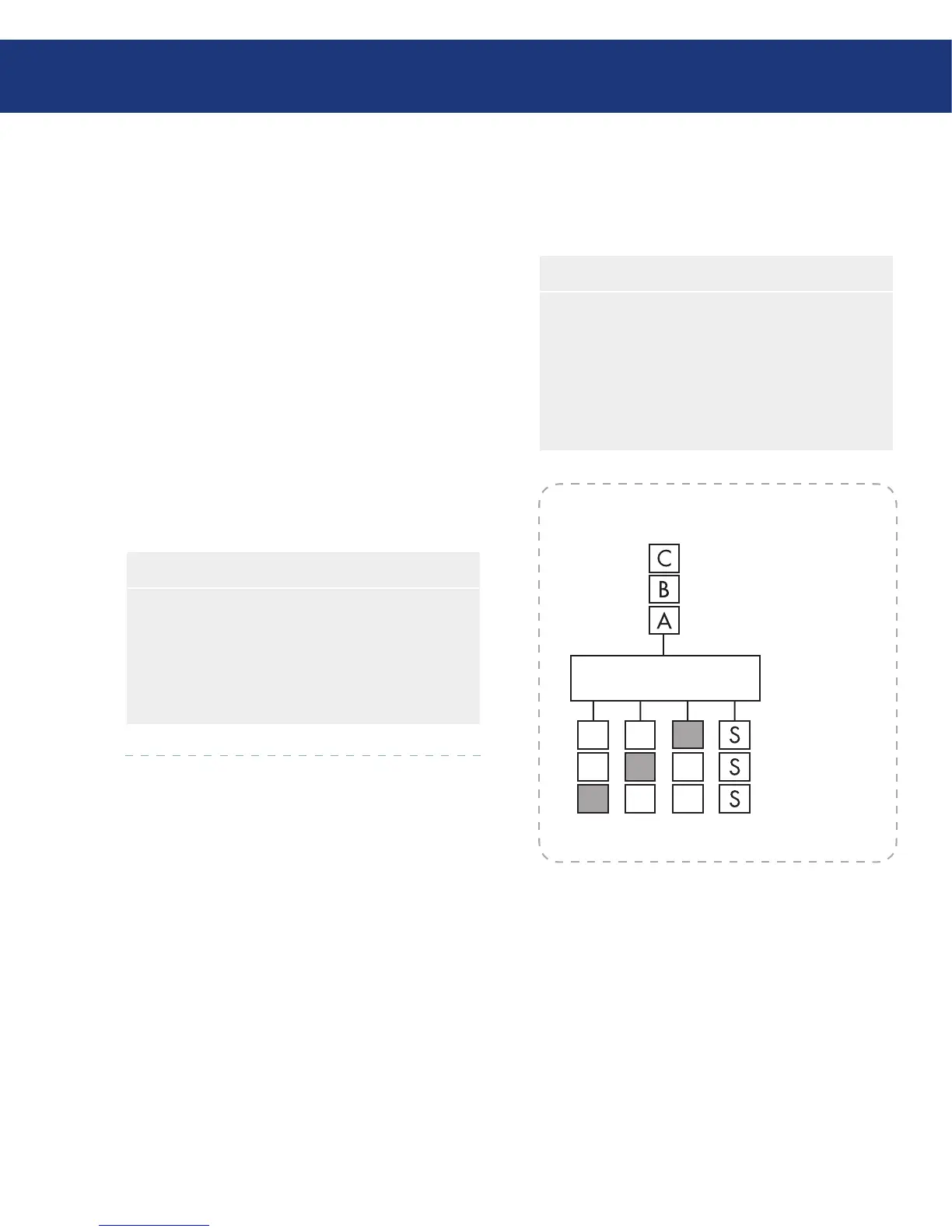
In a RAID 5 + spare configuration, three of the disks
use RAID 5, and the fourth is empty. If any of the
three disks fails, it is immediately rebuilt using the
fourth spare disk. As a result, you can remove the failed
disk and still have the ongoing fast performance and
data protection offered by RAID 5. When the failed
disk is repaired or replaced and re-installed into the
Ethernet Disk RAID, it automatically becomes the
spare for the other functioning three.
You can use RAID 5 + spare only if your Ethernet
Disk RAID has four disks. If the disks are not the same
size, the smallest of the disks determines how much disk
space is available for data, similar to RAID 5.
CONTROLLER
This diagram represents a
RAID 5 array consisting of
three disks. The fourth disk
(S) automatically rebuilds a
failed disk using the parity
information stored on the
other disks.
A1
A2
P3 B3
P2
B1 P1
C2
C3
Fig. 10.4.
Characteristics and Advantages■
Highest Read data transaction rate
Medium Write data transaction rate
High efficiency through a low ratio of ECC (Par-
ity) disks to data
Good aggregate transfer rate
❖
❖
❖
❖
Recommended Uses■
File and Application Servers
Database Servers
Web, E-mail and News Servers
Intranet Servers
❖
❖
❖
❖














 To Next Page