LaCie Ethernet Disk RAID (Firmware version 1.4)
User Manual
page 13
Installing Your Ethernet Disk RAID
3. Installing Your LaCie Ethernet Disk RAID
Installation of the LaCie Ethernet Disk RAID is
easy, just follow the steps below to install it:
3.1. Connecting the Ethernet Disk RAID to the Network
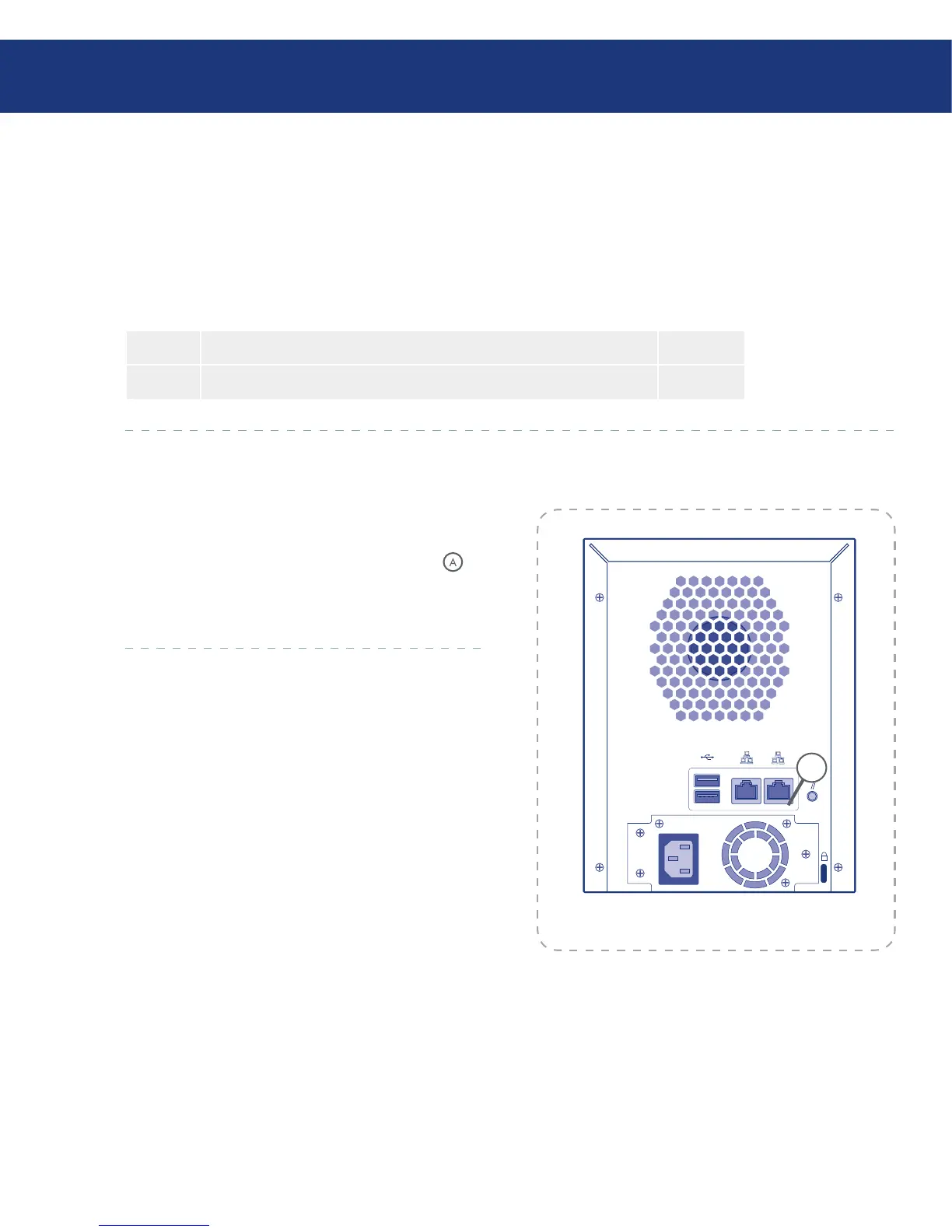
To connect the Ethernet Disk RAID to your net-
work, insert one end of the RJ-45 Ethernet cable into
the Ethernet port 1 on the back of the unit (see in
Fig. 3.1.). en insert the other end of the RJ-45 Ether-
net cable into a network port.
Fig. 3.1.
A
Step 1 Connecting the Ethernet Disk RAID to the network Page 13
Step 2 Turning on the Ethernet Disk RAID Page 14














 To Next Page