LaCie Ethernet Disk RAID (Firmware version 1.4)
User Manual
page 56
Managing Your Ethernet Disk RAID
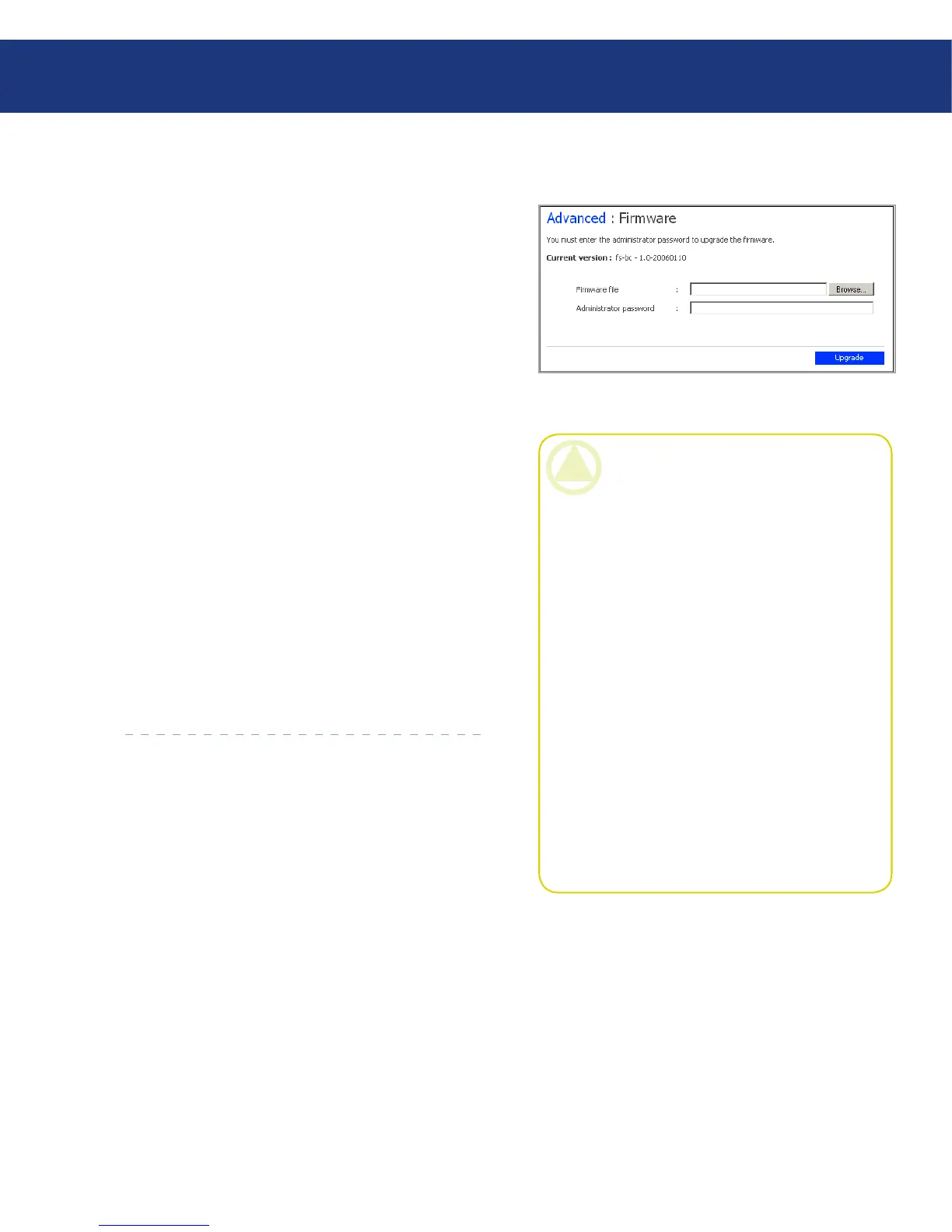
e Firmware page displays the current version of
the firmware that is installed on your Ethernet Disk
RAID. It also allows you to upgrade it if newer firmware
becomes available.
For additional security, you must enter your admin-
istrator password in order to upgrade the firmware.
To upgrade the firmware:
In the navigation bar, click Advanced.
In the left pane, click Firmware.
In the Firmware file text box, enter the path and
file name for the firmware package (such as D:\
fs20060921.pkg), or click Browse and select the file
from the displayed list.
In the Administrator password text box, enter the
password that you use for logging in to the Man-
ager.
Click Upgrade.
When the confirmation message appears, click OK.
1.
2.
3.
4.
5.
6.
Fig. 5.7.2.
CAUTION: When you upgrade the firm-
ware, the Ethernet Disk RAID restarts, and ac-
cess to the Manager is temporarily interrupted.
In addition, users will not be able to access the
shared folders while the system restarts. If us-
ers have shared files open, data might be lost. Be
sure to have all users save their changes and close
any open files before you upgrade the firmware.
Restarting the Ethernet Disk RAID when a
backup is occurring will not have any adverse ef-
fect; the backup will resume automatically when
the Ethernet Disk RAID resumes operation.
However, restarting when a disk is being recov-
ered can potentially corrupt the user’s operating
system, and the user will have to recover the sys-
tem disk using the recovery CD (or, if the system
disk was not protected, re-install the operating
system). Be sure to upgrade the firmware only
when recovery is not occurring.
5.7.2. Firmware■














 To Next Page