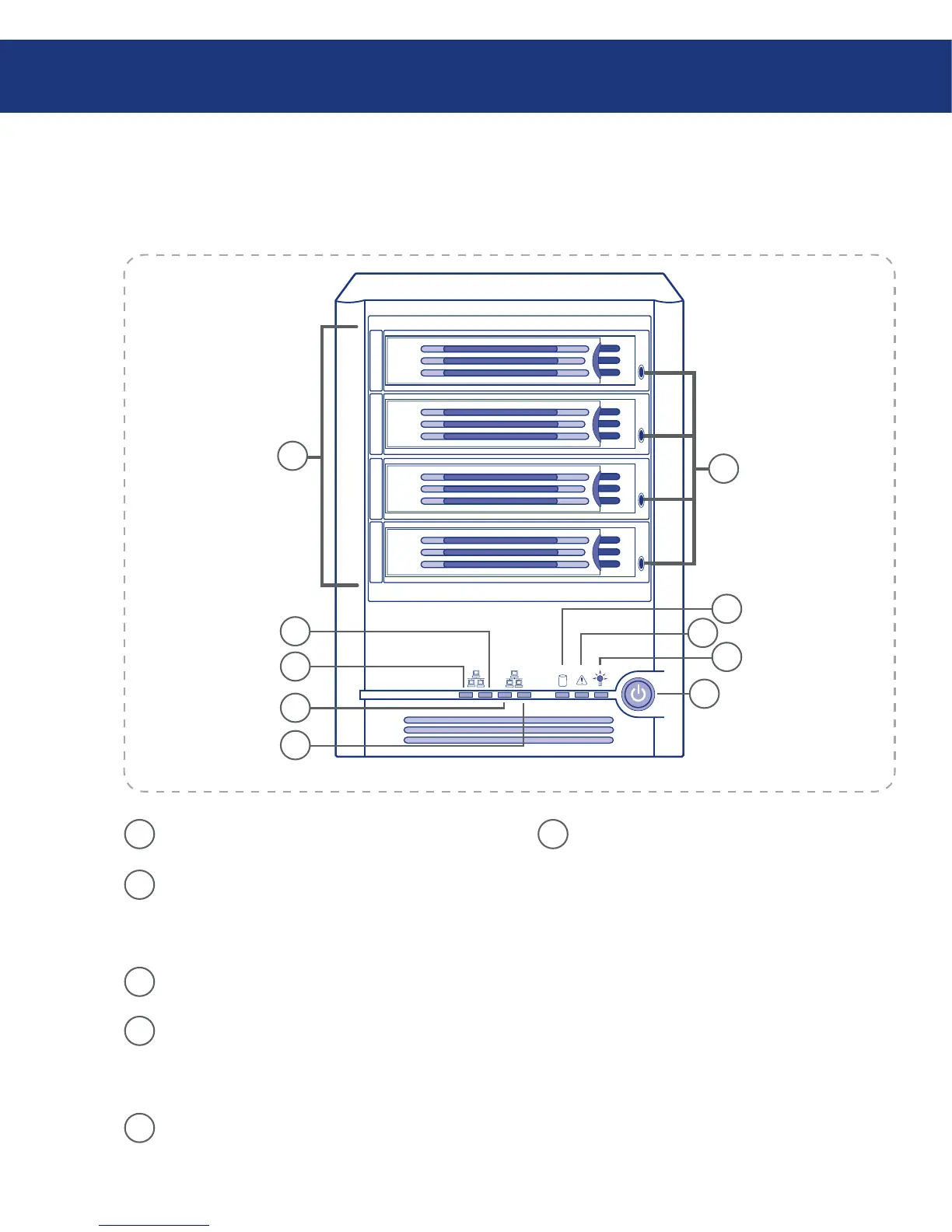
2.2. Views of the System
Front View■
1
Network Connection 1 Activity LED– Blink-
ing green indicates Ethernet activity.
2
Network Connection 1 Link LED – Continu-
ous GREEN indicates an active Ethernet con-
nection. Off indicates no active Ethernet connec-
tion.
3
Network Connection 2 Link LED – Blinking
green indicates Ethernet activity.
4
Network Connection 2 Activity LED – Con-
tinuous GREEN indicates an active Ethernet
connection. Off indicates no active Ethernet con-
nection.
5
Drive Carriers 1-4 – 3.5-in. SATA drive carriers
6
Hard Disk Activity LEDs –
Continuous GREEN indicates the drive is avail-
able.
Blinking GREEN indicates drive activity.
Continuous YELLOW indicates a fault condi-
tion, possibly requiring the hard disk to be re-
placed.
Blinking YELLOW indicates the drive is cur-
rently rebuilding RAID.
❖
❖
❖
❖
(continued, next page)■
1
2
3
4
5
6
7
8
10
9














 To Next Page