LaCie Ethernet Disk RAID (Firmware version 1.4)
User Manual
page 106
Protecting Local Disks
7.9.1. Recovering Files or Folders■
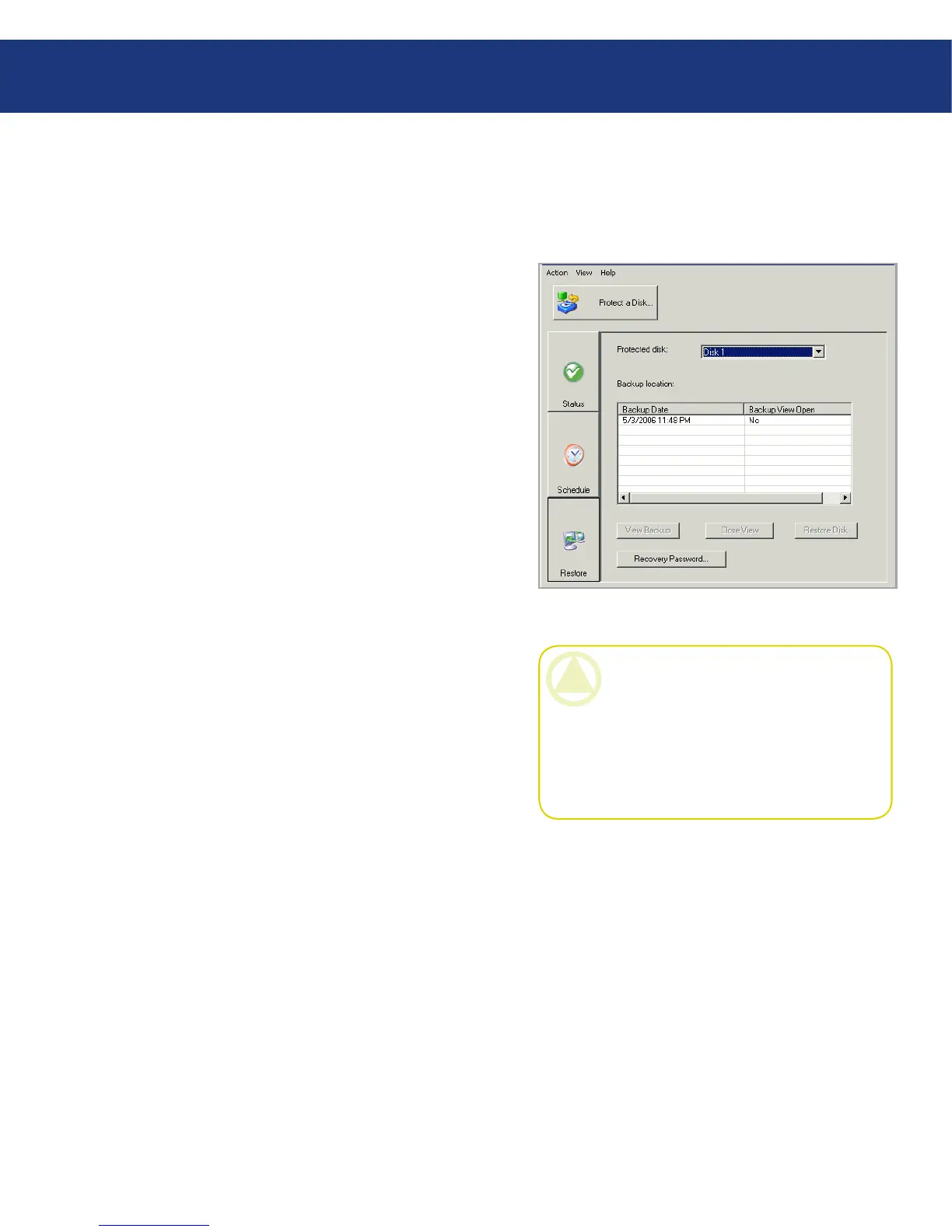
To recover selected folders, files, or sections of files
from a backup:
Click Restore.
In the Protected disks list, select the disk that con-
tains the folders or files that you want to recover.
In the Backups list, select the backup from the de-
sired date and time. You can select only a backup for
which “No” appears in the Backup View Open col-
umn.
Click View Backup.
When the confirmation message appears, click OK.
After a few moments, a window opens automatically,
displaying all the data associated with the selected
backup. You can now open the folders and files in the
backup view to make sure they contain the informa-
tion you want, and copy any of the data to your local
disk.
1.
2.
3.
4.
5.
Fig. 7.9.1.
CAUTION: You can open and change the files
in the backup view, and even create new folders or
files there. However, as soon as you close the view
(as described in the next step), all the changes will
be lost. e next time you view the backup, it will
appear the way it existed at the time the backup
was created.














 To Next Page