LaCie Ethernet Disk RAID (Firmware version 1.4)
User Manual
page 88
Protecting Local Disks
7.1.5. Starting Windows Backup Software■
To start Windows Backup Software, do either of
the following:
Click Start Programs Client Backup and
Recovery
If the Windows Backup Software Agent is running
(as indicated by the presence of the Agent icon ( )
in the system tray), double-click this icon.
If you did not protect a disk after installing Win-
dows Backup Software and restarting your computer,
you are prompted to do so the first time you run this
application. For information about this wizard, refer to
section 7.2. Protecting Your Disks.
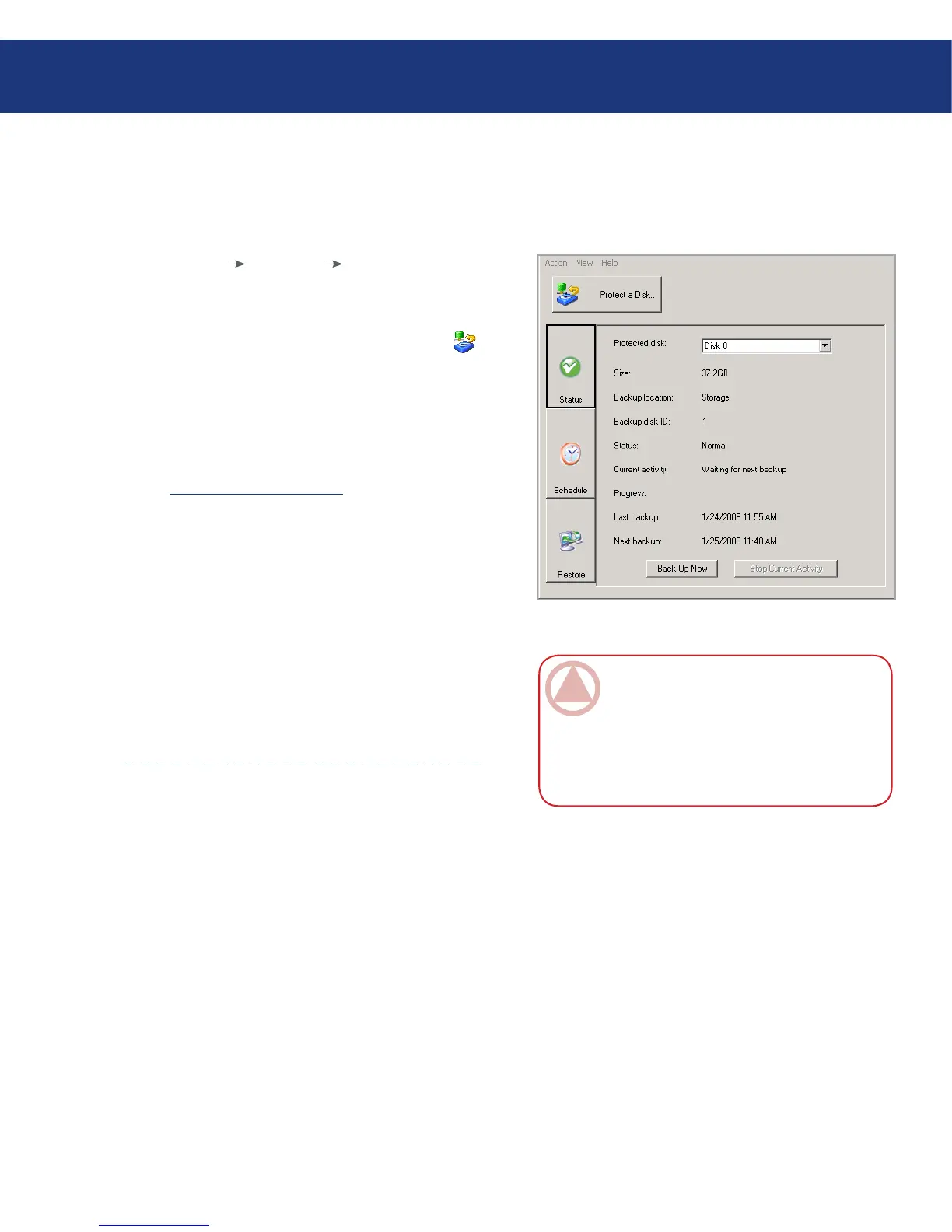
If you already protected a disk, the application win-
dow in Fig. 7.1.5. appears.
e Status page displays the name of the disk that
you protected as well as related information, such as the
size of the disk, the name of the Ethernet Disk RAID
where the backup resides, the number used to identify
the backup disk on the Ethernet Disk RAID (Backup
disk ID), the current status, information about any on-
going activity, and the date and time of the last backup
and next scheduled backup (if any).
❖
❖
ImpOrTANT INfO: If your license is not
currently activated, a message appears, advising
you of this. You must activate your license within
30 days of installing Windows Backup Software.
After that time, you will no longer be able to per-
form backups or recovery.
Fig. 7.1.5.














 To Next Page