LaCie Ethernet Disk RAID (Firmware version 1.4)
User Manual
page 98
Protecting Local Disks
7.4. Stopping a Backup or Recovery in Progress
Once a backup or recovery starts, you can stop it at
any time – for example, if you notice that your system is
not responding as quickly as you’d like, and you want to
free up processing capabilities for other tasks.
When you stop a backup in progress, that backup
won’t appear in the list of backups on the Restore page,
and any changed data that was not copied to the Ether-
net Disk RAID will be copied during the next backup.
When you stop a recovery in progress, the local disk
or partition is left in an incomplete state, and you must
recover it again later before you can use it.
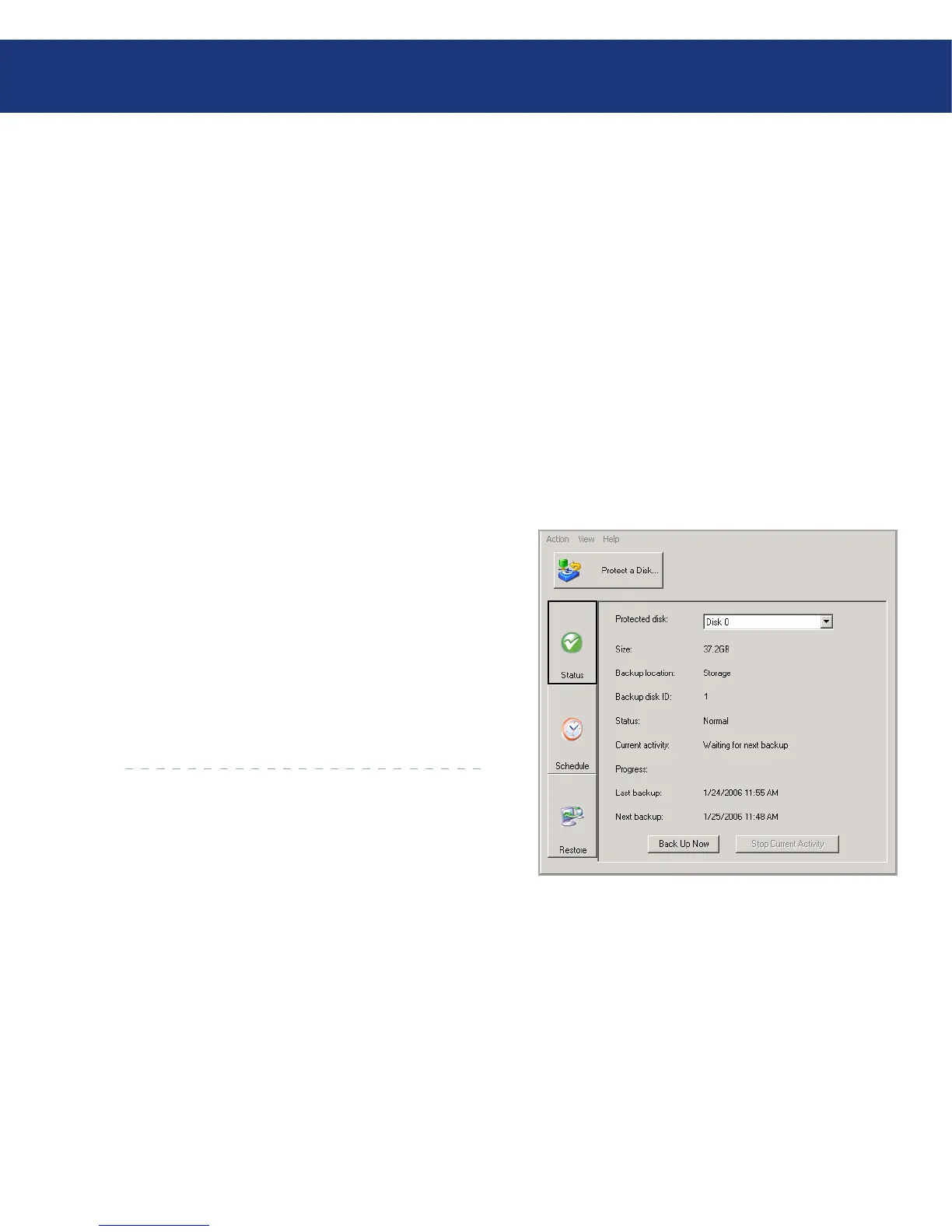
To stop a backup or recovery in progress:
Click Status.
In the Protected disk list, select the disk whose
backup or recovery you want to stop.
Click Stop Current Activity. If you’re stopping a
backup, the backup stops immediately.
If you’re stopping a recovery, a confirmation message
appears. Click OK to stop the recovery now, or click
Cancel to proceed with it.
1.
2.
3.
Fig. 7.4.














 To Next Page