1
2
3
4
5
6
7
8
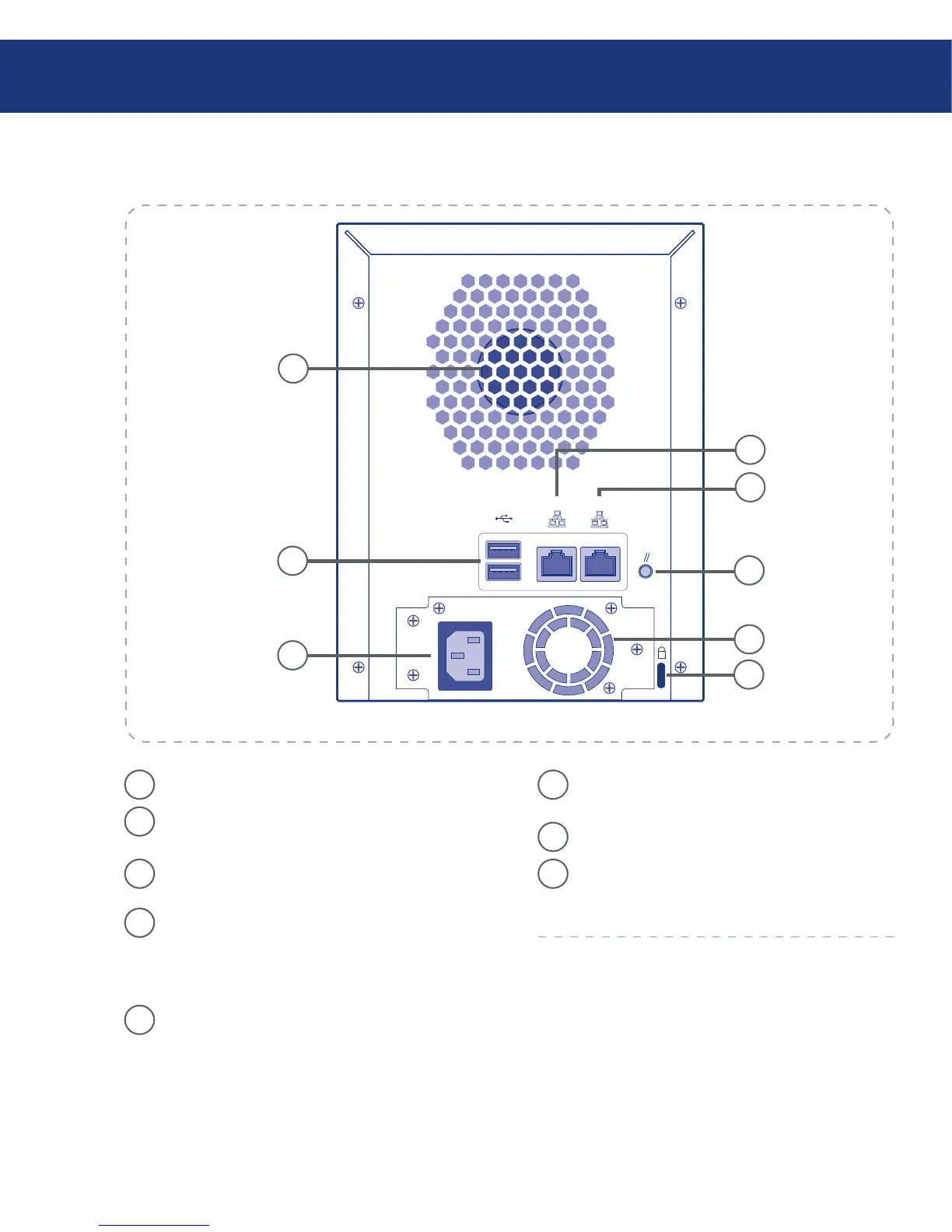
1
System Fan
2
USB 2.0 Ports – e USB ports are used for con-
necting an external USB storage device.
3
Power Connector – Supplies power to the de-
vice.
4
Gigabit LAN Port 2 – Gigabit Ethernet connec-
tion. e right LED lights up GREEN when
connected to a 10/100 MB network, and OR-
ANGE when connected to a gigabit network.
5
Gigabit LAN Port 1 – Gigabit Ethernet connec-
tion. e right LED lights up GREEN when
connected to a 10/100 MB network, and OR-
ANGE when connected to a gigabit network.
6
Reset Button – Press the Reset Button for three
seconds to revert the unit to the system defaults.
7
Power Supply Fan
8
Security Slot – Anti-theft slot for attaching a se-
curity cable.














 To Next Page