LaCie Ethernet Disk RAID (Firmware version 1.4)
User Manual
page 40
Managing Your Ethernet Disk RAID
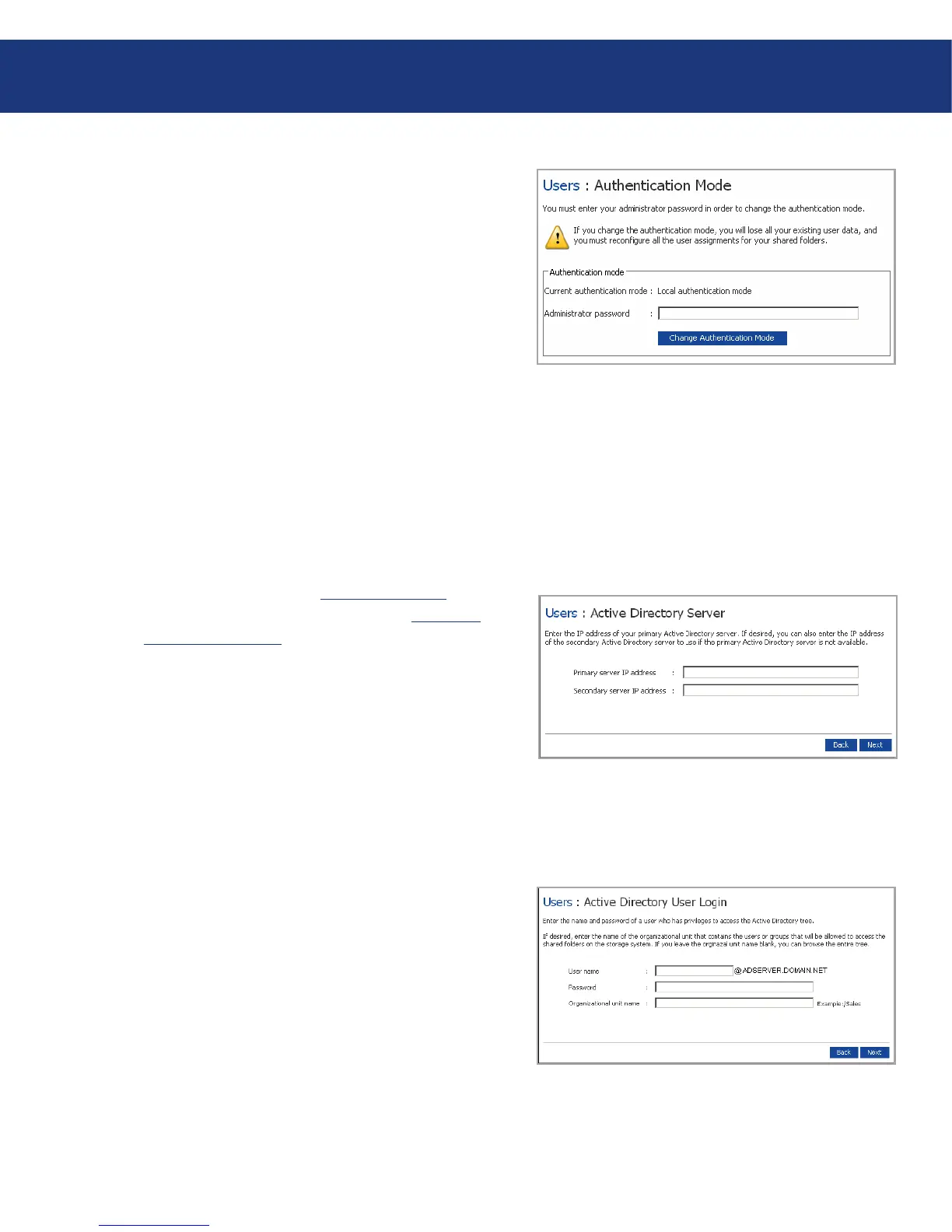
To change the authentication mode:
In the navigation bar, click Users.
In the left pane, click Authentication Mode. e
Authentication Mode page displays the current au-
thentication mode. See figure 5.4.5.1.A.
1.
2.
In the Administrator password text box, enter the
password for accessing the storage system (not the
active directory password).
Click Change Authentication Mode.
If you are currently using Active Directory authen-
tication mode, click Yes when prompted to switch
to local authentication mode. All your existing user
data and user assignments are deleted, and you can
add new users (see section 5.4.1, Adding users) and
assign them to shared folders (see section 5.5.1, Cre-
ating Shared Folders).
If you are currently using local authentication
mode, the Active Directory Server page displays.
See figure 5.4.5.1.B.
In the Primary server IP address text box, enter the
IP address of your primary Active Directory server.
(You cannot use the server’s name.)
If desired, enter the IP address of a secondary Active
Directory server in the Secondary server IP address
text box. (You cannot use the server’s name.) is
server will be used if the primary Active Directory
server is not available. e secondary server must be
in the same domain as the primary server.
Click Next. e Active Directory User Login page
displays. See figure 5.4.5.1.C.
In the User name text box, enter the name of a user
who has privileges to access the Active Directory
tree. When accessing the Active Directory server,
this name will be appended with the fully qualified
domain name shown on this page.
3.
4.
5.
6.
7.
8.
9.
Fig. 5.4.5.1.B
Fig. 5.4.5.1.A
Fig. 5.4.5.1.C














 To Next Page