LaCie Ethernet Disk RAID (Firmware version 1.4)
User Manual
page 46
Managing Your Ethernet Disk RAID
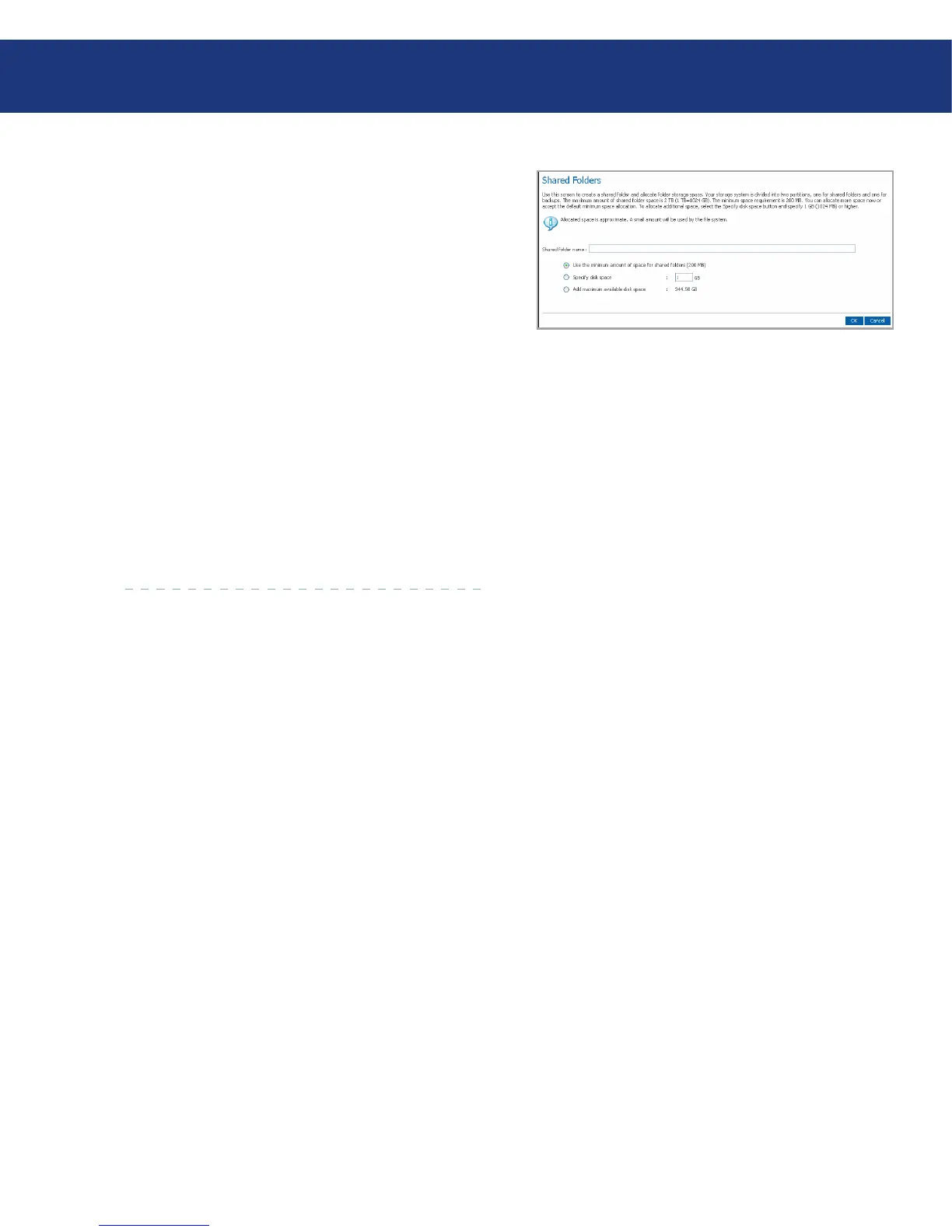
In the Shared folder name text box, enter a unique
name for the shared folder (see Fig. 5.5.1.B). is
name can be up to 64 characters long and can contain
letters, numbers, hyphens, underlines, and spaces.
Your storage system is divided into several partitions,
one for shared folders, one for home folders and one
for backups. e maximum amount of a shared folder
space is 2 TB (1 TB=1024 GB). e minimum space
requirement is 200 MB. You can allocate more space
now or accept the default minimum space allocation.
To allocate additional space, select the Specify disk
space button and specify 1 GB (1024 MB) or higher.
To allocate the maximum available, select the Add
maximum available disk space” raid button. After
setting the appropriate value, hit OK. e folder is
created and the Shared Folders screen will be dis-
played.
3.
4.
Fig. 5.5.1.B














 To Next Page