LaCie Ethernet Disk RAID (Firmware version 1.4)
User Manual
page 48
Managing Your Ethernet Disk RAID
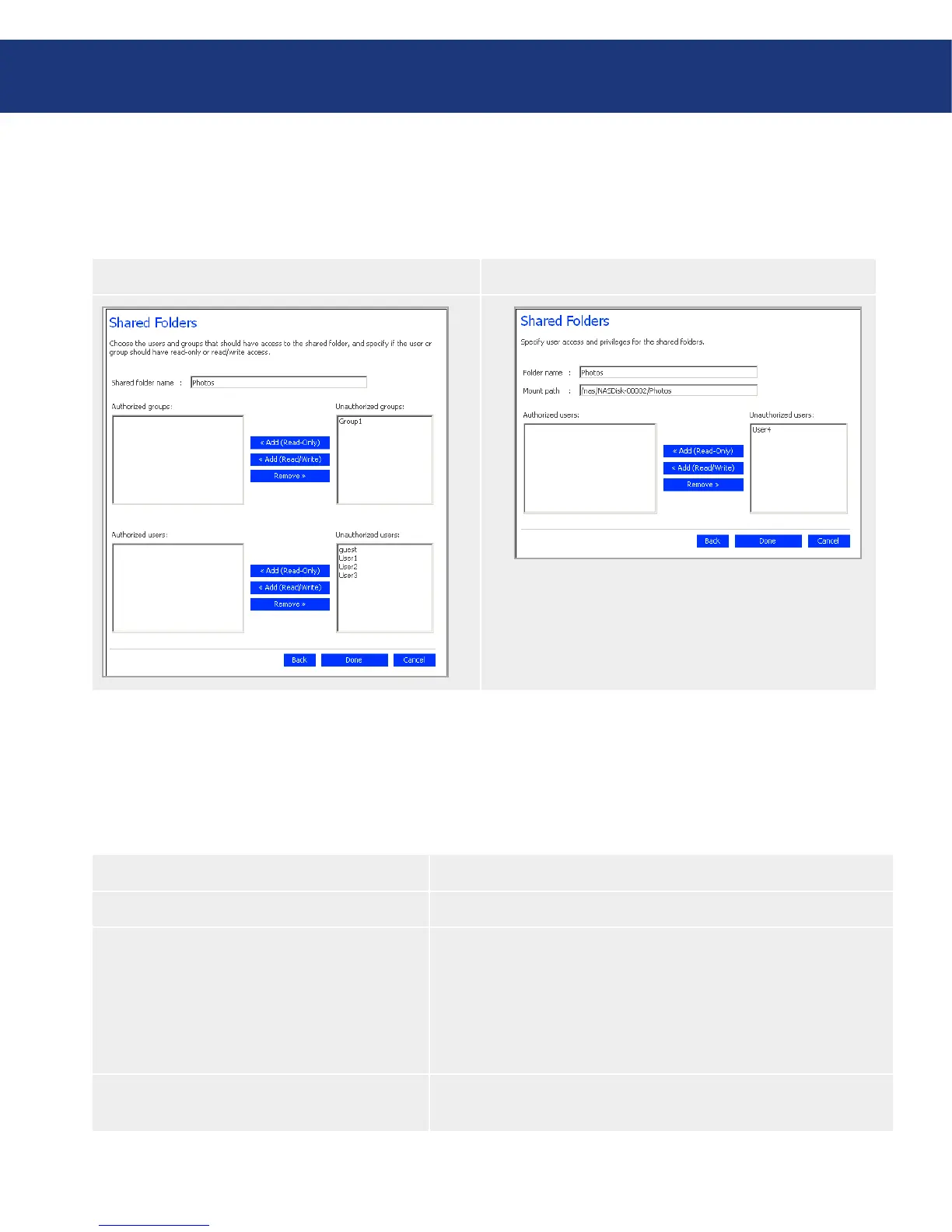
Windows/Mac OS X User (CIFS)■ Linux/Other Mac User (NFS)■
e page that appears next varies, depending on
what type of users can access the shared folder you
selected.
Specify which users should be able to access this
shared folder or USB disk, and then click OK. See
the table, below.
e selected users move from one list to the other.
5.
Shared Folder Access Options■
To accomplish this Do this
Allow selected users access to the shared folder
or USB disk
In the Unauthorized users list, select the user(s) who should be
able to access the shared resource and then click Add (Read-
Only) or Add (Read/Write).
Users with read-only access can only view the files in the shared re-
source; users with read/write access can view, add, modify, and delete
folders and files in the shared resource.
Prevent selected users from accessing the shared
folder or USB disk
In the Authorized users list, select the user(s) who should not be
able to access the shared resource and then click Remove.














 To Next Page