14
3 Product Description
3.7 Accessories
NOTICE
When installing electrical accessories you must ensure that the necessary protection class is
reached.
3.7.1 FB30 External User Interface
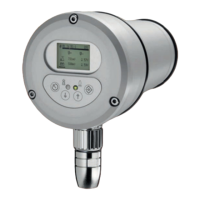
The FB30 external operating unit offers the same range of functionality as the internal UI built
into the F300K. It can be used with an F300K (without an integrated operating unit) or a F300K
UI (with an integrated operating unit).
You can connect the FB30 directly to the FG30 connection housing using its plug-in connector.
The FB30 is then supplied with 24 VDC from the power supply of the F300K.
You will find the technical specifications for this device in section 14.1.2 FB30 External User
Interface.
3.7.2 F300K Remote Software
NOTICE
LAMTEC provides a CAN/USB adapter with the F300K Remote Software. You can use this
with a specific adapter cable to connect your PC to the CAN bus of the F300K.
The F300K Remote Software allows you to do all the parameterisation of an F300K. In addi-
tion, it also offers analysis, data backup and recording functions.
In addition to the data of the F300K, you can also record external, analogue and/or digital data
by means of CAN modules. All of the data is synchronised.
Fig. 3-6 Remote PC software
You will find further information in a separate description F300K-Remote-Software
(DLT-No. 7652).


 To Next Page
 Loading...