50
7 Operation
7 Operation
7.1 Main Menu
This section gives you an overview of the displays and menus of the F300K.
Initial images
NOTICE
Has the user interface complete the high start-up phase and is in the home screen, the con-
trast of the display can be changed using the key combination ESC / UP or ESC / DOWN.
Selection of the device at FSB (Bus)
NOTICE
The following view is only displayed with the external user interface if more than one device
is connected to the BUS
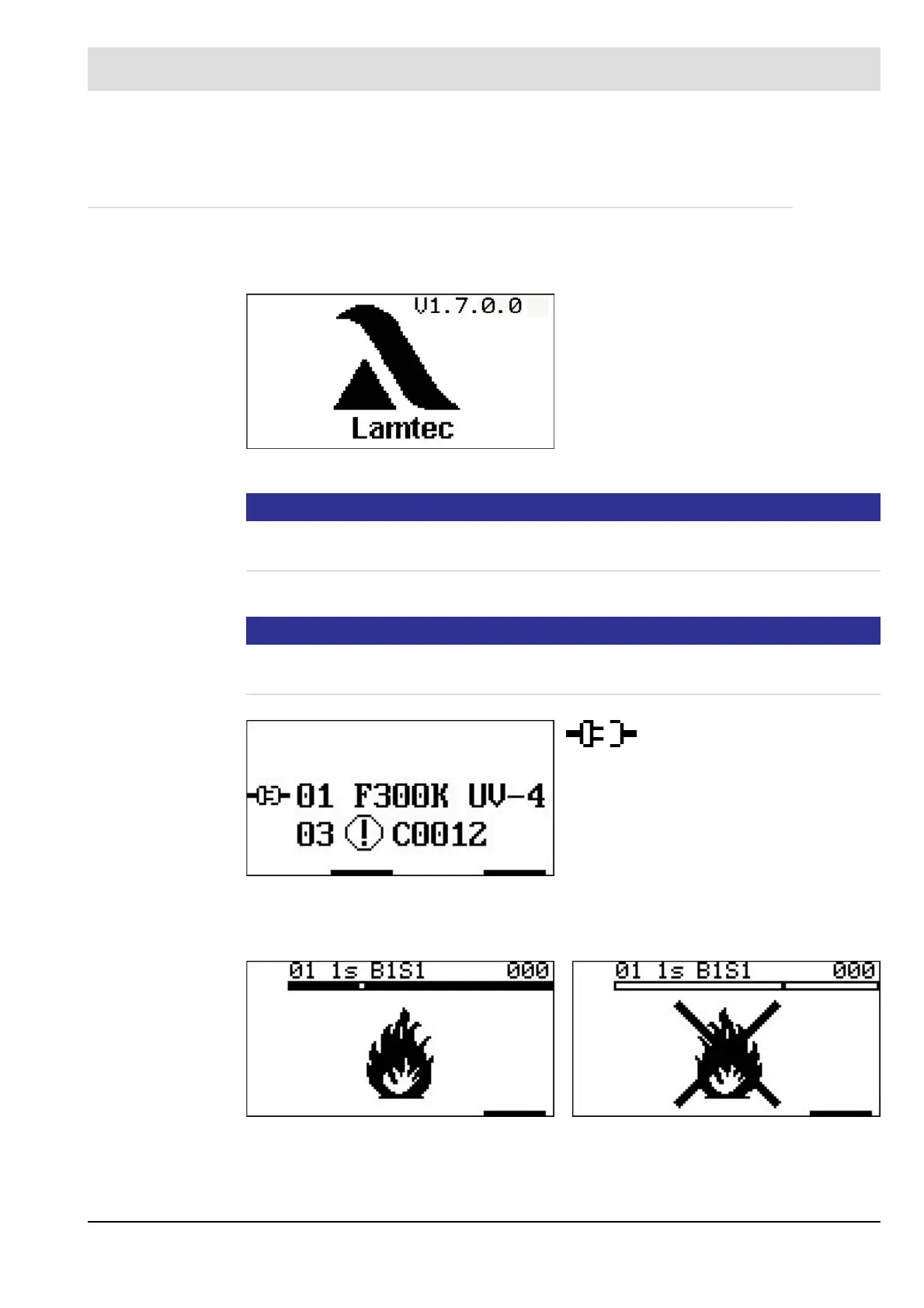
Start window flame ON / OFF
Fig. 7-1 Initial image 1
• Software version of the User Interface
• Manufacturer
Fig. 7-2 Initial image 2
Selection symbol
01 Bus ID (Device number)
F300K Model
UV-4 Spektrum
03 Selection of other LAMTEC
device
Fig. 7-3 View with flame ON Fig. 7-4 View with flame OFF


 To Next Page
 Loading...