Field Option Description
Bearing: Editable eld The tangential azimuth of the line at the
starting point.
For Straight
Field Option Description
Length: Editable eld The length of the straight element.
For Curve
Field Option Description
Radius: Editable eld Radius of the curve.
Positive when the curve is turning right along
the forward direction of the alignment.
Negative when the curve is turning left along
the forward direction of the alignment.
Length: Editable eld Length from the start to the end point of
the curve.
For Spiral
Field Option Description
Length: Editable eld Length of the clothoid element.
Rs: Editable eld The entry radius of the spiral.
Positive when the spiral is turning right along
the forward direction of the alignment.
Negative when the spiral is turning left along
the forward direction of the alignment.
Re: Editable eld The exit radius of the spiral.
Positive when the spiral is turning right along
the forward direction of the alignment.
Negative when the spiral is turning left along
the forward direction of the alignment.
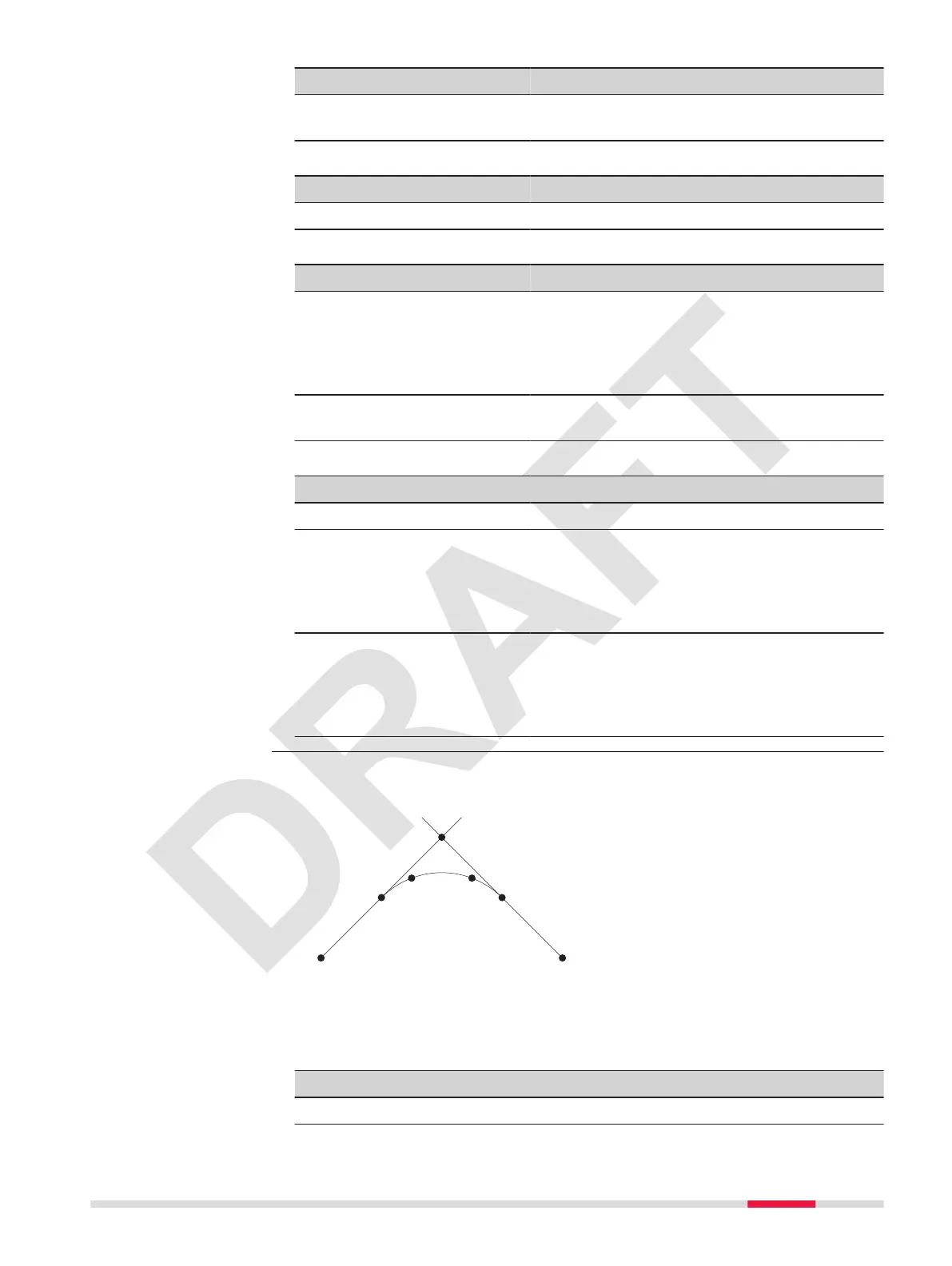
Cross points are the intersection points of two tangents of a symmetric align-
ment. Cross points can be used to dene a complete road alignment.
005252_001
ab
P1
P2
P3 P4
P5
P6
P7
P1 Start point straight 1
P2 Start point spiral 1
P3 Start point circle
P4 Start point spiral 2
P5 Start point straight 2
P6 End point
P7 Cross point
a Tangent 1
b Tangent 2
☞
Start and end element have to be a straight or rather an end point.
☞
At least two cross points have to be entered. The rst cross point is
the start point of the straight.
Key Description
Back To return to the last active screen.
Create cross points
Apps 71



 To Next Page