5.2308.8512.0 B
INSTALLATION 5-39
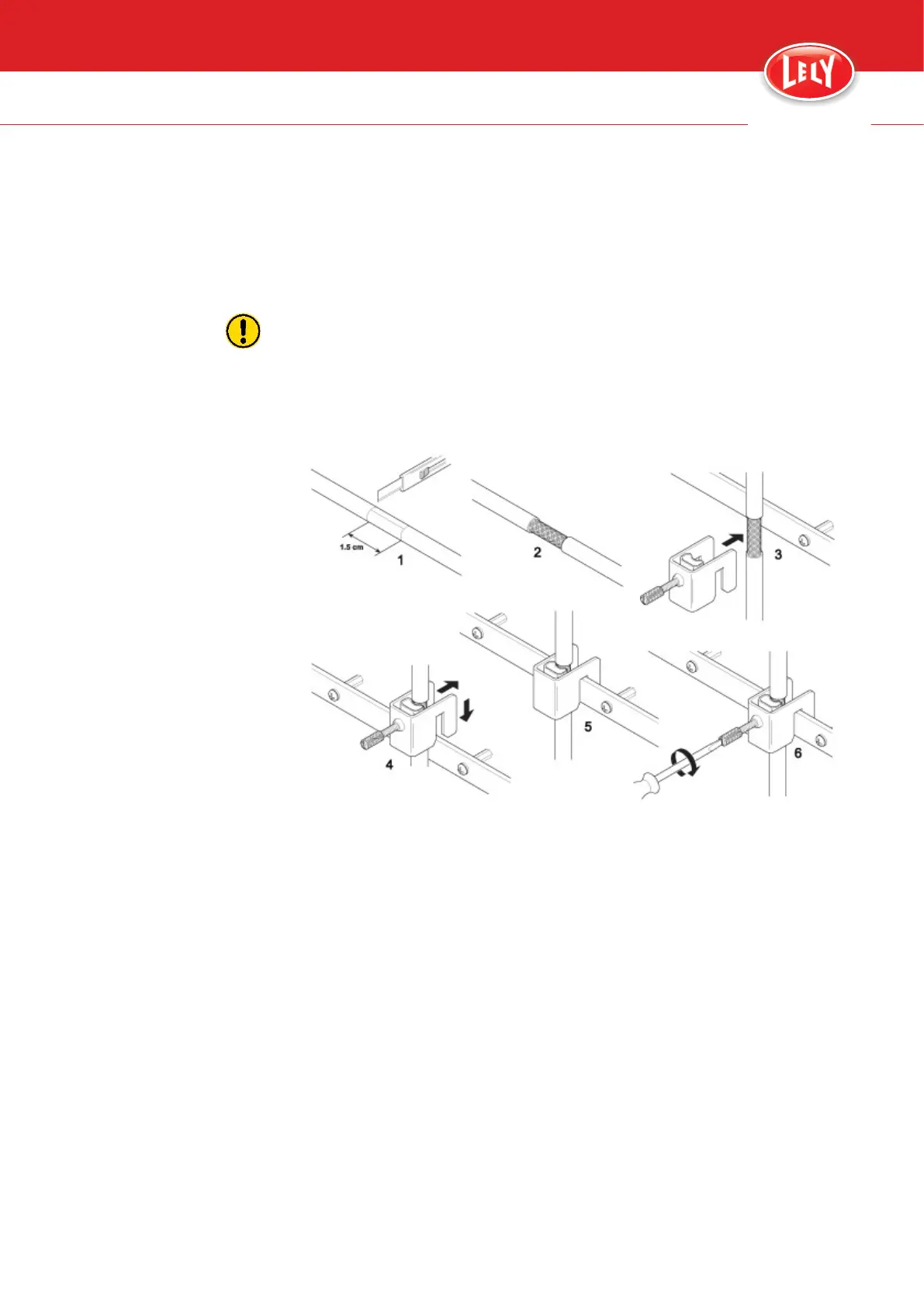
4. Strip approximately 1.5 cm (0.4 in) of the marked insulation of the
network cable (1) and (2) (see figure 45 on page 5-39).
5. Attach the network cable to the earthing connector with the earthing
clamp (2) (see figure 40 on page 5-32).
6. Make sure the shielding and the earth connector make good contact.
Do not tighten the clamp too firmly (less than finger tight about 30
nm), to prevent damage to the cable (wires and the metal shield).
7. Tighten the clamp with a screw driver.
8. Connect the network connector to the ADS3830 PCB (3) or the
network switch (12), if applicable.
Figure 45. Install a network cable to a ground rail
5.5 Setup the Cosmix P
1. Make sure the E-Link is connected (22) (see figure 40 on page 5-32)
and the main switch is switched On.
2. Set the IP-address.
The IP-address for the first concentrate feeder is 10:4:1:11 for the
second 10:4:1:12 and so on.
3. Set the device address of the concentrate feeder (see page 7-2).
The device address for the first concentrate feeder is 11, for the
second 12 and so on.
4. Set the device address for T4C (see page 7-2).
The device address for the T4C server is 1.
5. Add the concentrate feeder to the T4C software.
6. Add the feed types to each feed hopper (see page 7-12).
innovators in agriculture









 To Next Page