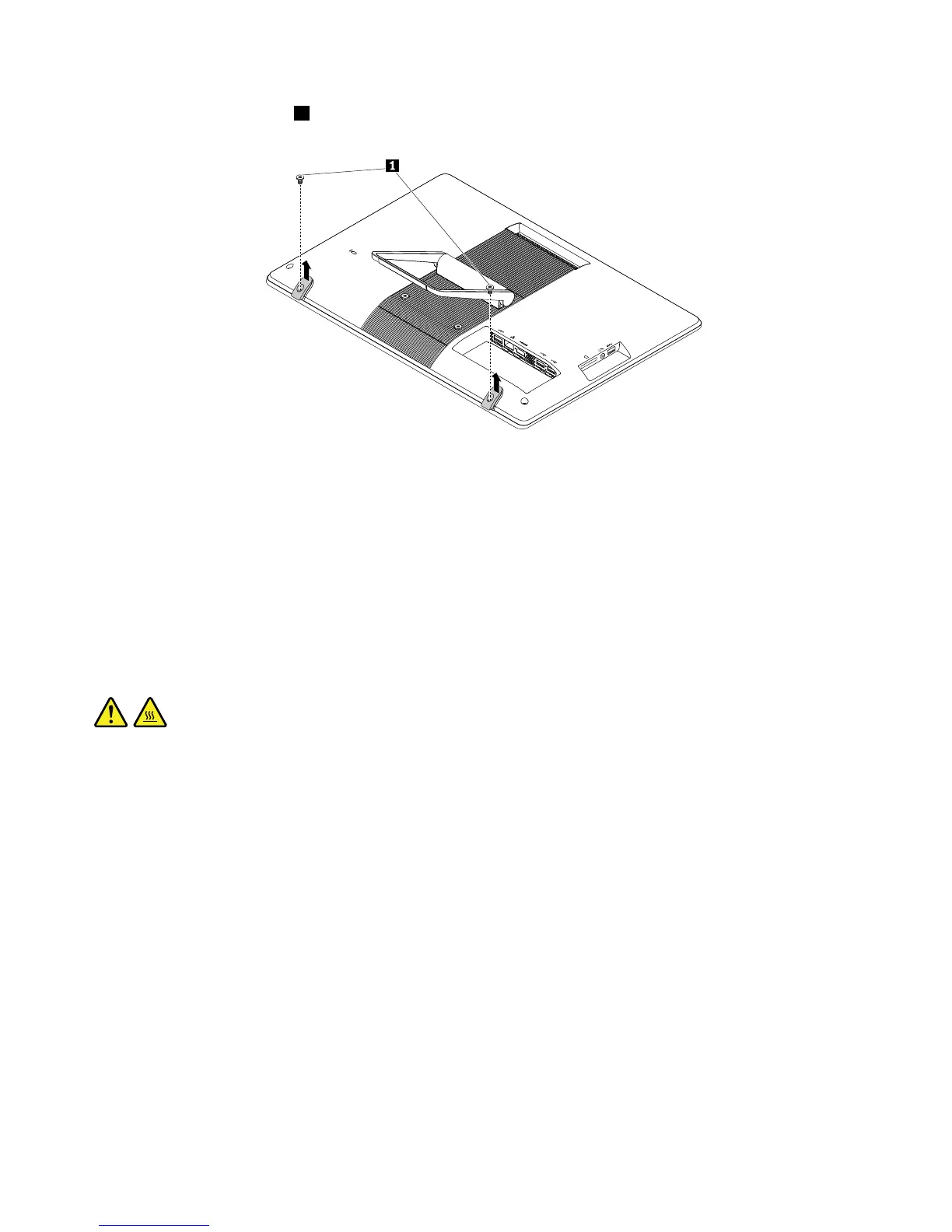
3.Removethetwoscrews1thatsecurethefeet.Then,liftthefeettoremovethemfromthecomputer.
Figure13.Removingthefeet
4.Toinstallthefeet,positionthefeetonthecomputercoversothattheholesinthefeetalignwiththe
correspondingholesinthecomputercover.Then,installthetwoscrewstosecurethefeettothe
computercover.
Removingthecomputercover
Thissectionprovidesinstructionsonhowtoremovethecomputercover.
Attention:DonotopenyourcomputerorattemptanyrepairbeforereadingandunderstandingtheChapter
1“Readthisfirst:Importantsafetyinformation”onpage1.
CAUTION:
Beforeyouopenthecomputercover,turnoffthecomputerandwaitseveralminutesuntilthe
computeriscool.
Toremovethecomputercover,dothefollowing:
1.Removeallmediafromthedrivesandturnoffallattacheddevicesandthecomputer.Then,disconnect
allpowercordsfromelectricaloutletsanddisconnectallcablesthatareconnectedtothecomputer.
2.Placeasoft,cleantowelorclothonthedeskorsurface.Holdthesidesofyourcomputerandgentlylay
itdownsothatthescreenisagainstthesurfaceandthecoverisfacingup.
3.Removetheframestand.See“Removingandinstallingtheframestand”onpage99.
4.IfaKensington-stylecablelockisavailable,unlockthecomputercover.
102ThinkCentreE63zUserGuide












 To Next Page