Toinstallthenewsystemboard,positionthenewsystemboardinthechassissothattheeightscrewholes
inthesystemboardalignwiththecorrespondingholesinthechassis.Then,installtheeightscrewsto
securethesystemboardtothechassis.
1.Routeallthecablesthatyoudisconnectedfromthesystemboard,andthenconnectthecablestothe
systemboard.See“Locatingpartsonthesystemboard”onpage32.
2.InstalltheWi-Ficard.See“ReplacingtheWi-Ficard”onpage112.
3.Installthecoin-cellbattery.See“Replacingthecoin-cellbattery”onpage111.
4.Installthememorymodules.See“Installingorreplacingamemorymodule”onpage109.
5.Installtheheatsinkassembly.See“Replacingtheheatsinkassembly”onpage117.
6.Installthesystem-boardshield.See“Removingandinstallingthesystem-boardshield”onpage106.
Whattodonext:
•Toworkwithanotherpieceofhardware,gototheappropriatesection.
•Tocompletetheinstallationorreplacement,goto“Completingthepartsreplacement”onpage127.
ReplacingtheLCDpanel
Attention:DonotopenyourcomputerorattemptanyrepairbeforereadingandunderstandingtheChapter
1“Readthisfirst:Importantsafetyinformation”onpage1.
Thissectionprovidesinstructionsonhowtoreplacetheliquidcrystaldisplay(LCD)panel.
ToreplacetheLCDpanel,dothefollowing:
1.Removeallmediafromthedrivesandturnoffallattacheddevicesandthecomputer.Then,disconnect
allpowercordsfromelectricaloutletsanddisconnectallcablesthatareconnectedtothecomputer.
2.Placeasoft,cleantowelorclothonthedeskorotherflatsurface.Holdthesidesofyourcomputerand
gentlylayitdownsothatthescreenisagainstthesurfaceandthecoverisfacingup.
3.Removetheframestand.See“Removingandinstallingtheframestand”onpage99.
4.Removethecomputercover.See“Removingthecomputercover”onpage102.
5.Removethesystem-boardshield.See“Removingandinstallingthesystem-boardshield”onpage106.
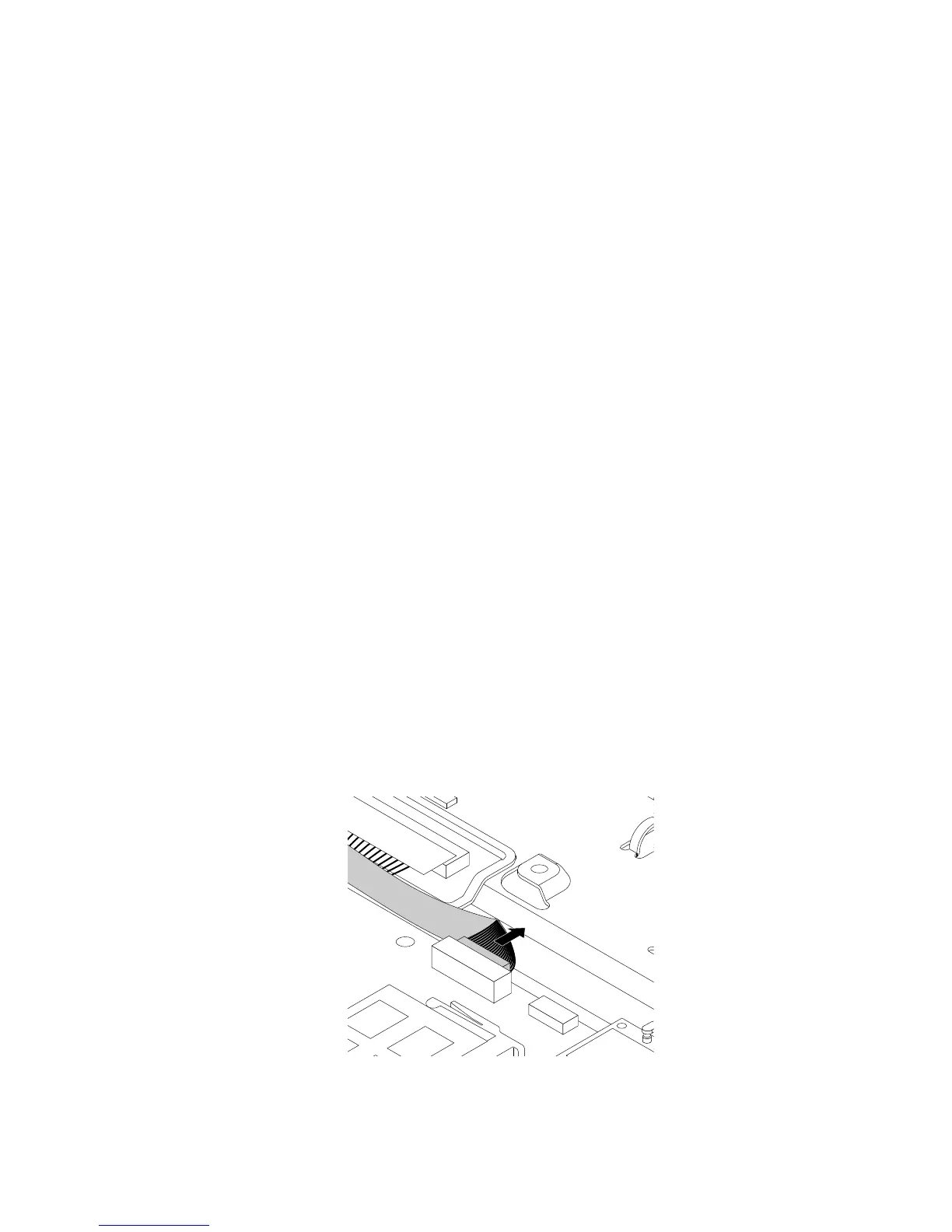
6.RecordtheroutingoftheLCD-panelcable,andthendisconnecttheLCD-panelcablefromthesystem
board.
Figure39.DisconnectingtheLCD-panelcablefromthesystemboard
Chapter11.Installingorreplacinghardware121












 To Next Page