7.Recordthecableroutinganddisconnectothercablesthatmightpreventyouroperation.Then,
disconnectthecablesfromthesystemboard.
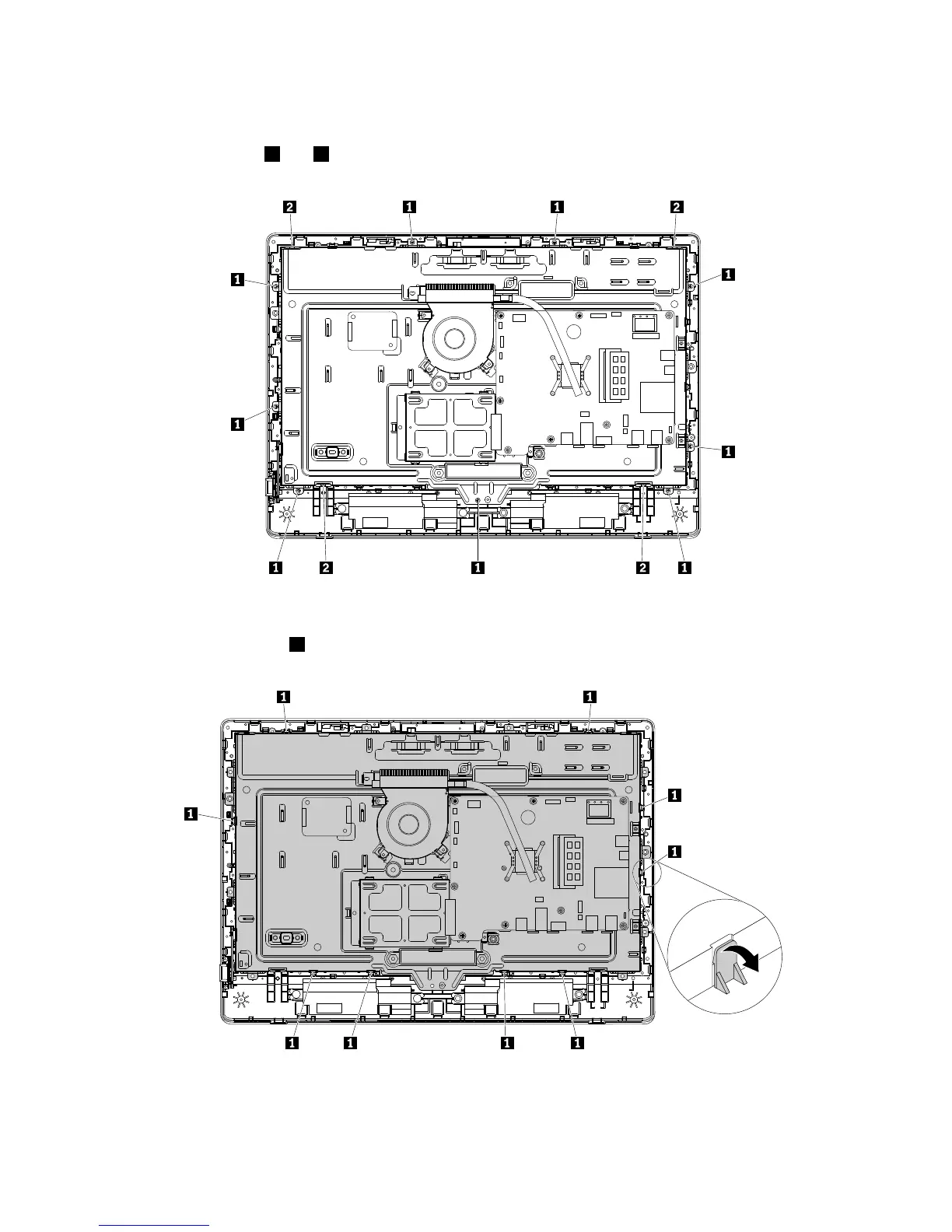
8.Removethescrews1and2asshownthatsecurethechassistotheLCDfrontbezel.
Figure40.RemovingthescrewsthatsecurethechassistotheLCDfrontbezel
9.Pivottheretainingclips1outwardasshownonebyonetoremovethechassisfromtheLCDpanel.
Figure41.RemovingthechassiswiththeLCDpanel
122ThinkCentreE63zUserGuide












 To Next Page