Locatingconnectorsontherearofyourcomputer
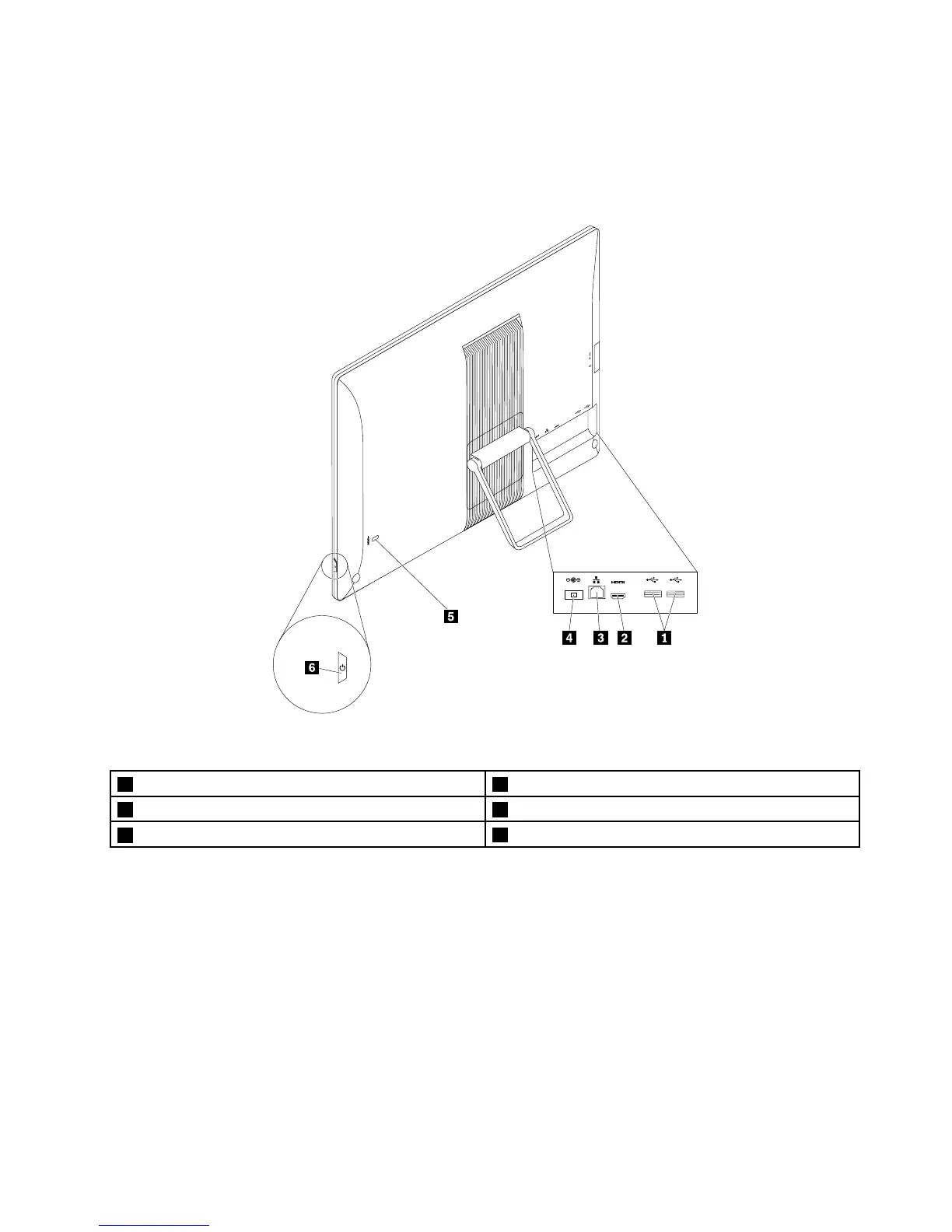
Thefollowingillustrationshowsthelocationsoftheconnectorsontherearofyourcomputer.Some
connectorsontherearofyourcomputerarecolor-codedtohelpyoudeterminewheretoconnectthe
cablesonyourcomputer.
Figure2.Rearconnectorlocations
1USB2.0connectors(2)2HDMIconnector(availableonsomemodels)
3Ethernetconnector4acpoweradapterconnector
5Security-lockslot
6Powerbutton
ConnectorDescription
acpoweradapterconnector
Usedtoattachtheacpoweradaptertoyourcomputerforpowersupply.
Ethernetconnector
UsedtoattachanEthernetcableforalocalareanetwork(LAN).
Note:TooperatethecomputerwithinFCCClassBlimits,useaCategory5eor
betterEthernetcable.
HDMIconnector
Usedtodeliveruncompressedhigh-definitionvideoandmultichanneldigitalaudio
signalsthroughasinglecable.Ahigh-performancemonitor,adirectdrivemonitor,
oranotheraudioorvideodevicethatusesaHigh-DefinitionMultimediaInterface
(HDMI)connectorcanbeattachedtothisHDMIconnector.
USB2.0connectorUsedtoattachadevicethatrequiresaUSB2.0connection,suchasakeyboard,a
mouse,ascanner,aprinter,orapersonaldigitalassistant(PDA).
Chapter2.Productoverview29












 To Next Page