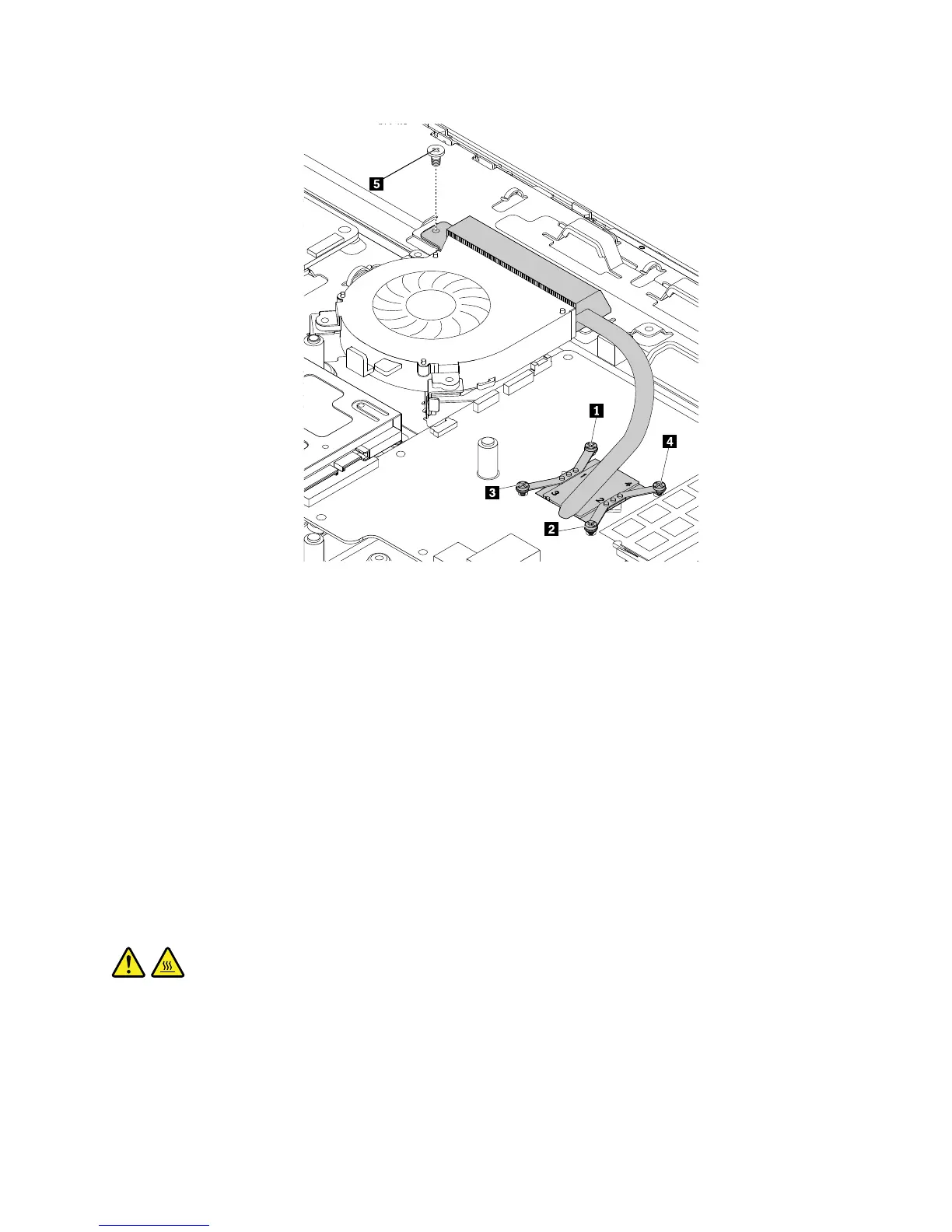
Figure36.Installingtheheatsinkassembly
9.Installthesystem-boardshield.See“Removingandinstallingthesystem-boardshield”onpage106.
Whattodonext:
•Toworkwithanotherpieceofhardware,gototheappropriatesection.
•Tocompletetheinstallationorreplacement,goto“Completingthepartsreplacement”onpage127.
Replacingthesystemboard
Attention:DonotopenyourcomputerorattemptanyrepairbeforereadingandunderstandingtheChapter
1“Readthisfirst:Importantsafetyinformation”onpage1.
Note:EachcomputerhasauniqueVitalProductData(VPD)codestoredinthenonvolatilememoryonthe
systemboard.Afteryoureplacethesystemboard,theVPDmustbeupdated.ToupdatetheVPD,see
“UpdatingorrecoveringtheBIOS”onpage63.
Thissectionprovidesinstructionsonhowtoreplacethesystemboard.
CAUTION:
Theheatsinkassemblyandmicroprocessormightbeveryhot.Beforeyouopenthecomputercover,
turnoffthecomputerandwaitseveralminutesuntilthecomputeriscool.
Toreplacethesystemboard,dothefollowing:
1.Removeallmediafromthedrivesandturnoffallattacheddevicesandthecomputer.Then,disconnect
allpowercordsfromelectricaloutletsanddisconnectallcablesthatareconnectedtothecomputer.
2.Placeasoft,cleantowelorclothonthedeskorotherflatsurface.Holdthesidesofyourcomputerand
gentlylayitdownsothatthescreenisagainstthesurfaceandthecoverisfacingup.
Chapter11.Installingorreplacinghardware119












 To Next Page