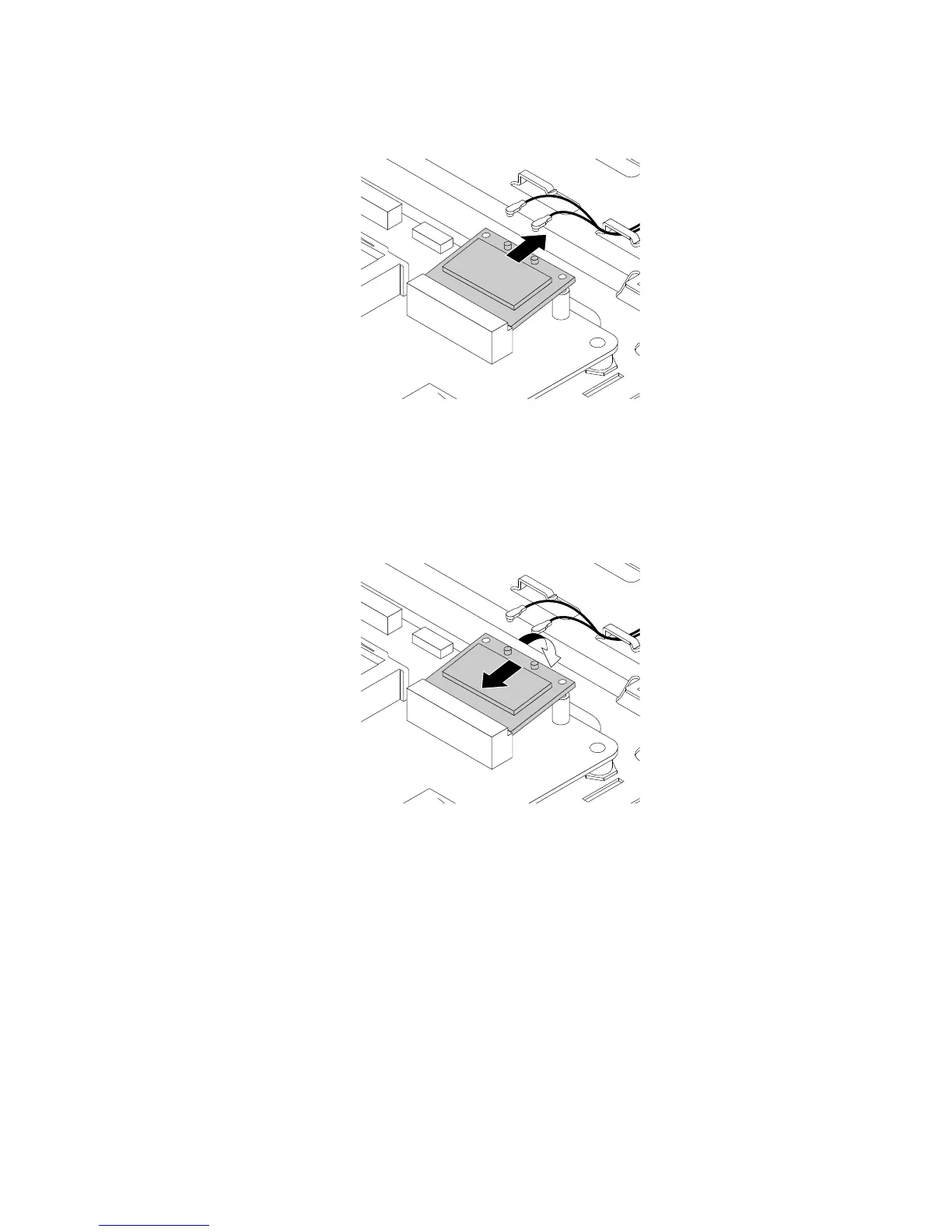
7.RemovetheWi-FicardfromtheminiPCIExpresscardslotasshown.
Figure28.RemovingtheWi-Ficard
8.ToinstallthenewWi-Ficard,insertthenotchedendofthenewWi-FicardintotheminiPCIExpress
cardslotatanangleofabout20degrees.EnsurethattheWi-Ficardisinsertedfirmly.Then,pivot
theWi-FicarddownwardsothatthescrewholeintheWi-Ficardalignswiththemountingstud
onthesystemboard.
Figure29.InstallingtheWi-Ficard
Chapter11.Installingorreplacinghardware113












 To Next Page