Chapter 12 VPN
http://www.level1.com Page 130
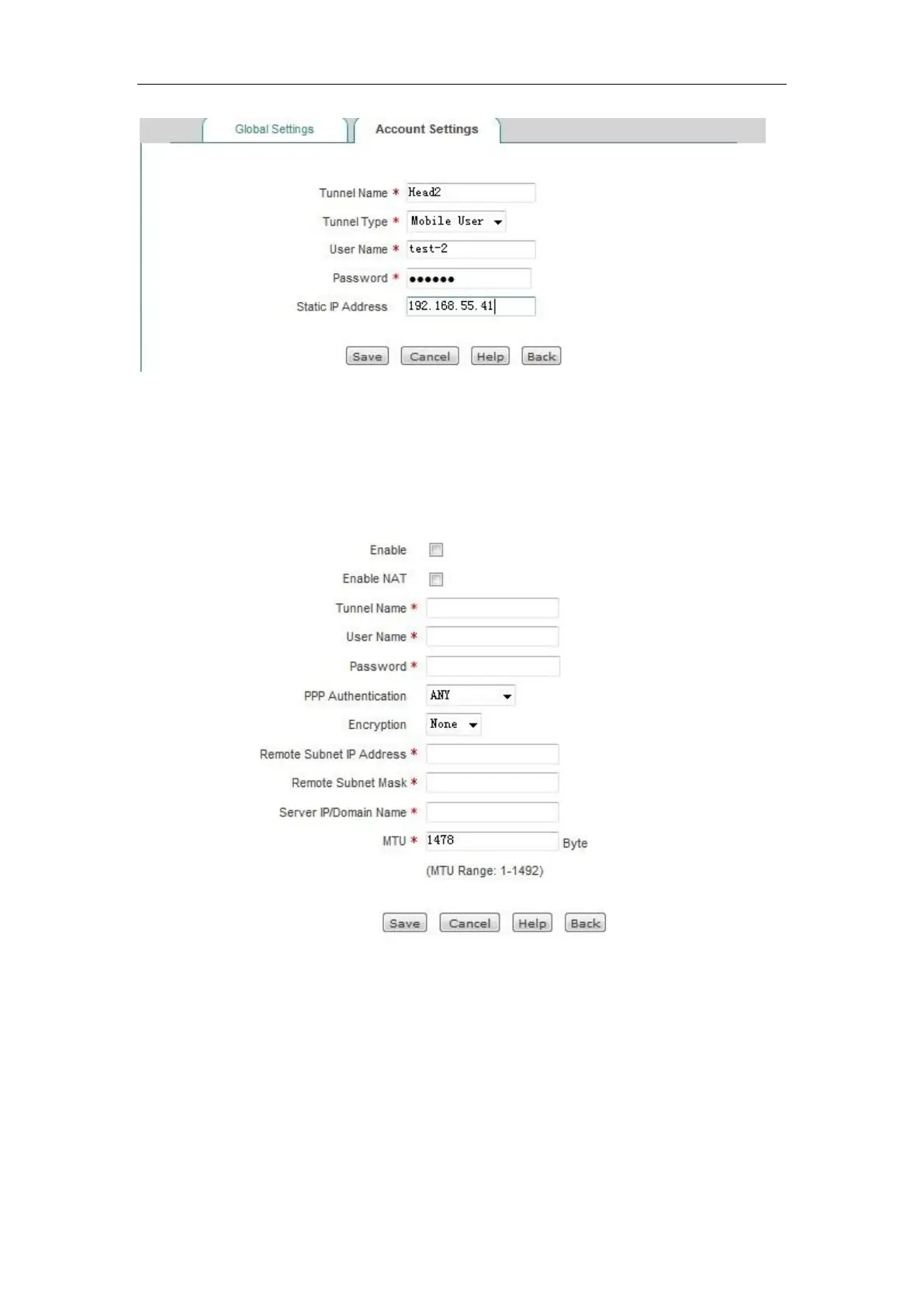
Figure 12_9 PPTP server Settings - Mobile users
2. Configure Beijing PPTP Client
Figure 12_10 PPTP client Settings
PPTP clients are configured as shown in the above figure, user name: test1. Password: 123456.
Password authentication mode: MS-CHAPV2. Remote Intranet network addresses: 192.168.1.1.
Remote subnet mask: 255.255.255.0, tunnel server address: 200.200.202.126.
3. Mobile user configuration
Follow these steps to configure a Windows XP computer, allowing it to connect to the PPTP
server.



 To Next Page