Chapter 6 Network parameters
http://www.level1.com Page 20
modification.
Interface mode: Sets the duplex mode and rate for interfaces. Options are: Auto (adaptive),
10M-FD (10M full duplex), 10M-HD (10M half duplex), 100M-FD (100M full duplex),
100M-HD (100M half duplex), 1000M-FD (1000M full duplex, supported by Gigabit
devices). The default is Auto, which is usually not required to be modified, and if there is any
compatibility issue, or the device used does not support auto negotiation function, then the
type of Ethernet negotiation can be set up here.
Tip:
1. When configuring the line, users can select the appropriate operator through "Operator
policy", and the system will generate a corresponding route based on the user's choice, you
can easily achieve the goal that Telecom traffic flows on the Telecom routes while Unicom
traffic flows on the Unicom routes.
2. Generally, it is not recommended to modify the MAC address of interfaces. However, in
some cases, the operator binds the MAC of the device, which results in the failure of the new
network device to dial up successfully, and at this time, the MAC address of the device needs
to be modified as that of the original network device.
2. Static IP access
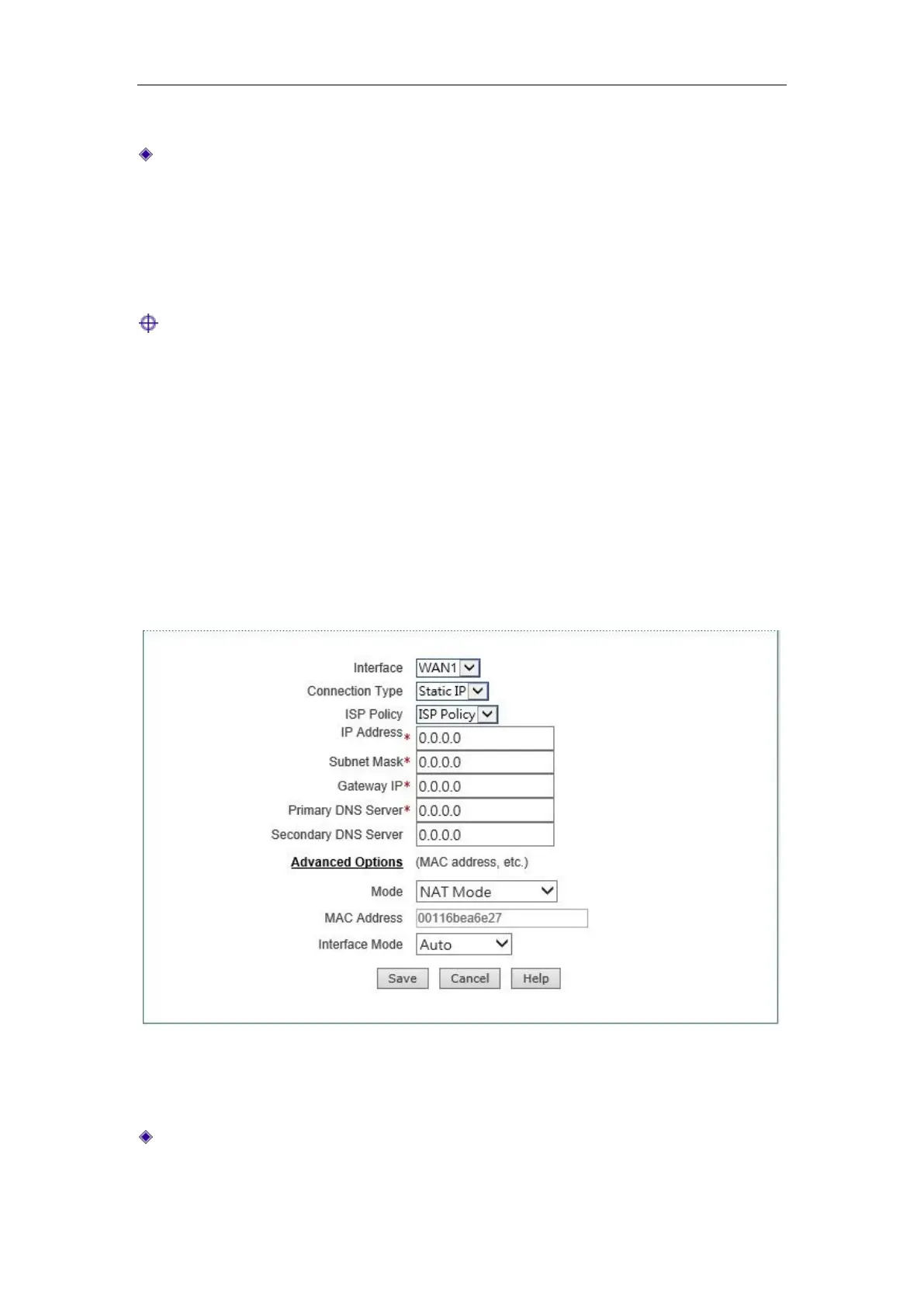
Figure 6_2 Static IP access
The interface as shown in Figure 6_2 is the configuration interface for fixed IP access.
IP address, subnet mask, gateway address: Static IP address, subnet mask and gateway
address the operator provides to you.



 To Next Page