Chapter 6 Network parameters
http://www.level1.com Page 34
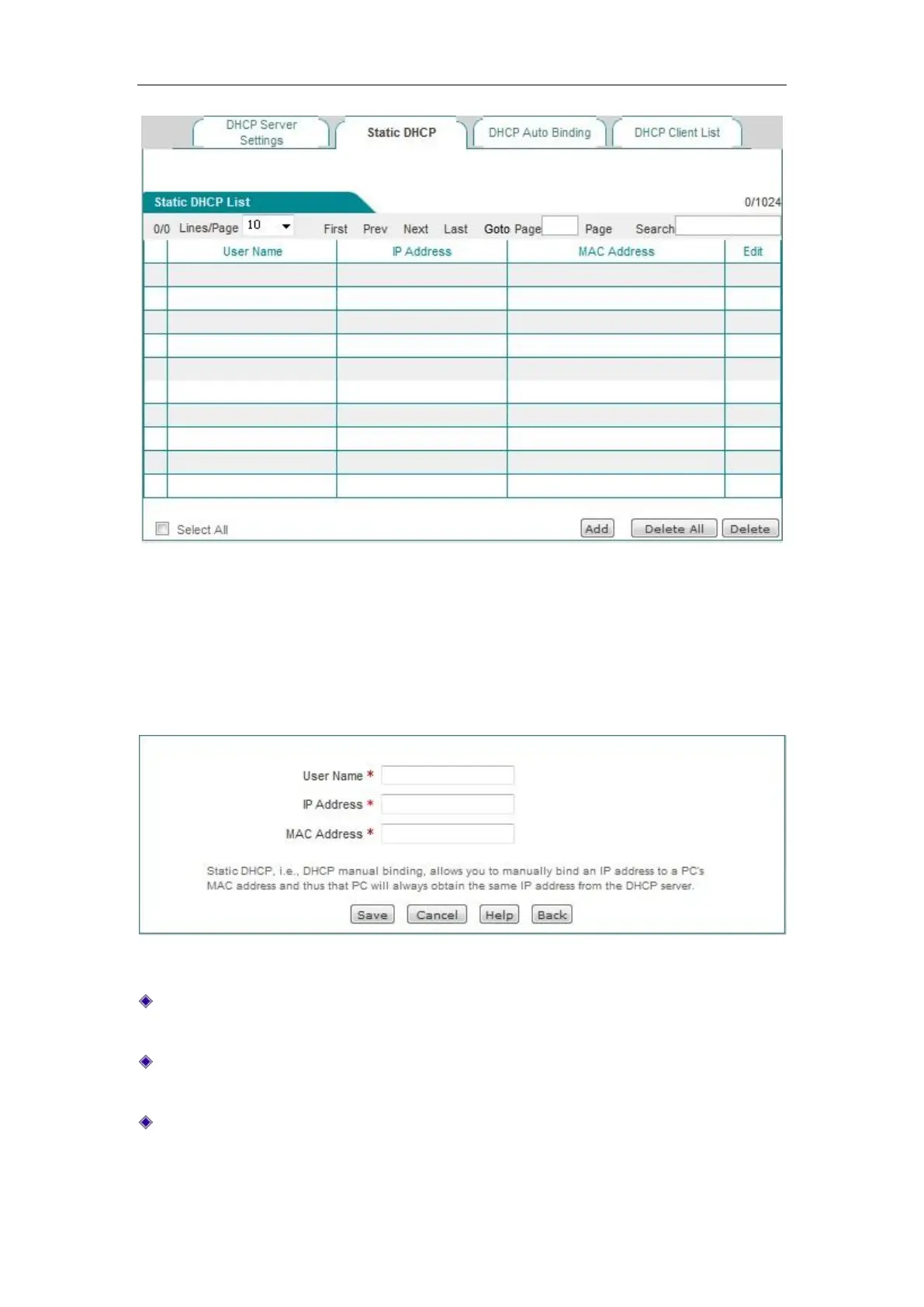
Figure 6_15 Static DHCP list
2. Static DHCP configuration
Click <Add new entry> in the page as shown in Figure 6_15, to enter into the Static DHCP
configuration page as shown in the figure below. Below is a description of the meaning of the
parameters for configuring static DHCP.
Figure 6_16 Static DHCP configuration
User name: Configures the user name of the computer bound by this DHCP (custom, no
repeat is allowed).
IP address: The reserved IP address, which must be the valid IP address within the address
range specified by the DHCP server.
MAC address: The MAC address of the computer to use this reserved IP address in a fixed
way.



 To Next Page