iPonic 624® Manual PN 995-1124-00
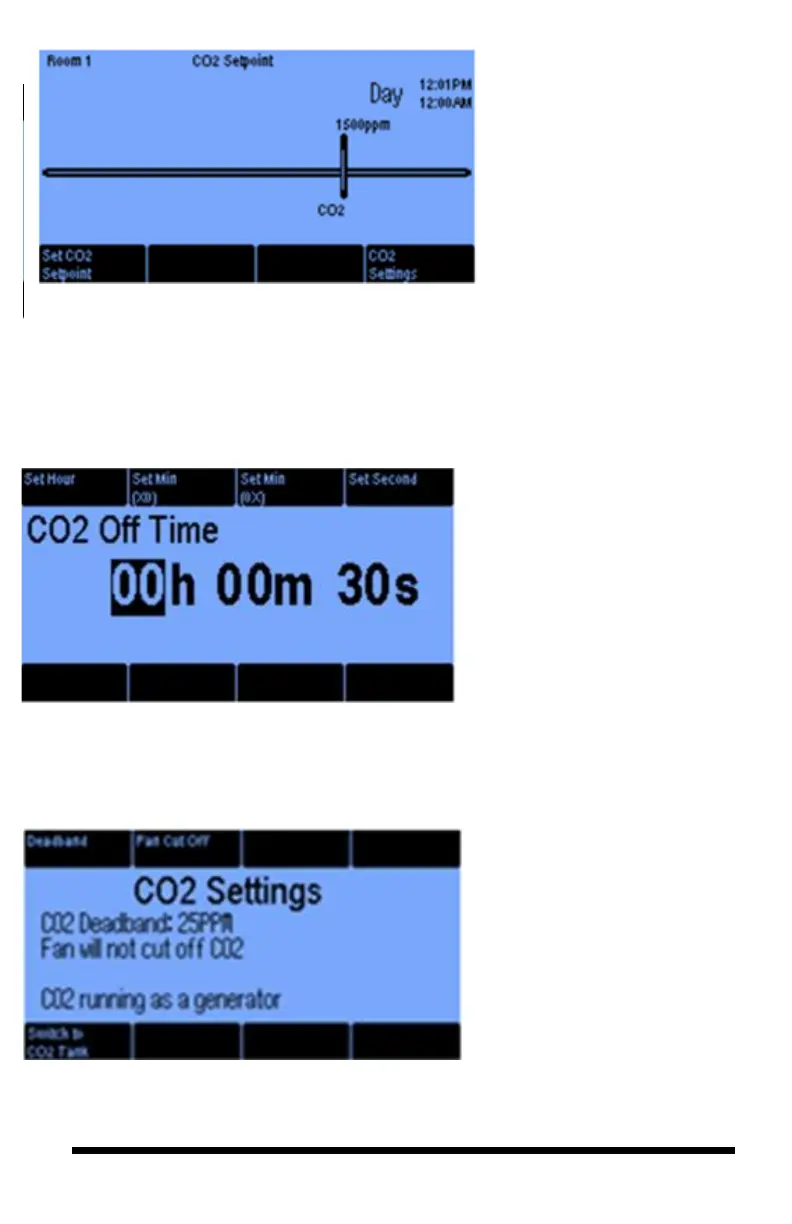
Pressing Button #8 takes you
to the CO
2
Settings screen
to customize advanced
features to control CO
2
levels.
The Deadband is discussed
in some detail on page 24.
The Fan Cut Off button lets
you enable disable this
option. When the option is
enabled the CO2 injection
goes Off when the fan g
The CO
2
On Time cycle is
the run time when CO
2
is
injected into the room from a
tank, given that the CO
2
level is below its target and
light threshold is met.
The CO
2
Off Time helps
avoid saturation and enables
the CO
2
to fill the room
gradually. The Off Time can
be set to hours, minutes and
seconds.
1.3 SETPOINTS Menu ─ CO2 Setpoint
The CO2 On Time cycle is the
run time when CO2 is injected
into the room from a tank, given
that the CO2 level is below its
target and the light threshold is
met.
The CO
2
Off Time helps avoid
saturation and enables the CO
2
to
fill the room gradually. The Off
Time can be set to hours, minutes
and seconds.
The Deadband is discussed in some
detail on page 19.
The Fan Cut Off button lets you
enable or disable this option. When
the option is enabled the CO2
injection goes Off when the fan goes
On.
When you press the Switch to
Generator (#5 Button) it will take
you to the 3rd screen below.
CO
2
Cycle Period – this option is
only available if you are injecting
from a CO
2
tank. In this case, by
controlling the On Time and Off
Times, you can cycle the injection so
as to limit its overshoot. Pressing
button #6, takes you to the next
screen.
From this Set CO
2
Setpoint
screen, configure CO
2
levels for
the room.
Pressing button 5 (CO
2
Settings)
takes you to the screen, where you
set your desired CO
2
target. The
CO
2
equipment shuts off by
default in the nighttime period.
Pressing Button #8 takes you to
the CO
2
Settings screen to
customize advanced features for
control of CO
2
levels.
Button 1 lets you change the
CO
2
targets in increments of
1ppm or 10 ppm.



 To Next Page