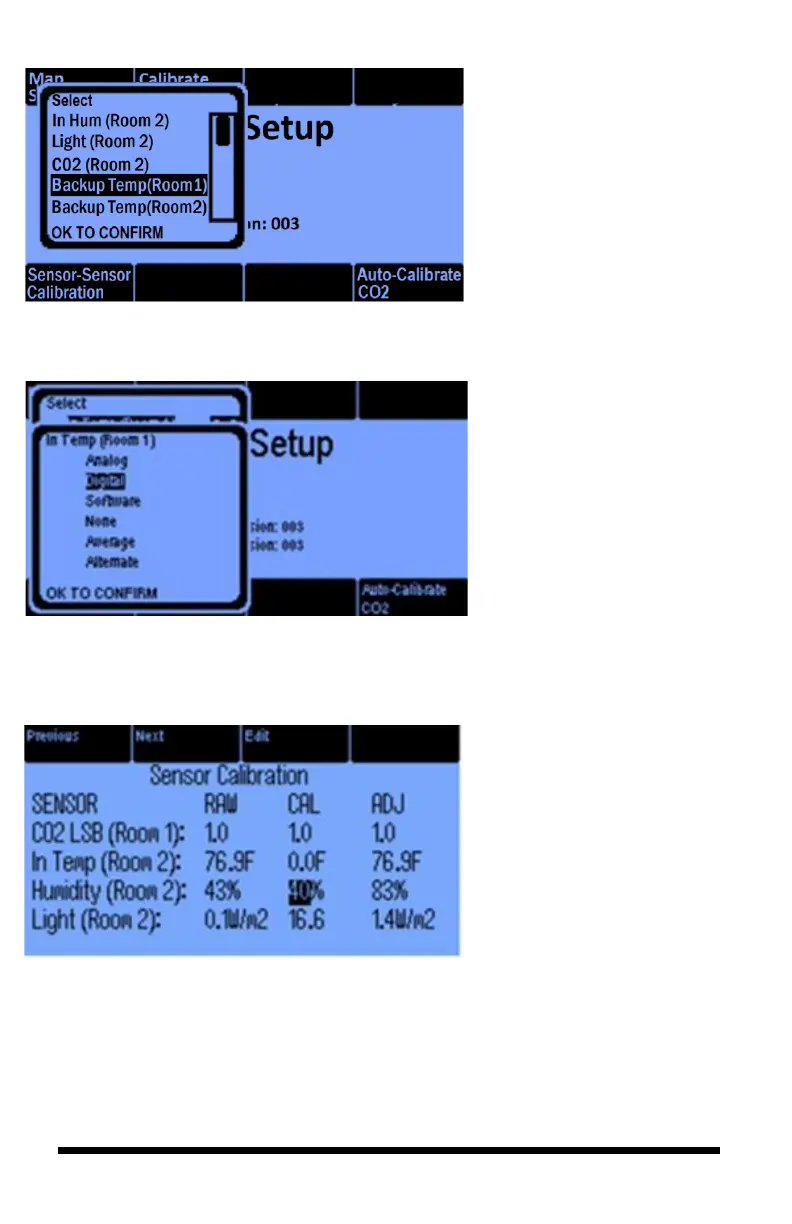
After you select the backup
temp sensor, a pop-up window
will give you the sensor options:
Analog, Digital, Software (if
you want your reading to be a
constant value), None, Average,
or Alternate
The Sensor Calibration option
lets you manually adjust
collected data. The Raw value is
the direct reading from the
sensor. The calibrate (CAL)
value is added to the Raw value
to generate the adjust (ADJ)
value. The ADJ value will be
reflected on the Main Home
screen.
The Previous and Next buttons
let you navigate up and down
through the sensors. Use the
Edit button when you want to
manually calibrate the
highlighted sensor.



 To Next Page