EasyManua.ls Logo

MacDon 9000 - Leaving the Windrower; Operator Presence System; Emergency Exit

MacDon 9000
142 pages
Print Icon
To Next Page IconTo Next Page
To Previous Page IconTo Previous Page
Loading...
OPERATION
Leaving the Windrower
OPERATOR
PRESENCE
SYSTEM
The
windrower
is
equipped
with
an
automatic
shut-down feature
which
will
stop
the
engine if
the
operator
leaves
the
seat
when
:
the
header drive is engaged,
or
the
transmission is
not
locked
in
neutral. .
Shut-down
will
occur
5
seconds
after
operator
leaves seat. Use
normal
start-up
procedure
to
re-
start
the
engine.
A
CAUTION:
Before
leaving
the
operator's
seat
for
any
reason:
1.
Parle
on
level
ground
if
possible.
2. Be
sure
variable
speed
lever
is
in the
neutral
detent
and
steering
wheel
is
locked in
the
~ight
ahead position.
3.
Engage
the
parlc
brake
.
4. Fully
lower
header
and
reel.
5. Disengage
header
drive
clutch
.
6.
Stop
engine
and
remove
key
from
ignition. A
child
or
even a
pet
could
engage
an
idling
machine.
7.
Tum
off
all lights (and wiper).
a
Raise
ann
rest
for
easier
exit
and
re-entry.
Unfasten seat
belt
9.
Lock
the
cab
door
when
leaving
the
windrower
unattended. (When
the
door
is locked, it
can
still
be
opened from inside
the
cab.)
10.
To
provide
more
secure
hand
and
foot
mobl-
ity, preventing slipping
and
possible
injury,
always
face
the
windrower
and
use
the
hand
ral
when
dismounting
(or
mounting).
E
MERG
EN
CY
EXIT
In
case exit through
cab
door
Is
not
possible,
the
right hand side
window
may
be
opened
to
provide
an
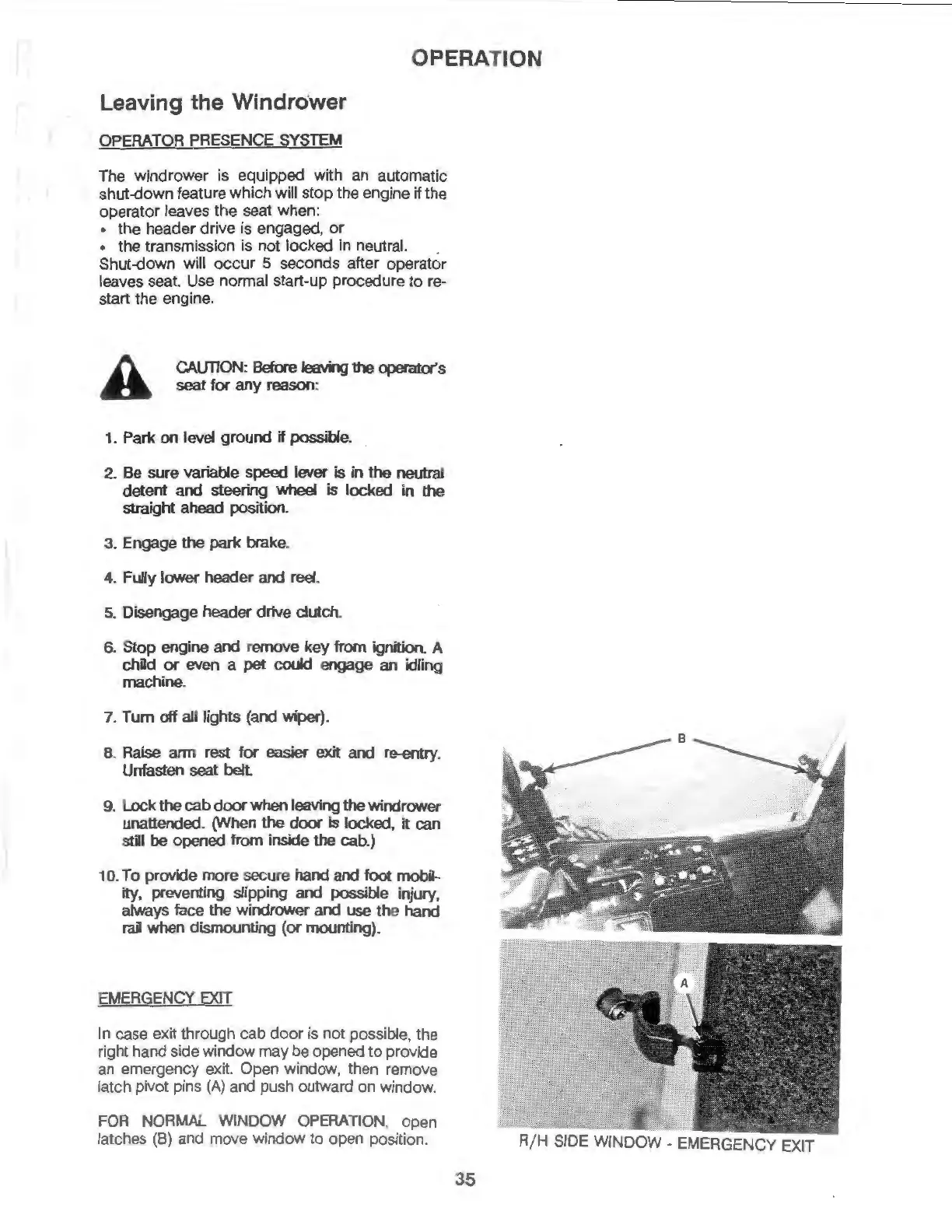
emergency exit. Open window,
then
remove
latch pivot pins
(A)
and
push outward
on
window
.
FOR
NORMAL
WINDOW
OPERATION
,
open
latches
(B)
and
move
window
to
open
positi
on
.
R/ H
SIDE
WINDOW -
EMERGENCY
EXIT
35

Table of Contents

Related product manuals